logo responsive
/

GUI Revision Dark Minecraft Resource Pack

1.21.10, 1.20.6, 1.19.4, 1.18.2

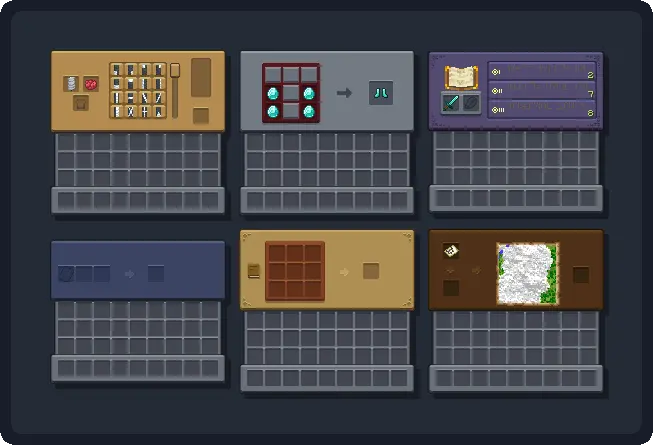
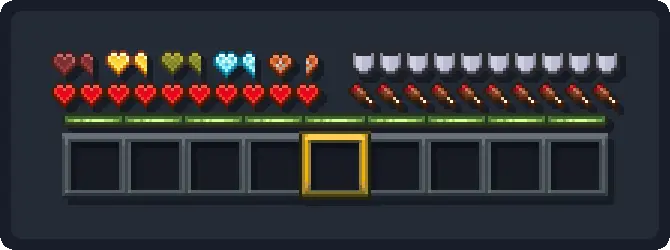
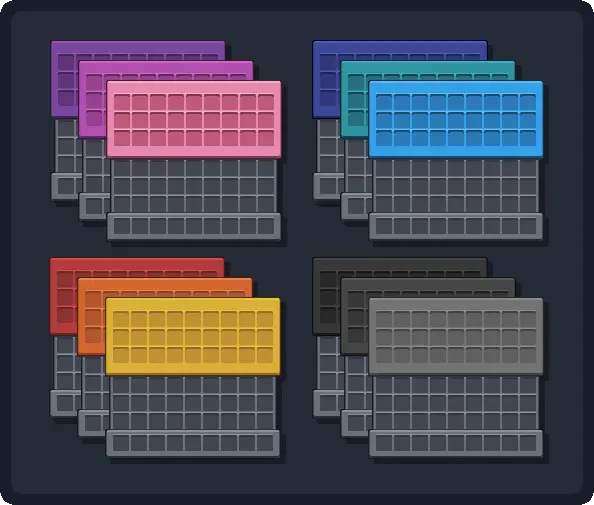
user interface blocks hud shulker boxes chests and inventory
user interface blocks
hud
shulker boxes
chests and inventory

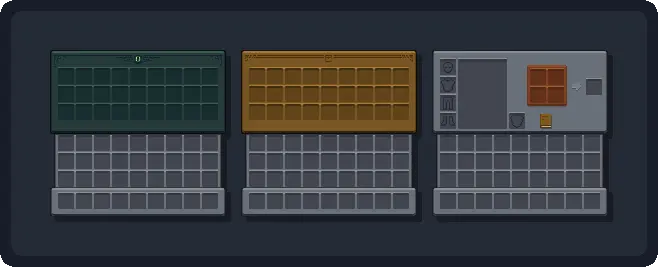
If you’re like me and love Minecraft but wish the interface had a cleaner and more modern touch, GUI Revision Dark is exactly what you need. This texture pack brings a sleek dark mode to the game’s menus, inventory, and user interface, making everything easier on the eyes while keeping the charm of the original style. It’s not just a color swap — it enhances readability and adds refined visual details that give the entire experience a more immersive and polished feel.

What I appreciate most is how it updates essential elements like icons, the experience bar, and the hotbar selector without straying too far from the vanilla look. It’s perfect for players who want something fresh but familiar. If you’re ready to upgrade your Minecraft interface without losing the soul of the game, give GUI Revision Dark a try.
Fabric

  1. 1. Download, execute the Fabric installer, choose Client, select your Minecraft version, and click Install.
  2. 2. Download the Fabric API matching that Minecraft version.
  3. 3. Download GUI Revision Dark or any additional Fabric-compatible mods you want.
  4. 4. Place the Fabric API and all mods into .minecraft/mods folder.
  5. 5. Open the Minecraft Launcher, select the new Fabric profile, and press Play. Enjoy!

Forge

  1. 1. Download, execute the Forge installer, choose Client, and click Install.
  2. 3. Download GUI Revision Dark or any additional Forge-compatible mods you want.
  3. 4. Place all mods into .minecraft/mods folder.
  4. 5. Open the Minecraft Launcher, select the new Forge profile, and press Play. Enjoy!

NeoForge

  1. 1. Download, execute the NeoForge installer, choose Client, and click Install.
  2. 3. Download GUI Revision Dark or any additional NeoForge-compatible mods you want.
  3. 4. Place all mods into .minecraft/mods folder.
  4. 5. Open the Minecraft Launcher, select the new NeoForge profile, and press Play. Enjoy!

Download GUI Revision Dark Resource Pack

Type Game version File version Loaders Download
R Release
1.21.10 File
R Release
1.21.9 File
R Release
1.21.8 File
R Release
1.21.7 File
R Release
1.21.6 File
R Release
1.21.5 File
R Release
1.21.4 File
R Release
1.21.3 File
R Release
1.21.1 File
R Release
1.20.6 File
R Release
1.20.4 File
R Release
1.20.1 File
R Release
1.19.4 File
R Release
1.19.2 File
R Release
1.18.2 File
R Release
1.17.1 File
R Release
1.16.5 File

GUI Revision Dark Minecraft Resource Pack

17 files • 1.21.10, 1.20.6, 1.19.4, 1.18.2

Download