logo responsive
/

Biomes O’ Plenty Minecraft Mod

26.1.2, 1.21.11, 1.20.6, 1.19.4, 1.18.2

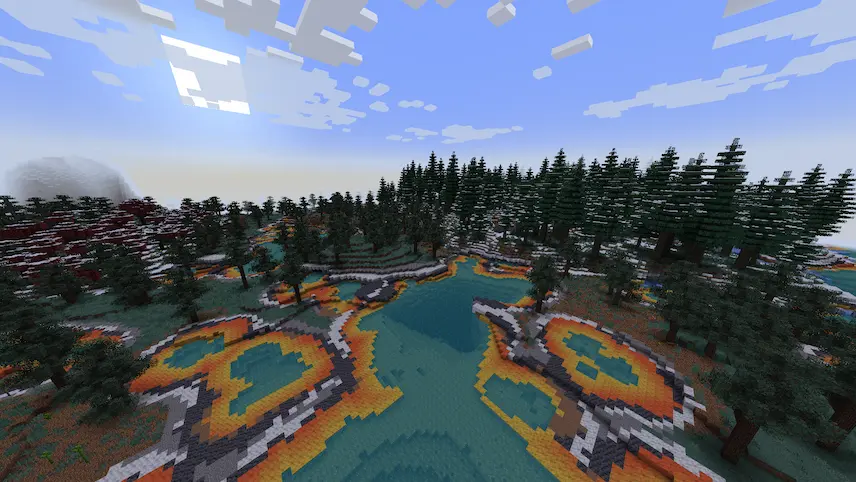
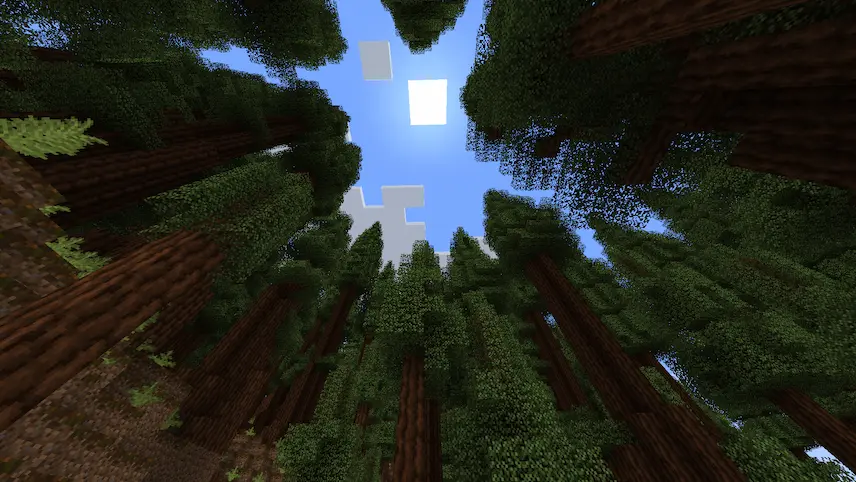
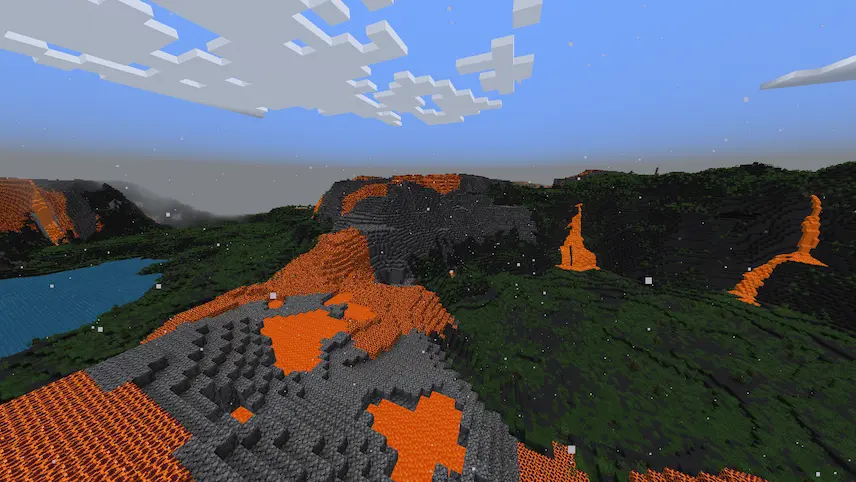
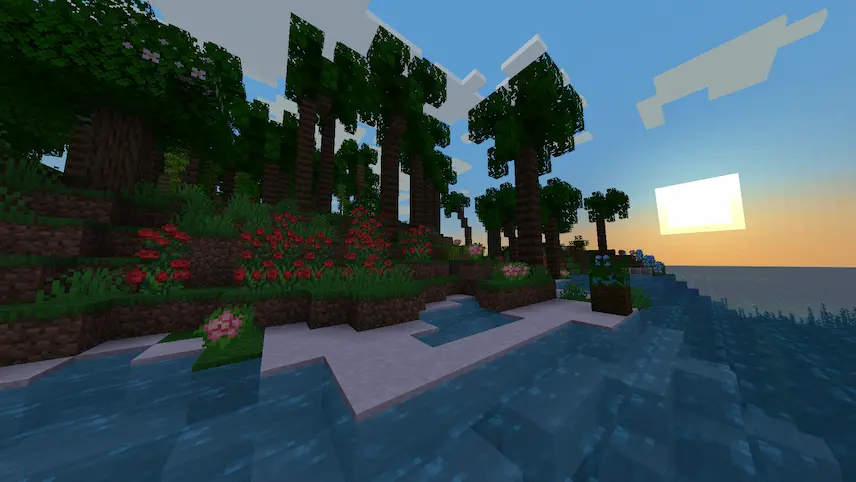
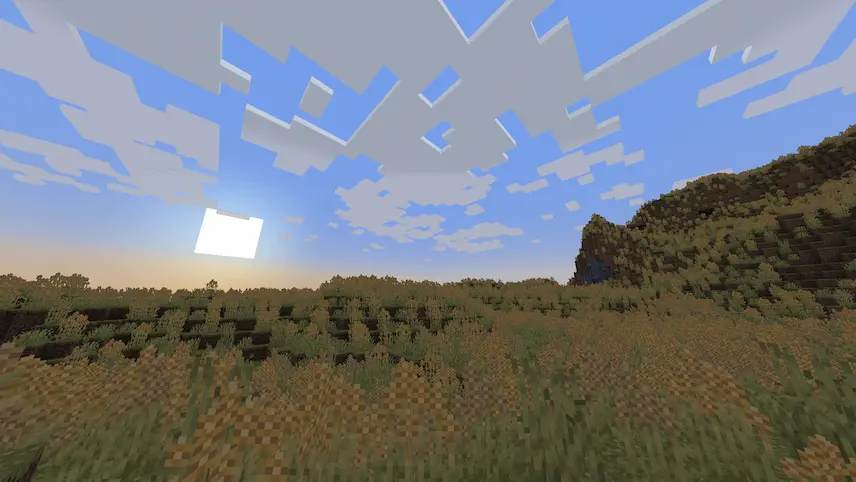
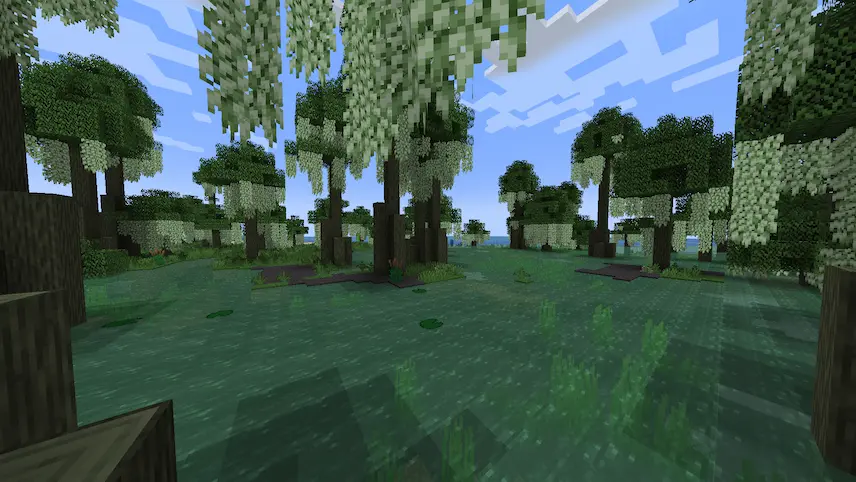
Hot Springs and Snowy forest forest hight volcano plains beach field swamp
Hot Springs and Snowy forest
forest hight
volcano plains
beach
field
swamp

Biomes O’ Plenty is a massive Minecraft mod that transforms your world with a wide variety of new and unique biomes across the Overworld, Nether, and End. From lush meadows and mysterious forests to eerie wastelands and vibrant coral reefs, this mod breathes life into every corner of your game. Alongside these stunning biomes, it introduces a wealth of new content, including diverse plants, flowers, trees, and building blocks, giving you endless opportunities for exploration and creativity.

Whether you’re a builder, adventurer, or simply love discovering new landscapes, Biomes O’ Plenty adds depth and beauty to your Minecraft experience. With its rich variety of environments and resources, this mod is a must-have for anyone looking to expand their world. Ready to explore a whole new dimension of biomes? Download Biomes O’ Plenty today and start your next adventure!


Fabric

  1. 1. Download, execute the Fabric installer, choose Client, select your Minecraft version, and click Install.
  2. 2. Download the Fabric API matching that Minecraft version.
  3. 3. Download Biomes O’ Plenty or any additional Fabric-compatible mods you want.
  4. 4. Place the Fabric API and all mods into .minecraft/mods folder.
  5. 5. Open the Minecraft Launcher, select the new Fabric profile, and press Play. Enjoy!

Forge

  1. 1. Download, execute the Forge installer, choose Client, and click Install.
  2. 3. Download Biomes O’ Plenty or any additional Forge-compatible mods you want.
  3. 4. Place all mods into .minecraft/mods folder.
  4. 5. Open the Minecraft Launcher, select the new Forge profile, and press Play. Enjoy!

NeoForge

  1. 1. Download, execute the NeoForge installer, choose Client, and click Install.
  2. 3. Download Biomes O’ Plenty or any additional NeoForge-compatible mods you want.
  3. 4. Place all mods into .minecraft/mods folder.
  4. 5. Open the Minecraft Launcher, select the new NeoForge profile, and press Play. Enjoy!

Download Biomes O’ Plenty Mod

Type Game version File version Loaders Download
A Alpha
26.1.2 v26.1.2.0.5
Fabric
File
A Alpha
26.1.2 v26.1.2.0.5
Forge
File
A Alpha
26.1.2 v26.1.2.0.5
NeoForge
File
R Release
1.21.11 v21.11.0.31
Fabric
File
R Release
1.21.11 v21.11.0.31
Forge
File
R Release
1.21.11 v21.11.0.31
NeoForge
File
R Release
1.21.8 v21.8.0.5
Fabric
File
R Release
1.21.8 v21.8.0.5
Forge
File
R Release
1.21.8 v21.8.0.5
NeoForge
File
R Release
1.21.7 v21.7.0.1
Fabric
File
R Release
1.21.7 v21.7.0.1
Forge
File
R Release
1.21.7 v21.7.0.1
NeoForge
File
R Release
1.21.6 v21.6.0.0
Fabric
File
R Release
1.21.6 v21.6.0.0
Forge
File
R Release
1.21.6 v21.6.0.0
NeoForge
File
R Release
1.21.5 v21.4.0.61
Fabric
File
R Release
1.21.5 v21.4.0.61
Forge
File
R Release
1.21.5 v21.4.0.61
NeoForge
File
R Release
1.21.4 v21.4.0.22
Fabric
File
R Release
1.21.4 v21.4.0.22
Forge
File
R Release
1.21.4 v21.4.0.22
NeoForge
File
B Beta
1.21.3 v21.2.0.7
Fabric
File
B Beta
1.21.3 v21.2.0.7
Forge
File
B Beta
1.21.3 v21.2.0.7
NeoForge
File
B Beta
1.21.1 v21.1.0.13
Fabric
File
B Beta
1.21.1 v21.1.0.13
Forge
File
B Beta
1.21.1 v21.1.0.13
NeoForge
File
R Release
1.20.6 v18.4.0.5
Fabric
File
R Release
1.20.6 v18.4.0.5
Forge
File
R Release
1.20.6 v18.4.0.5
NeoForge
File
R Release
1.20.4 v19.0.0.89
Fabric
File
R Release
1.20.4 v19.0.0.89
Forge
File
R Release
1.20.4 v19.0.0.89
NeoForge
File
B Beta
1.20.1 v19.0.0.96
Fabric
File
B Beta
1.20.1 v19.0.0.96
Forge
File
R Release
1.19.4 v17.3.0.542
Forge
File
R Release
1.19.2 v17.1.1.162
Forge
File
R Release
1.18.2 v16.0.0.109
Forge
File
R Release
1.17.1 v14.0.0.36
Forge
File
R Release
1.16.5 v13.1.0.477
Forge
File

Biomes O’ Plenty Minecraft Mod

40 files • 26.1.2, 1.21.11, 1.20.6, 1.19.4, 1.18.2

Download