logo responsive
/

Physics Minecraft Mod

26.1.2, 1.21.11, 1.20.6, 1.19.4, 1.18.2

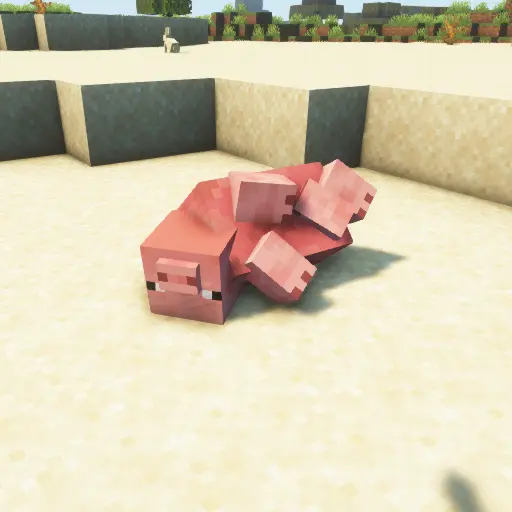
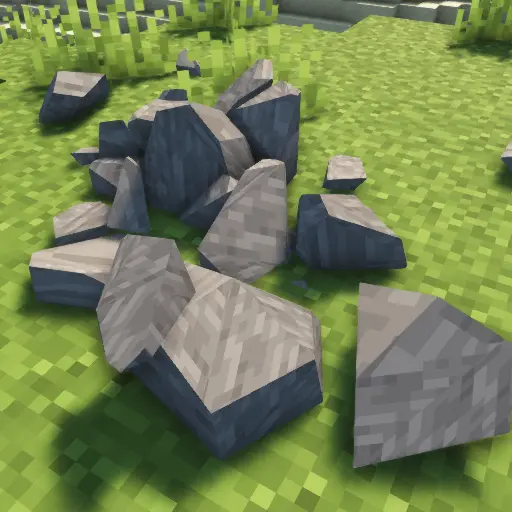
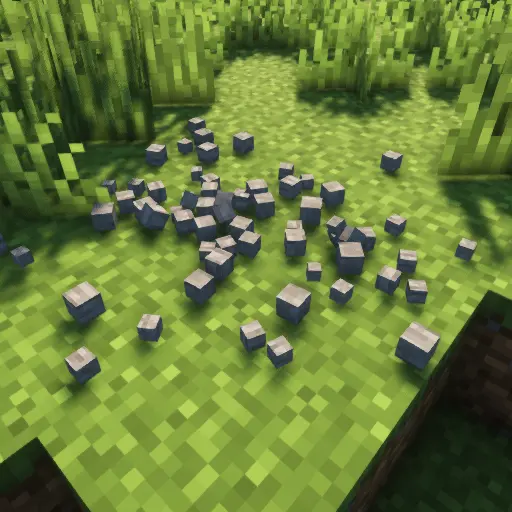
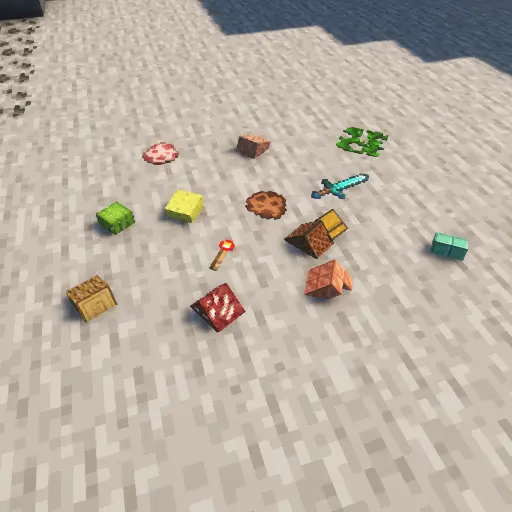
pig dead rock particles items zombie pig Physics
pig dead
rock
particles
items
zombie
pig Physics

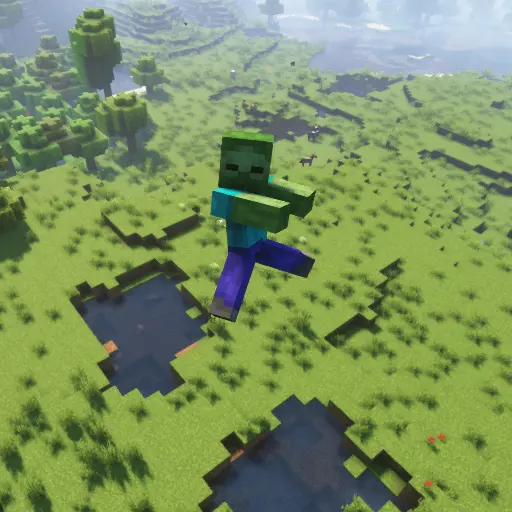
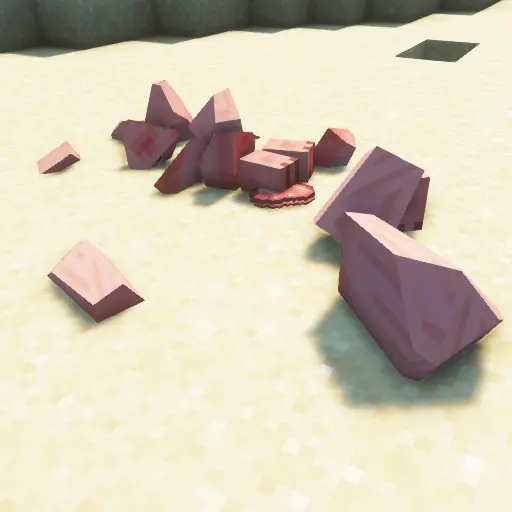
The Physics Mod for Minecraft is a game-changing Minecraft mod that completely overhauls the way the world behaves. Instead of the usual blocky breaks and static mob drops, every creature and object now reacts with lifelike movement. When you defeat a mob, its body will collapse realistically and its limbs will scatter, giving each battle a visceral impact. Breaking blocks no longer yields a simple cube; instead, every block shatters into dozens of pieces that tumble around, turning mining and building into a dynamic experience.

Beyond just looks, this resource pack–style physics mod affects everyday gameplay in surprising ways. Mobs that fall from great heights play a dramatic landing animation, items no longer hover in midair but fall naturally, and even player-built structures can buckle and collapse under stress. These enhancements bring an added sense of immersion to your world, making every exploration, fight, and construction feel fresh. Whether you’re searching for a map download that spices up survival mode or simply want to feel the weight of gravity in your builds, the Physics Mod delivers a uniquely realistic Minecraft experience.


Fabric

  1. 1. Download, execute the Fabric installer, choose Client, select your Minecraft version, and click Install.
  2. 2. Download the Fabric API matching that Minecraft version.
  3. 3. Download Physics or any additional Fabric-compatible mods you want.
  4. 4. Place the Fabric API and all mods into .minecraft/mods folder.
  5. 5. Open the Minecraft Launcher, select the new Fabric profile, and press Play. Enjoy!

Forge

  1. 1. Download, execute the Forge installer, choose Client, and click Install.
  2. 3. Download Physics or any additional Forge-compatible mods you want.
  3. 4. Place all mods into .minecraft/mods folder.
  4. 5. Open the Minecraft Launcher, select the new Forge profile, and press Play. Enjoy!

NeoForge

  1. 1. Download, execute the NeoForge installer, choose Client, and click Install.
  2. 3. Download Physics or any additional NeoForge-compatible mods you want.
  3. 4. Place all mods into .minecraft/mods folder.
  4. 5. Open the Minecraft Launcher, select the new NeoForge profile, and press Play. Enjoy!

Download Physics Mod

Type Game version File version Loaders Download
R Release
26.1.x v3.1.40
Fabric
File
R Release
26.1.x v3.1.40
Forge
File
R Release
26.1.x v3.1.40
NeoForge
File
R Release
1.21.11 v3.1.40
Fabric
File
R Release
1.21.11 v3.1.40
Forge
File
R Release
1.21.11 v3.1.40
NeoForge
File
R Release
1.21.10 v3.1.21
Fabric
File
R Release
1.21.10 v3.1.21
Forge
File
R Release
1.21.10 v3.1.21
NeoForge
File
R Release
1.21.8 v3.1.11
Fabric
File
R Release
1.21.8 v3.1.11
Forge
File
R Release
1.21.8 v3.1.11
NeoForge
File
R Release
1.21.5 v3.1.5
Fabric
File
B Beta
1.21.5 v3.1.5
Forge
File
B Beta
1.21.5 v3.1.5
NeoForge
File
R Release
1.21.4 v3.0.24
Fabric
File
B Beta
1.21.4 v3.0.25
Forge
File
B Beta
1.21.4 v3.0.24
NeoForge
File
R Release
1.21.3 v3.0.21
Fabric
File
B Beta
1.21.3 v3.0.21
Forge
File
B Beta
1.21.3 v3.0.21
NeoForge
File
R Release
1.21.1 v3.0.26
Fabric
File
B Beta
1.21.1 v3.0.26
Forge
File
B Beta
1.21.1 v3.0.27
NeoForge
File
R Release
1.20.6 v3.0.14
Fabric
File
B Beta
1.20.6 v3.0.14
Forge
File
B Beta
1.20.6 v3.0.14
NeoForge
File
R Release
1.20.4 v3.0.14
Fabric
File
B Beta
1.20.4 v3.0.13
Forge
File
R Release
1.20.1 v3.0.18
Fabric
File
B Beta
1.20.1 v3.0.18
Forge
File
R Release
1.19.4 v2.12.5
Fabric
File
B Beta
1.19.4 v2.12.5
Forge
File
R Release
1.19.2 v2.12.5
Fabric
File
B Beta
1.19.2 v2.12.5
Forge
File
R Release
1.18.2 v2.12.5
Fabric
File
B Beta
1.18.2 v2.12.5
Forge
File
R Release
1.17.1 v2.6.7
Fabric
File
B Beta
1.17.1 v2.6.7
Forge
File
R Release
1.16.5 v2.6.7
Fabric
File
B Beta
1.16.5 v2.6.7
Forge
File

Physics Minecraft Mod

41 files • 26.1.2, 1.21.11, 1.20.6, 1.19.4, 1.18.2

Download