logo responsive
/

Universal Graves Minecraft Mod

26.2, 26.1.2, 1.21.11, 1.20.4, 1.19.2, 1.18.2

player graves

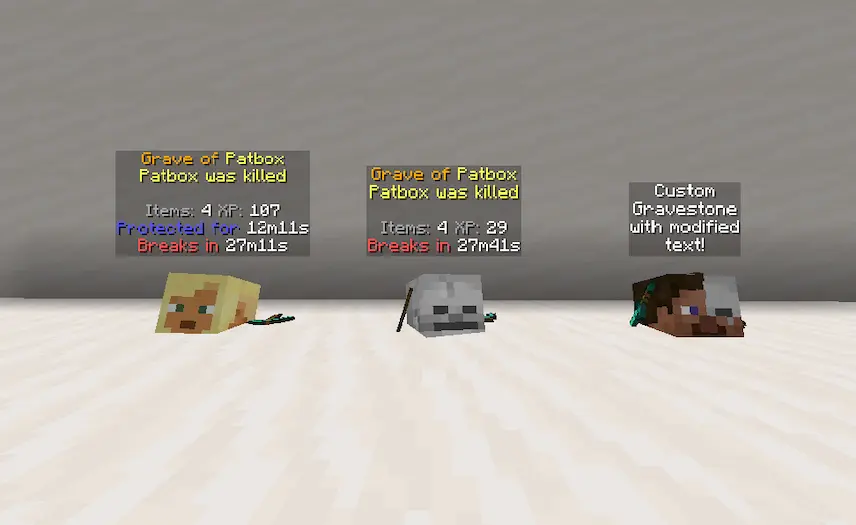
Universal Graves is a handy Minecraft mod that turns the frustration of losing gear on death into a simple, customizable experience. When you die, the mod spawns a grave or death chest that safely stores all your items, complete with configurable protection time so you can retrieve your loot without worrying about spawn-cramped mobs or environmental hazards. You can tweak everything—from the block type used for the grave and its hologram text to the death message your friends see—making it easy to match the style of any server or single-player world.

Beyond basic item recovery, Universal Graves gives server admins full control over how graves behave. Decide whether expired graves should automatically drop their contents, set custom protection durations, and personalize on-screen messages to guide players back to their fallen belongings. Since the core functionality runs purely on the server, it’s perfect for public map downloads or private realms, and clients only need a small model-support mod to see the fancy grave visuals. With this mod, you’ll spend less time re-gathering lost gear and more time exploring, building, and enjoying your Minecraft adventure.


Fabric

  1. 1. Download, execute the Fabric installer, choose Client, select your Minecraft version, and click Install.
  2. 2. Download the Fabric API matching that Minecraft version.
  3. 3. Download Universal Graves or any additional Fabric-compatible mods you want.
  4. 4. Place the Fabric API and all mods into .minecraft/mods folder.
  5. 5. Open the Minecraft Launcher, select the new Fabric profile, and press Play. Enjoy!

Forge

  1. 1. Download, execute the Forge installer, choose Client, and click Install.
  2. 3. Download Universal Graves or any additional Forge-compatible mods you want.
  3. 4. Place all mods into .minecraft/mods folder.
  4. 5. Open the Minecraft Launcher, select the new Forge profile, and press Play. Enjoy!

NeoForge

  1. 1. Download, execute the NeoForge installer, choose Client, and click Install.
  2. 3. Download Universal Graves or any additional NeoForge-compatible mods you want.
  3. 4. Place all mods into .minecraft/mods folder.
  4. 5. Open the Minecraft Launcher, select the new NeoForge profile, and press Play. Enjoy!

Download Universal Graves Mod

Type Game version File version Loaders Download
R Release
26.2 v3.12.0
Fabric
File
R Release
26.1.2 v3.11.1
Fabric
File
R Release
26.1.1 v3.11.0
Fabric
File
R Release
26.1 v3.11.0
Fabric
File
R Release
1.21.11 v3.10.2
Fabric
File
R Release
1.21.10 v3.9.1
Fabric
File
R Release
1.21.8 v3.8.1
Fabric
File
R Release
1.21.7 v3.8.1
Fabric
File
R Release
1.21.6 v3.8.1
Fabric
File
R Release
1.21.5 v3.7.1
Fabric
File
R Release
1.21.4 v3.6.0
Fabric
File
R Release
1.21.3 v3.5.0
Fabric
File
R Release
1.21.1 v3.4.4
Fabric
File
R Release
1.20.4 v3.2.2
Fabric
File
R Release
1.20.1 v3.0.3
Fabric
File
R Release
1.19.4 v2.2.1
Fabric
File
R Release
1.19.2 v2.1.3
Fabric
File
R Release
1.18.2 v2.0.3
Fabric
File
R Release
1.17.1 v1.1.4
Fabric
File

Universal Graves Minecraft Mod

19 files • 26.2, 26.1.2, 1.21.11, 1.20.4, 1.19.2, 1.18.2

Download