logo responsive
/

Slightly Improved Font Minecraft Resource Pack

26.2, 26.1.2, 1.21.11, 1.20.6, 1.19.4, 1.18.2

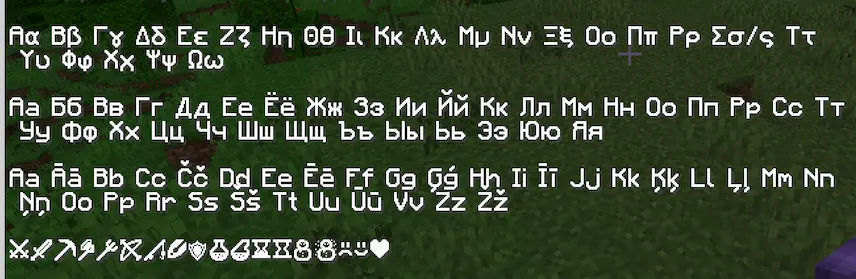
hd font minecraft Slightly Improved Font characteres
hd font minecraft
Slightly Improved Font characteres

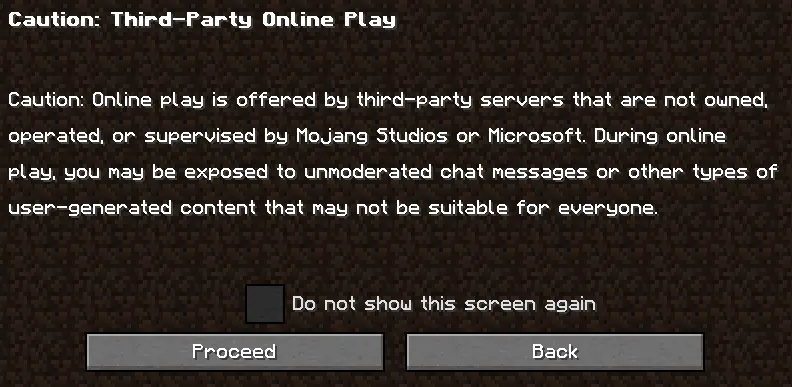
This resource pack offers a simple yet effective upgrade to Minecraft’s default font by providing a 32x redraw of the original vanilla font. The result is a cleaner, sharper, and more polished version of the classic text, making it easier to read while maintaining the familiar Minecraft aesthetic. It’s a subtle improvement that enhances the overall visual experience without straying from the game’s iconic style.

If you’re looking for a small but impactful change to your Minecraft interface, this resource pack is perfect for you.

  1. 1. First you need download Slightly Improved Font.
  2. 2. Copy or move the downloaded ZIP into .minecraft/resourcepacks folder.
  3. 3. Launch Minecraft and go to Options → Resource Packs…
  4. 4. Select the pack in the left column, click the arrow to move it to the active side, then click Done. Enjoy!

Download Slightly Improved Font Resource Pack

Type Game version File version Loaders Download
R Release
26.2 v1.1.5 File
R Release
26.1.x v1.1.5 File
R Release
1.21.x v1.1.5 File
R Release
1.20.x v1.1.5 File
R Release
1.19.x v1.1.5 File
R Release
1.18.x v1.1.5 File

Slightly Improved Font Minecraft Resource Pack

6 files • 26.2, 26.1.2, 1.21.11, 1.20.6, 1.19.4, 1.18.2

Download