logo responsive
/

Armor Chroma Minecraft Mod

1.21.5, 1.20.6, 1.19.4, 1.18.2, 1.16.5

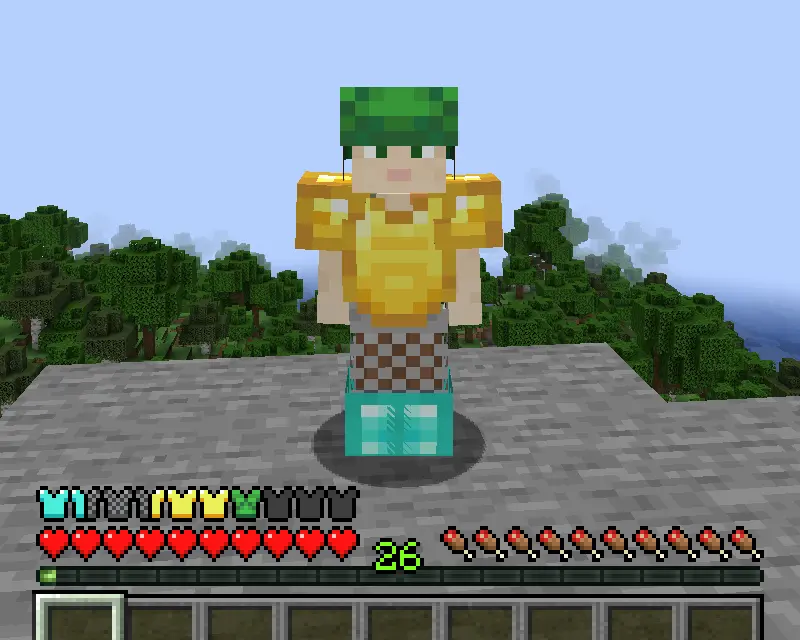
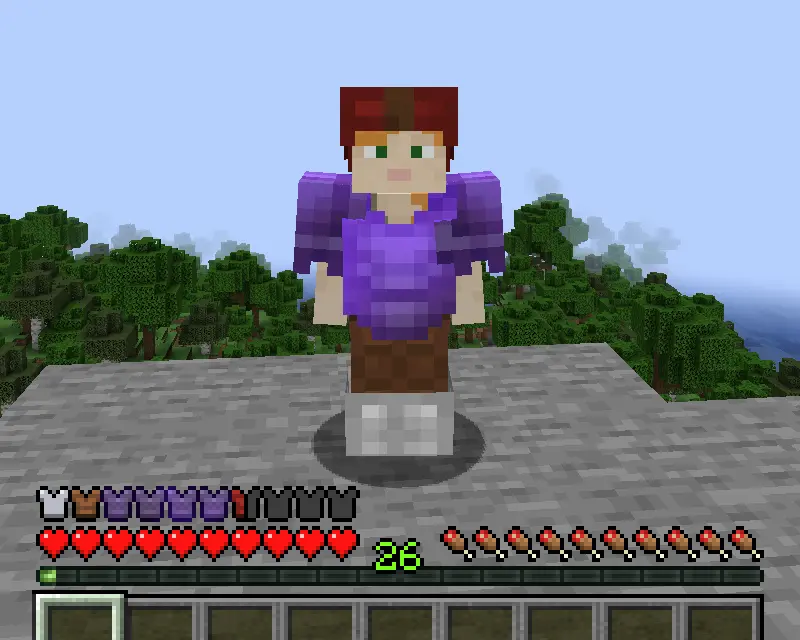
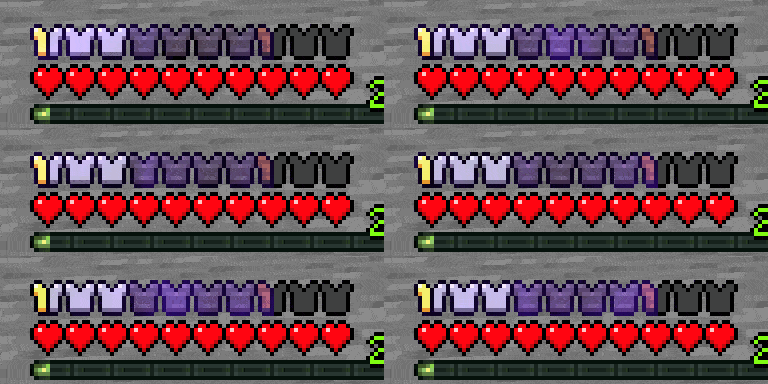
Diamond, chainmail, gold, Iron, leather (dyed and undyed), netherite (enchanted) enchanted armor animation
Diamond, chainmail, gold,
Iron, leather (dyed and undyed), netherite (enchanted)
enchanted armor animation

Armor Chroma is a lightweight Fabric Minecraft mod that upgrades your on-screen armor bar with style and clarity. Instead of seeing the same bland icons for every material, you’ll get unique symbols that reflect what you’re wearing—leather, iron, diamond, netherite, and more all look distinct. Enchanted pieces even sparkle with the familiar glint effect, so you can tell at a glance which armor has special powers. Whether you’re diving into PvP or exploring dangerous caves, Armor Chroma makes it easier to track your protection without breaking immersion.

Beyond just fresh visuals, this mod handles high armor values gracefully by adding extra icon rows or coloring the outline when your total armor points exceed twenty. If you like fine-tuning your HUD, a minimal config screen appears in Mod Menu when Cloth Config is installed, letting you toggle features on or off in seconds. For an even bolder look, you can opt into Andrew Grant’s built-in resource pack, which offers alternative icons for all vanilla materials. With client-side installation only, Armor Chroma is the perfect Minecraft mod for anyone who wants a clearer, more informative armor display.


Fabric

  1. 1. Download, execute the Fabric installer, choose Client, select your Minecraft version, and click Install.
  2. 2. Download the Fabric API matching that Minecraft version.
  3. 3. Download Armor Chroma or any additional Fabric-compatible mods you want.
  4. 4. Place the Fabric API and all mods into .minecraft/mods folder.
  5. 5. Open the Minecraft Launcher, select the new Fabric profile, and press Play. Enjoy!

Forge

  1. 1. Download, execute the Forge installer, choose Client, and click Install.
  2. 3. Download Armor Chroma or any additional Forge-compatible mods you want.
  3. 4. Place all mods into .minecraft/mods folder.
  4. 5. Open the Minecraft Launcher, select the new Forge profile, and press Play. Enjoy!

NeoForge

  1. 1. Download, execute the NeoForge installer, choose Client, and click Install.
  2. 3. Download Armor Chroma or any additional NeoForge-compatible mods you want.
  3. 4. Place all mods into .minecraft/mods folder.
  4. 5. Open the Minecraft Launcher, select the new NeoForge profile, and press Play. Enjoy!

Download Armor Chroma Mod

Type Game version File version Loaders Download
R Release
1.21.5 v1.2.11
Fabric
File
R Release
1.21.4 v1.2.10
Fabric
File
R Release
1.21.3 v1.2.9
Fabric
File
R Release
1.21.1 v1.2.8
Fabric
File
R Release
1.20.6 v1.2.7
Fabric
File
R Release
1.20.4 v1.2.6
Fabric
File
R Release
1.20.1 v1.2.6
Fabric
File
R Release
1.19.4 v1.2.5
Fabric
File
R Release
1.19.2 v1.2.3
Fabric
File
R Release
1.18.2 v1.2.1
Fabric
File
R Release
1.17.1 v1.2.1
Fabric
File
R Release
1.16.5 v1.0.0
Fabric
File

Armor Chroma Minecraft Mod

12 files • 1.21.5, 1.20.6, 1.19.4, 1.18.2, 1.16.5

Download