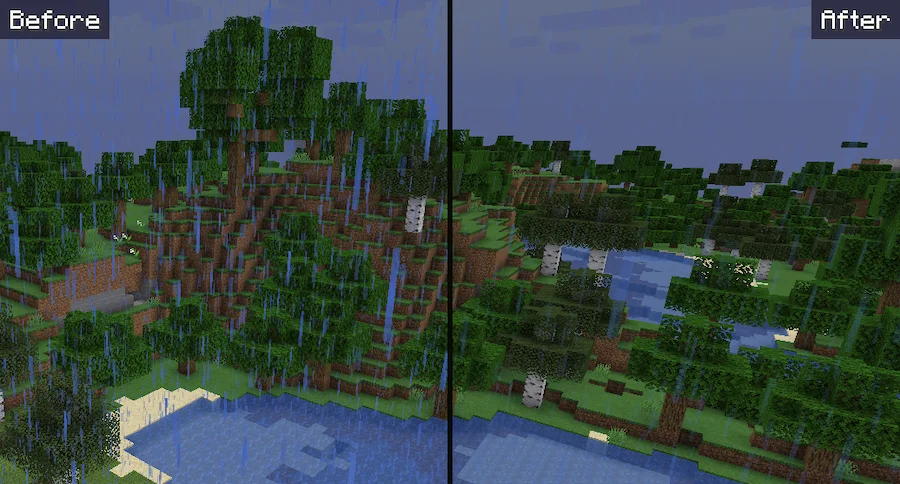
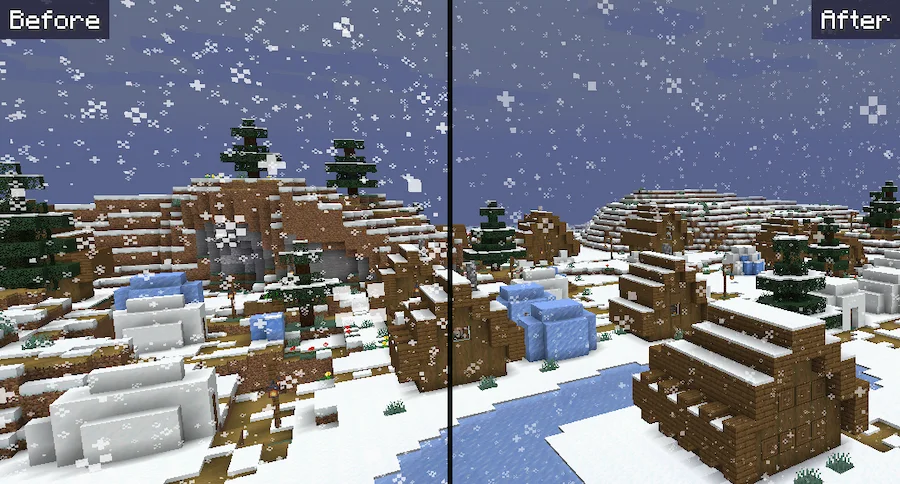
Soft Weather is a Minecraft resource pack that makes rain and snow look calmer and less distracting. Instead of heavy particles covering your screen, this pack adds a little transparency and lowers the number of snowflakes, giving you a softer and more peaceful atmosphere. It’s a small change that makes a big difference, especially for players who don’t like rushing to bed just to skip bad weather.
With this resource pack, rain feels more like a gentle drizzle and snow becomes light and relaxing. It helps create a better mood in your world without changing how the game works. If you enjoy immersive gameplay and want your weather to feel more natural, the Soft Weather resource pack is a great choice for a smoother and cleaner Minecraft experience.


 Tags
Tags