logo responsive
/

Easy Magic Minecraft Mod

26.2, 26.1.2, 1.21.11, 1.20.6, 1.19.4, 1.18.2, 1.16.5

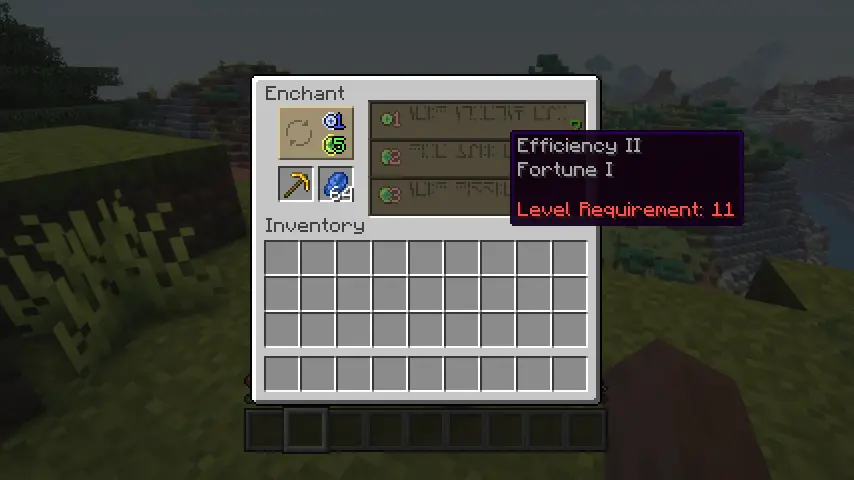
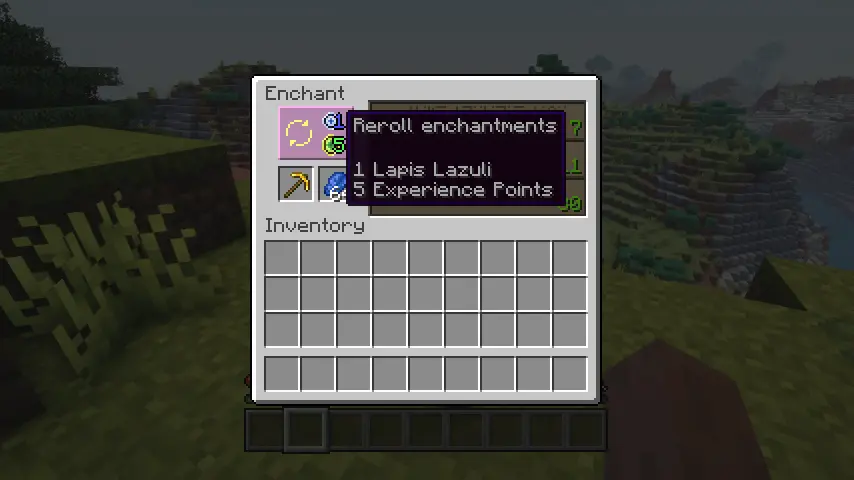
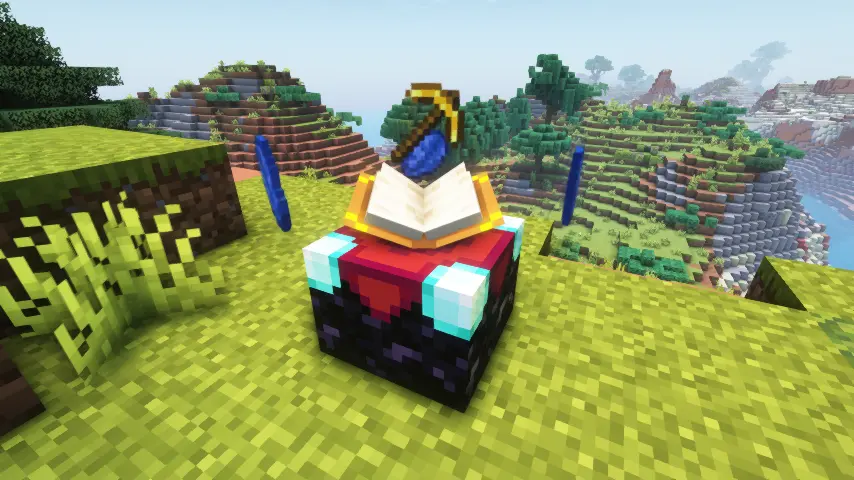
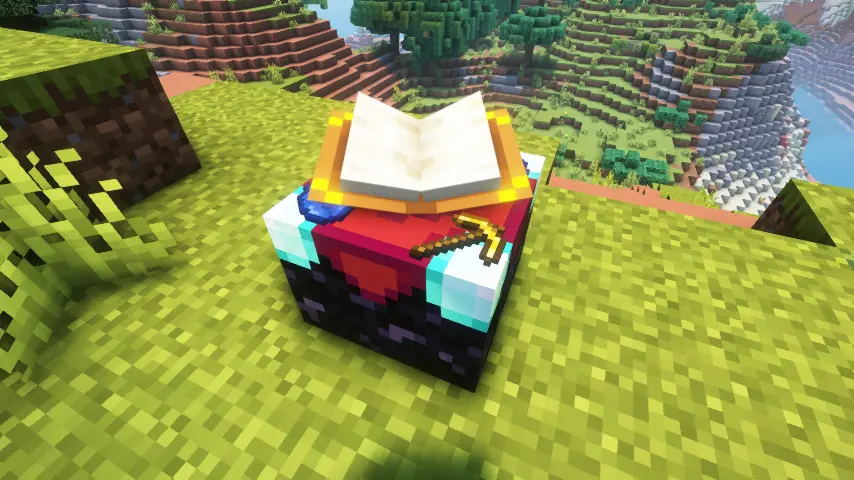
All enchantments on tooltip Reroll enchantments Floating items for enchanting table flat items for enchanting table
All enchantments on tooltip
Reroll enchantments
Floating items for enchanting table
flat items for enchanting table

Easy Magic Mod transforms Minecraft’s enchanting system into a stress-free, customizable experience! This mod lets you leave items and lapis lazuli inside the enchanting table even after closing the GUI—watch them float magically around the block like arcane treasures. Need better enchantment options? Hit the new reroll button to refresh choices for a tiny cost of lapis and XP (not levels!). Plus, tweak settings to reduce bookshelf requirements, allow non-air blocks (like torches) near shelves, and preview multiple enchantments per item.

I’ve been using Easy Magic to overhaul my enchanting setup, and it’s game-changing. No more frantic note-taking or wasting levels on bad rolls—the reroll feature saves time and resources, while the floating items add a spellbinding vibe to my wizard tower.


Fabric

  1. 1. Download, execute the Fabric installer, choose Client, select your Minecraft version, and click Install.
  2. 2. Download the Fabric API matching that Minecraft version.
  3. 3. Download Easy Magic or any additional Fabric-compatible mods you want.
  4. 4. Place the Fabric API and all mods into .minecraft/mods folder.
  5. 5. Open the Minecraft Launcher, select the new Fabric profile, and press Play. Enjoy!

Forge

  1. 1. Download, execute the Forge installer, choose Client, and click Install.
  2. 3. Download Easy Magic or any additional Forge-compatible mods you want.
  3. 4. Place all mods into .minecraft/mods folder.
  4. 5. Open the Minecraft Launcher, select the new Forge profile, and press Play. Enjoy!

NeoForge

  1. 1. Download, execute the NeoForge installer, choose Client, and click Install.
  2. 3. Download Easy Magic or any additional NeoForge-compatible mods you want.
  3. 4. Place all mods into .minecraft/mods folder.
  4. 5. Open the Minecraft Launcher, select the new NeoForge profile, and press Play. Enjoy!

Download Easy Magic Mod

Type Game version File version Loaders Download
R Release
26.2 v26.2.0
Fabric
File
R Release
26.2 v26.2.0
NeoForge
File
R Release
26.1.x v26.1.0
Fabric
File
R Release
26.1.x v26.1.0
NeoForge
File
R Release
1.21.11 v21.11.0
Fabric
File
R Release
1.21.11 v21.11.0
NeoForge
File
R Release
1.21.10 v21.10.0
Fabric
File
R Release
1.21.10 v21.10.0
NeoForge
File
R Release
1.21.8 v21.8.0
Fabric
File
R Release
1.21.8 v21.8.0
NeoForge
File
R Release
1.21.7 v21.7.0
Fabric
File
R Release
1.21.7 v21.7.0
NeoForge
File
R Release
1.21.6 v21.6.0
Fabric
File
R Release
1.21.6 v21.6.0
NeoForge
File
R Release
1.21.5 v21.5.0
Fabric
File
R Release
1.21.5 v21.5.0
NeoForge
File
R Release
1.21.4 v21.4.1
Fabric
File
R Release
1.21.4 v21.4.1
NeoForge
File
R Release
1.21.3 v21.3.2
Fabric
File
R Release
1.21.3 v21.3.2
NeoForge
File
R Release
1.21.1 v21.1.4
Fabric
File
R Release
1.21.1 v21.1.4
NeoForge
File
R Release
1.20.4 v20.4.0
Fabric
File
R Release
1.20.4 v20.4.0
Forge
File
R Release
1.20.4 v20.4.0
NeoForge
File
R Release
1.20.1 v8.0.1
Fabric
File
R Release
1.20.1 v8.0.1
Forge
File
R Release
1.19.4 v6.0.0
Fabric
File
R Release
1.19.4 v6.0.0
Forge
File
R Release
1.19.2 v4.3.3
Fabric
File
R Release
1.19.2 v4.3.3
Forge
File
R Release
1.18.2 v3.3.0
Forge
File
R Release
1.17.1 v2.0.2
Forge
File
R Release
1.16.5 v1.0.4
Forge
File

Easy Magic Minecraft Mod

34 files • 26.2, 26.1.2, 1.21.11, 1.20.6, 1.19.4, 1.18.2, 1.16.5

Download