logo responsive
/

WorldEdit Minecraft Mod

1.21.11, 1.20.6, 1.19.4, 1.18.2, 1.16.5

generate cool things copy paste mods and entities commands
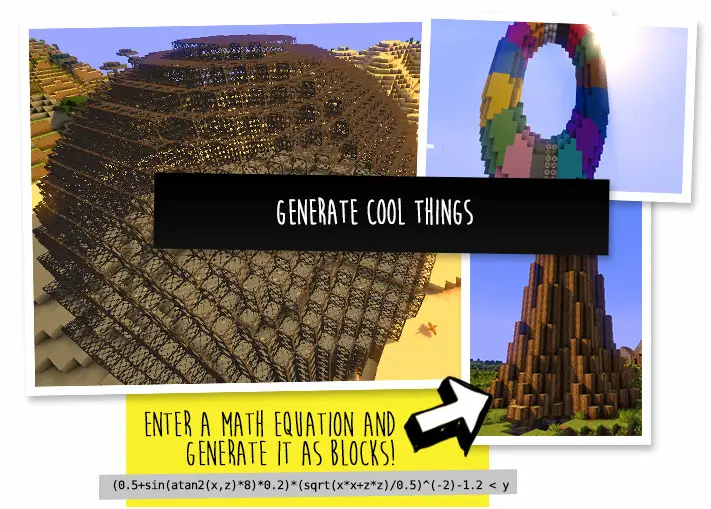
generate cool things
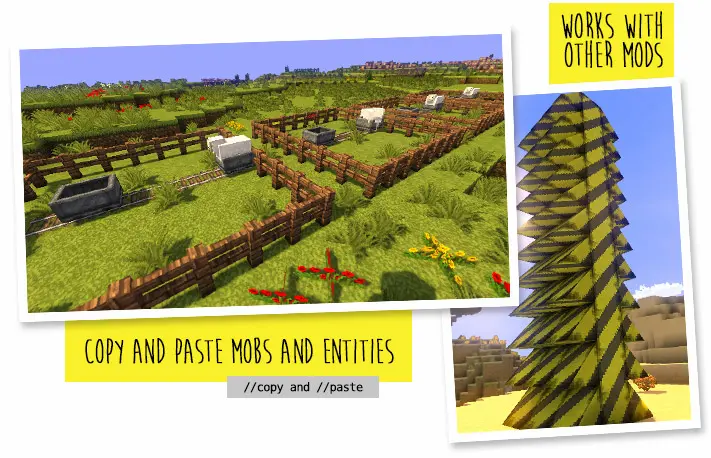
copy paste mods and entities
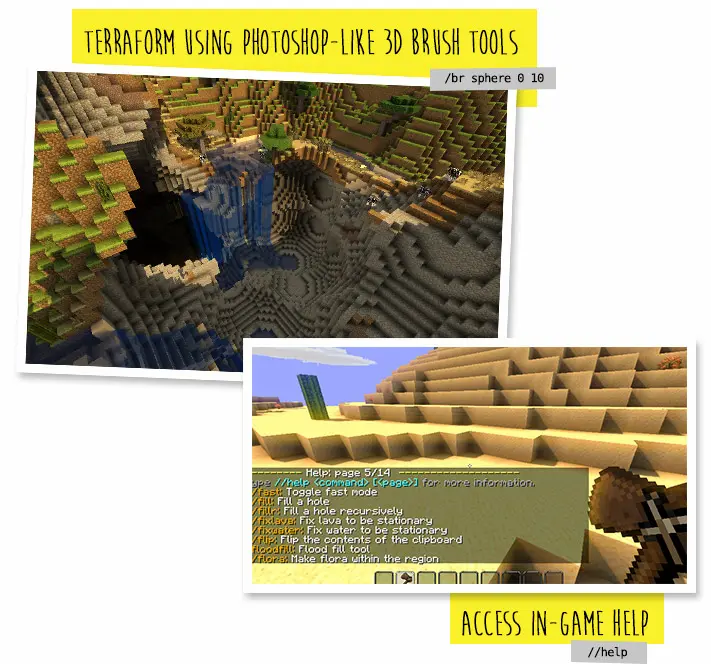
commands

WorldEdit is a versatile Minecraft mod that brings powerful map-editing tools directly into your game. Instead of building or modifying large areas block by block, you can use in-game selections to highlight regions, then apply commands like copy and paste to move structures instantly. The mod also supports schematics, allowing you to save and share builds, and brushes that let you sculpt terrain with simple strokes. Whether you’re working on a grand creative project or need a quick cleanup in survival, WorldEdit’s scripting features let you automate repetitive tasks and achieve complex designs with minimal effort.

By integrating map editing into gameplay, WorldEdit dramatically speeds up building and terrain manipulation. Creative builders can focus on design without getting bogged down in manual construction, while survival players can temporarily activate the mod to repair damage or experiment with new layouts without affecting their core progression. With its intuitive commands and robust toolset, this Minecraft mod enhances every aspect of world creation, making large-scale changes feel effortless and keeping the fun in crafting.


Fabric

  1. 1. Download, execute the Fabric installer, choose Client, select your Minecraft version, and click Install.
  2. 2. Download the Fabric API matching that Minecraft version.
  3. 3. Download WorldEdit or any additional Fabric-compatible mods you want.
  4. 4. Place the Fabric API and all mods into .minecraft/mods folder.
  5. 5. Open the Minecraft Launcher, select the new Fabric profile, and press Play. Enjoy!

Forge

  1. 1. Download, execute the Forge installer, choose Client, and click Install.
  2. 3. Download WorldEdit or any additional Forge-compatible mods you want.
  3. 4. Place all mods into .minecraft/mods folder.
  4. 5. Open the Minecraft Launcher, select the new Forge profile, and press Play. Enjoy!

NeoForge

  1. 1. Download, execute the NeoForge installer, choose Client, and click Install.
  2. 3. Download WorldEdit or any additional NeoForge-compatible mods you want.
  3. 4. Place all mods into .minecraft/mods folder.
  4. 5. Open the Minecraft Launcher, select the new NeoForge profile, and press Play. Enjoy!

Download WorldEdit Mod

Type Game version File version Loaders Download
R Release
1.21.11 v7.4.0
Fabric NeoForge
File
R Release
1.21.10 v7.4.0
Fabric NeoForge
File
R Release
1.21.8 v7.3.16
Fabric NeoForge
File
R Release
1.21.5 v7.3.14
Fabric NeoForge
File
R Release
1.21.4 v7.3.11
Fabric NeoForge
File
R Release
1.21.3 v7.3.9
Fabric NeoForge
File
R Release
1.21.1 v7.3.8
Fabric NeoForge
File
R Release
1.20.6 v7.3.3
Fabric NeoForge
File
R Release
1.20.4 v7.3.0
Forge Fabric
File
R Release
1.20.1 v7.2.15
Forge Fabric
File
R Release
1.19.4 v7.2.14
Forge Fabric
File
R Release
1.19.2 v7.2.12
Forge Fabric
File
R Release
1.18.2 v7.2.10
Forge Fabric
File
R Release
1.17.1 v7.2.7
Forge Fabric
File
R Release
1.16.5 v7.2.5
Forge Fabric
File
R Release
1.12.2 v6.1.10
Forge
File

WorldEdit Minecraft Mod

16 files • 1.21.11, 1.20.6, 1.19.4, 1.18.2, 1.16.5

Download