logo responsive
/

Towns and Towers Minecraft Mod

1.21.11, 1.20.6, 1.19.4, 1.18.2

taiga tower desert structure house terracotte biome lighthouse Mushroom village village forest
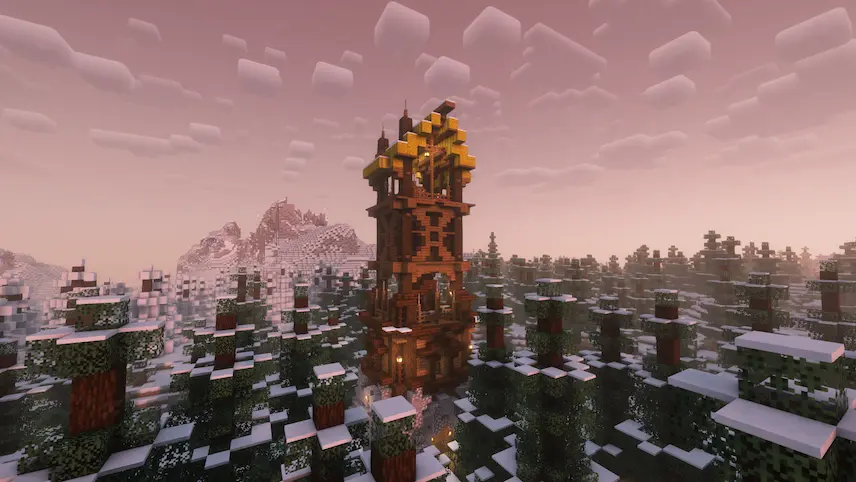
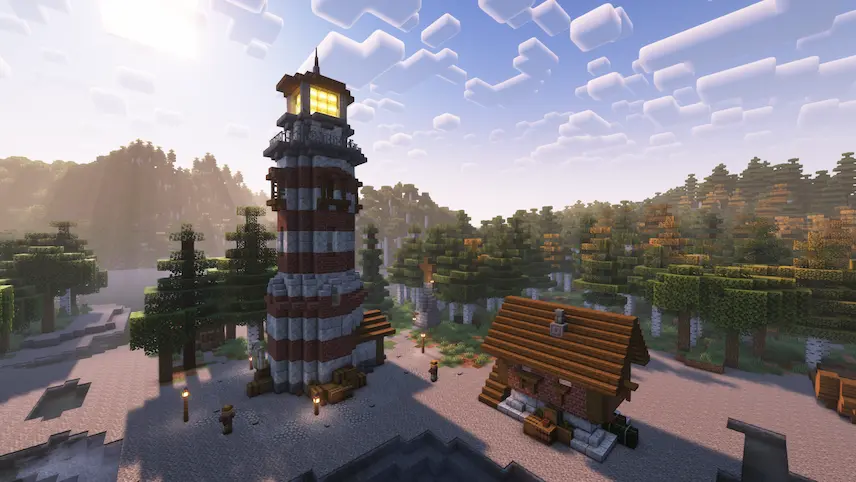
taiga tower
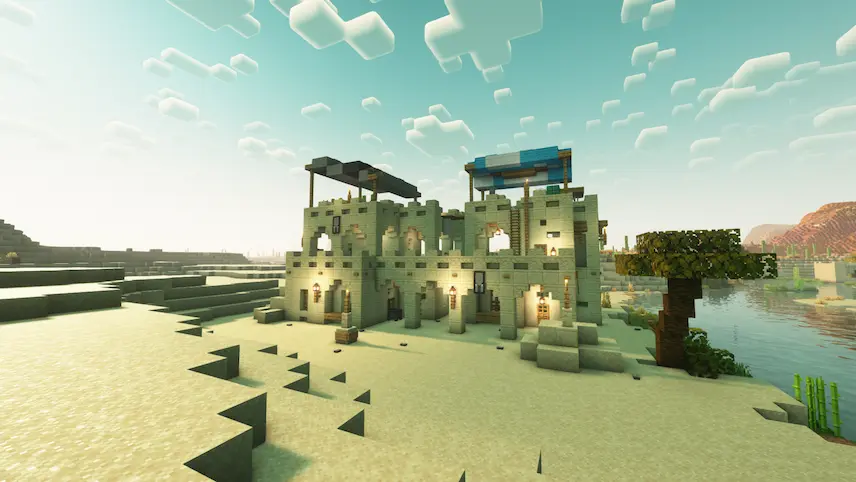
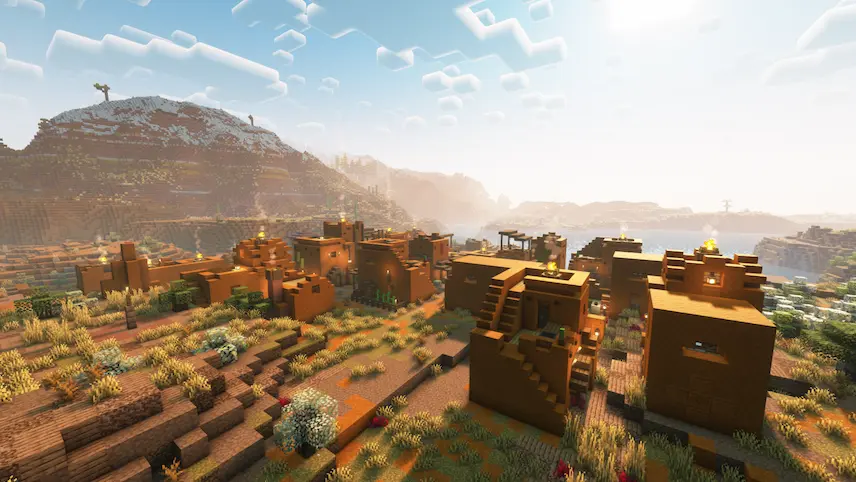
desert structure
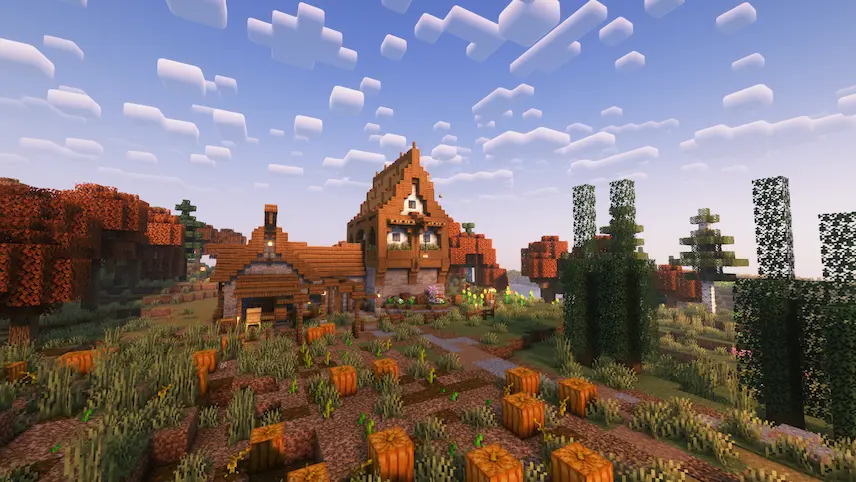
house
terracotte biome
lighthouse
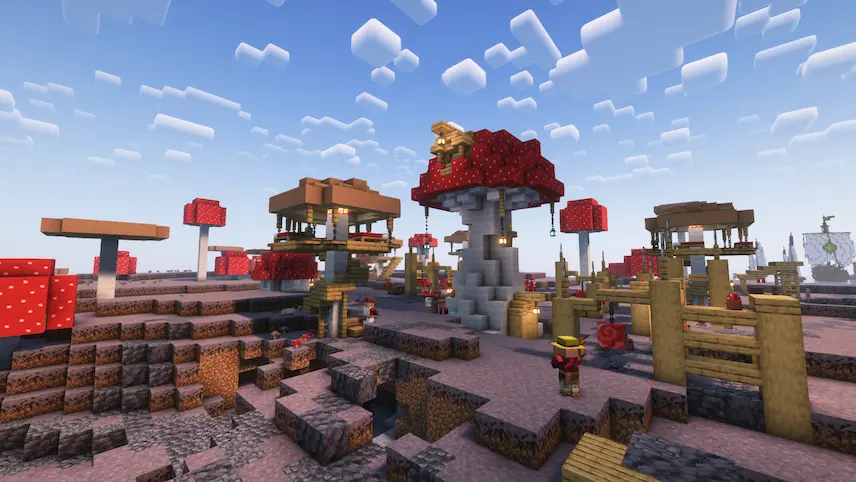
Mushroom village
village forest

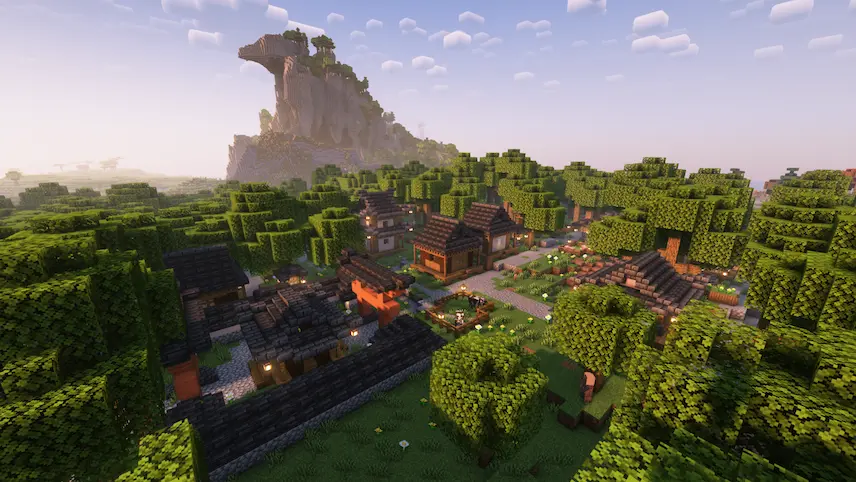
Towns and Towers is a dynamic Minecraft mod that takes the essence of the 1.14 update to the next level by introducing an array of new, detailed structures to your world. With over 50 custom-built edifices—including enhanced villages, pillager outposts, and even custom ships—the mod enriches your game with unique architectural marvels inspired by real-life building styles. These additions are seamlessly integrated into vanilla Minecraft, making them perfect for players looking for an “enhanced villages mod for Minecraft” or “detailed structure mod for Minecraft” that elevates the aesthetic and immersive quality of their worlds.

Designed to spark creativity and exploration, Towns and Towers not only adds visual depth but also redefines the journey of discovery within the game. Its detailed structures blend modern design elements with traditional Minecraft flair, appealing to builders and adventurers alike. If you’re searching for a “Minecraft architectural mod” that offers a fresh take on in-game villages and outposts, this mod is a must-try.


Fabric

  1. 1. Download, execute the Fabric installer, choose Client, select your Minecraft version, and click Install.
  2. 2. Download the Fabric API matching that Minecraft version.
  3. 3. Download Towns and Towers or any additional Fabric-compatible mods you want.
  4. 4. Place the Fabric API and all mods into .minecraft/mods folder.
  5. 5. Open the Minecraft Launcher, select the new Fabric profile, and press Play. Enjoy!

Forge

  1. 1. Download, execute the Forge installer, choose Client, and click Install.
  2. 3. Download Towns and Towers or any additional Forge-compatible mods you want.
  3. 4. Place all mods into .minecraft/mods folder.
  4. 5. Open the Minecraft Launcher, select the new Forge profile, and press Play. Enjoy!

NeoForge

  1. 1. Download, execute the NeoForge installer, choose Client, and click Install.
  2. 3. Download Towns and Towers or any additional NeoForge-compatible mods you want.
  3. 4. Place all mods into .minecraft/mods folder.
  4. 5. Open the Minecraft Launcher, select the new NeoForge profile, and press Play. Enjoy!

Download Towns and Towers Mod

Type Game version File version Loaders Download
R Release
1.21.11 v1.13.8
Fabric NeoForge
File
R Release
1.21.10 v1.13.7
Fabric NeoForge
File
R Release
1.21.8 v1.13.5
Forge Fabric NeoForge
File
R Release
1.21.7 v1.13.5
Forge Fabric NeoForge
File
R Release
1.21.6 v1.13.5
Forge Fabric NeoForge
File
R Release
1.21.5 v1.13.5
Fabric NeoForge
File
R Release
1.21.4 v1.13.5
Fabric NeoForge
File
R Release
1.21.3 v1.13.3
Fabric NeoForge
File
R Release
1.21.1 v1.13.7
Fabric NeoForge
File
R Release
1.20.6 v1.13.1
Fabric NeoForge
File
R Release
1.20.4 v1.13.1
Fabric NeoForge
File
R Release
1.20.1 v1.12
Forge Fabric
File
R Release
1.19.4 v1.12
Forge Fabric
File
B Beta
1.19.2 v1.10.0a
Fabric
File
R Release
1.19.2 v1.10.0
Forge
File
B Beta
1.18.2 v1.10.0.1
Fabric
File
R Release
1.18.2 v1.10.0.1
Forge
File

Towns and Towers Minecraft Mod

17 files • 1.21.11, 1.20.6, 1.19.4, 1.18.2

Download