logo responsive
/

Particle Effects Minecraft Mod

26.1.2, 1.21.11, 1.20.1

particles animation all particles
particles animation
all particles

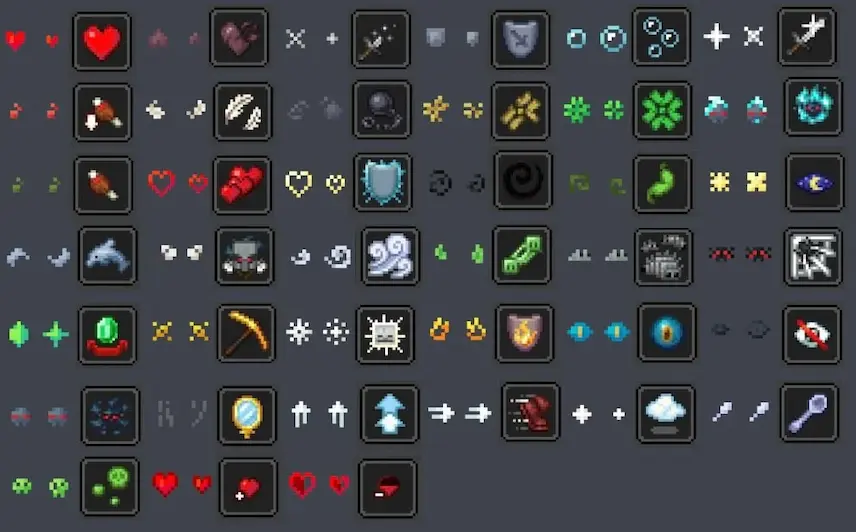
Particle Effects Mod is a lightweight, client-side Fabric mod that breathes new life into every particle effect in vanilla Minecraft. From the swirling dust when you break blocks to the enchanting sparkles around potion effects, each particle now sports a unique, high-quality texture. This visual upgrade makes every action—from mining and crafting to casting spells—feel more immersive, as you’ll see crisp, detailed particles that match the theme of your world.

Installation couldn’t be simpler: just drop the mod into your Fabric “mods” folder, and you’re ready to go—no server-side setup needed. Because it’s purely client-side, Particle Effects Mod works flawlessly in both single-player and multiplayer servers without affecting performance. Whether you’re building a grand castle, exploring deep caverns, or running a busy server, this Minecraft mod enhances gameplay by adding subtle yet satisfying visual feedback to every interaction.


Fabric

  1. 1. Download, execute the Fabric installer, choose Client, select your Minecraft version, and click Install.
  2. 2. Download the Fabric API matching that Minecraft version.
  3. 3. Download Particle Effects or any additional Fabric-compatible mods you want.
  4. 4. Place the Fabric API and all mods into .minecraft/mods folder.
  5. 5. Open the Minecraft Launcher, select the new Fabric profile, and press Play. Enjoy!

Forge

  1. 1. Download, execute the Forge installer, choose Client, and click Install.
  2. 3. Download Particle Effects or any additional Forge-compatible mods you want.
  3. 4. Place all mods into .minecraft/mods folder.
  4. 5. Open the Minecraft Launcher, select the new Forge profile, and press Play. Enjoy!

NeoForge

  1. 1. Download, execute the NeoForge installer, choose Client, and click Install.
  2. 3. Download Particle Effects or any additional NeoForge-compatible mods you want.
  3. 4. Place all mods into .minecraft/mods folder.
  4. 5. Open the Minecraft Launcher, select the new NeoForge profile, and press Play. Enjoy!

Download Particle Effects Mod

Type Game version File version Loaders Download
R Release
26.1.x v1.3.0
Fabric
File
R Release
1.21.11 v1.3.0
Fabric
File
R Release
1.21.11 v1.3.0
NeoForge
File
R Release
1.21.10 v1.3.0
Fabric
File
R Release
1.21.10 v1.3.0
NeoForge
File
R Release
1.21.8 v1.3.0
Fabric
File
R Release
1.21.5 v1.3.0
Fabric
File
R Release
1.21.4 v1.3.0
Fabric
File
R Release
1.21.1 v1.3.0
Fabric
File
R Release
1.21.1 v1.3.0
NeoForge
File
R Release
1.20.1 v1.3.0
Fabric
File
R Release
1.20.1 v1.3.0
Forge
File

Particle Effects Minecraft Mod

12 files • 26.1.2, 1.21.11, 1.20.1

Download