logo responsive
/

Macaw’s Lights and Lamps Minecraft Mod

1.21.11, 1.20.6, 1.19.4, 1.18.2

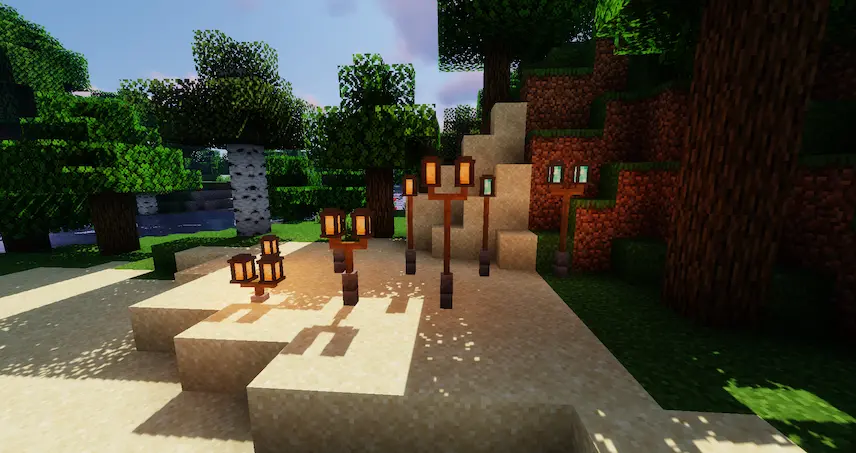
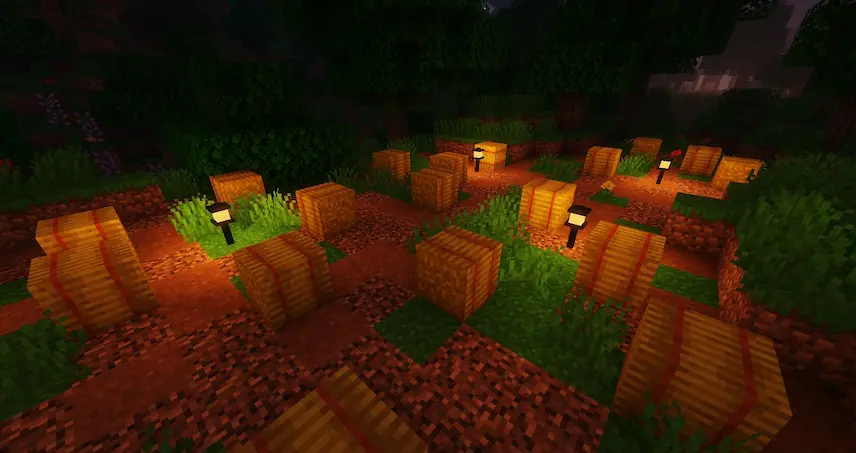
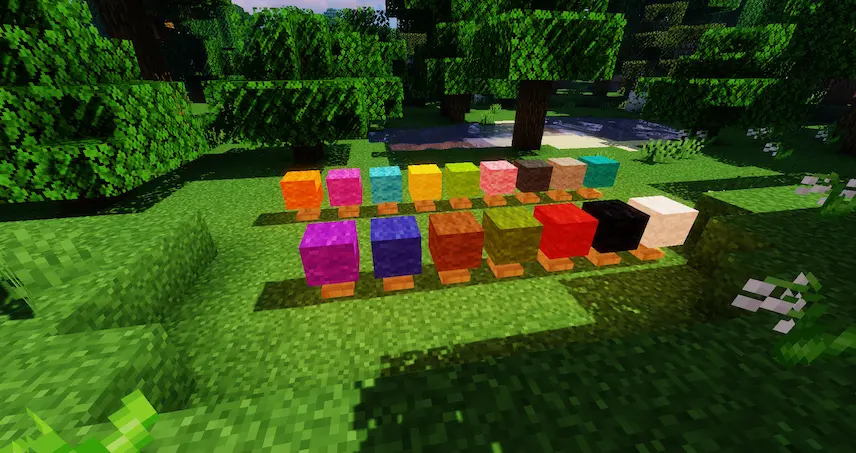
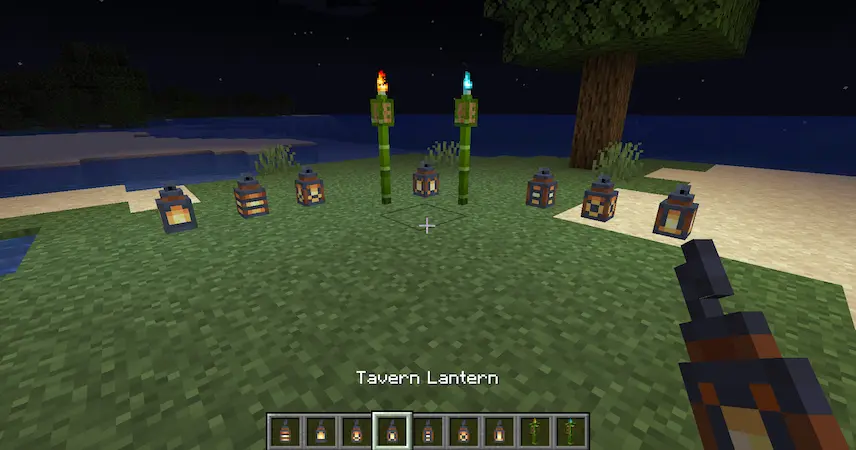
Street Lamp chandelier more lamps Small lamps lamps tiki torches
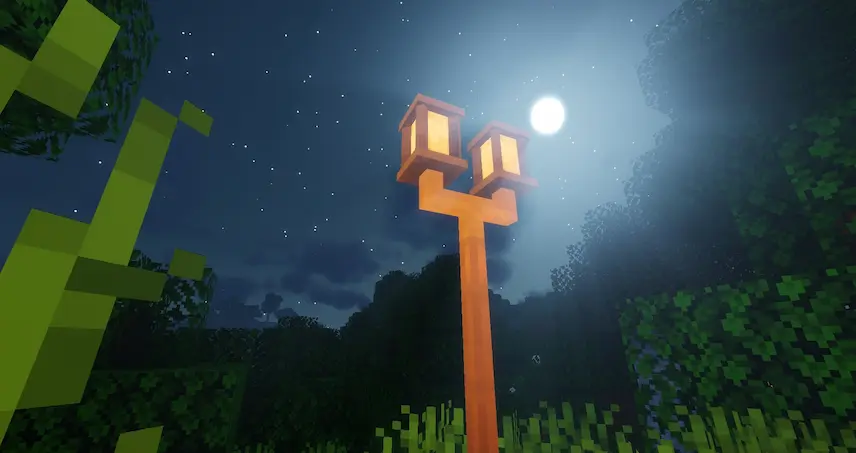
Street Lamp
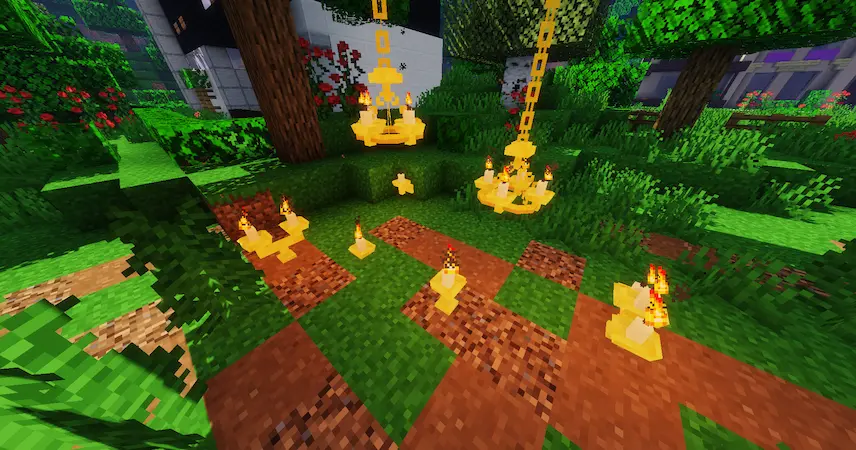
chandelier
more lamps
Small lamps
lamps
tiki torches

Macaw’s Lights and Lamps is a Minecraft mod that gives players a wide variety of new lighting options beyond the usual torches and redstone lamps. It adds decorative and functional light sources like tiki torches, chandeliers, paper lamps, street lamps, ceiling fan lights, and more. Whether you want a cozy room with candle holders or a large outdoor area lit by tall street lamps, this mod has something for every build.

Each light can be crafted using simple vanilla recipes, making it easy to use in survival mode. You can also turn lights on and off by holding shift and right clicking, which adds even more control. Some lights like lamps and tiki torches can be stacked as high as you want, giving you full freedom in your designs. This Minecraft mod is great for players who want to improve their builds with better lighting while keeping the gameplay simple and fun.


Fabric

  1. 1. Download, execute the Fabric installer, choose Client, select your Minecraft version, and click Install.
  2. 2. Download the Fabric API matching that Minecraft version.
  3. 3. Download Macaw’s Lights and Lamps or any additional Fabric-compatible mods you want.
  4. 4. Place the Fabric API and all mods into .minecraft/mods folder.
  5. 5. Open the Minecraft Launcher, select the new Fabric profile, and press Play. Enjoy!

Forge

  1. 1. Download, execute the Forge installer, choose Client, and click Install.
  2. 3. Download Macaw’s Lights and Lamps or any additional Forge-compatible mods you want.
  3. 4. Place all mods into .minecraft/mods folder.
  4. 5. Open the Minecraft Launcher, select the new Forge profile, and press Play. Enjoy!

NeoForge

  1. 1. Download, execute the NeoForge installer, choose Client, and click Install.
  2. 3. Download Macaw’s Lights and Lamps or any additional NeoForge-compatible mods you want.
  3. 4. Place all mods into .minecraft/mods folder.
  4. 5. Open the Minecraft Launcher, select the new NeoForge profile, and press Play. Enjoy!

Download Macaw’s Lights and Lamps Mod

Type Game version File version Loaders Download
R Release
1.21.11 v1.1.5
Fabric
File
R Release
1.21.11 v1.1.5
Forge
File
R Release
1.21.11 v1.1.5
NeoForge
File
R Release
1.21.10 v1.1.5 File
R Release
1.21.10 v1.1.5 File
R Release
1.21.10 v1.1.5 File
R Release
1.21.8 v1.1.5
Fabric
File
R Release
1.21.8 v1.1.5
Forge
File
R Release
1.21.8 v1.1.5
NeoForge
File
R Release
1.21.5 v1.1.5
Fabric
File
R Release
1.21.5 v1.1.5
Forge
File
R Release
1.21.5 v1.1.5
NeoForge
File
R Release
1.21.4 v1.1.5
Fabric
File
R Release
1.21.4 v1.1.5
Forge
File
R Release
1.21.4 v1.1.5
NeoForge
File
R Release
1.21.1 v1.1.5
Fabric
File
R Release
1.21.1 v1.1.5
Forge
File
R Release
1.21.1 v1.1.5
NeoForge
File
R Release
1.20.6 v1.1.2
Fabric
File
R Release
1.20.6 v1.1.2
Forge
File
R Release
1.20.6 v1.1.2
NeoForge
File
R Release
1.20.4 v1.1.2
Fabric
File
R Release
1.20.4 v1.1.2
Forge
File
R Release
1.20.4 v1.1.2
NeoForge
File
R Release
1.20.1 v1.1.5
Fabric
File
R Release
1.20.1 v1.1.5
Forge
File
R Release
1.19.4 v1.1.2
Fabric
File
R Release
1.19.4 v1.1.2
Forge
File
R Release
1.19.2 v1.1.2
Fabric
File
R Release
1.19.2 v1.1.2
Forge
File
R Release
1.18.2 v1.1.2
Fabric
File
R Release
1.18.2 v1.1.2
Forge
File
R Release
1.17.1 v1.1.2
Forge
File
R Release
1.16.5 v1.1.2
Forge
File
R Release
1.12.2 v1.0.6
Forge
File

Macaw’s Lights and Lamps Minecraft Mod

35 files • 1.21.11, 1.20.6, 1.19.4, 1.18.2

Download