logo responsive
/

Litematica Minecraft Mod

26.1.1, 1.21.11, 1.20.6, 1.19.4, 1.18.2

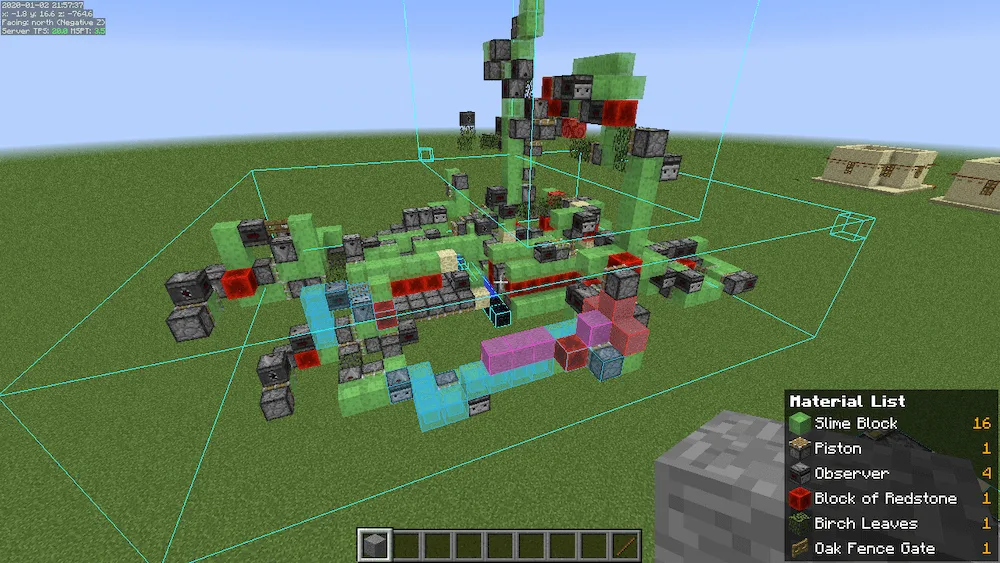
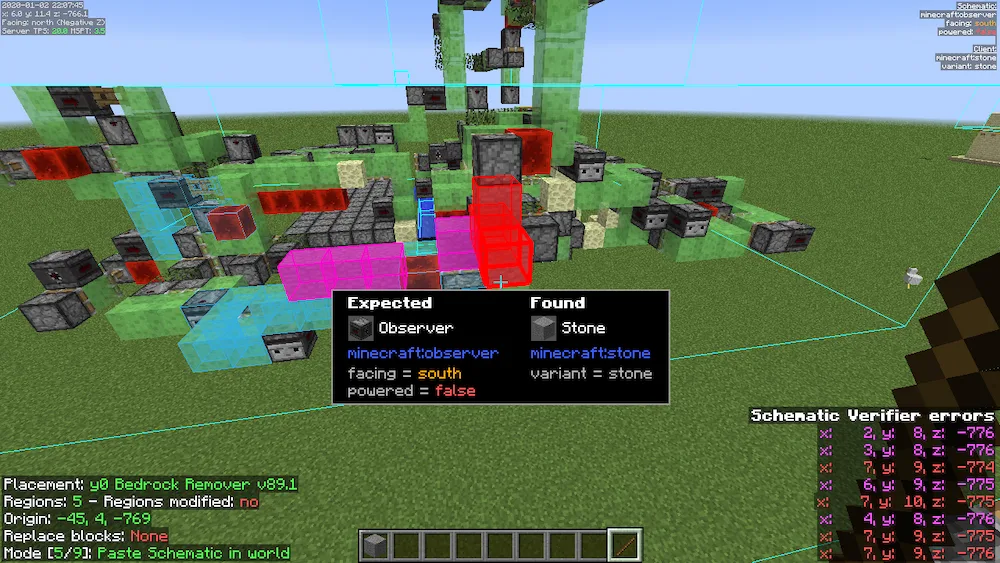
Material List Screen Material List HUD Schematic Verifier Screen Schematic Verifier Highlights
Material List Screen
Material List HUD
Schematic Verifier Screen
Schematic Verifier Highlights

If you are a builder who loves making massive structures or following complex tutorials, Litematica is a must-have. It’s a modern schematic mod that lets you display a “ghost” version of a build in your world so you can easily see exactly where every block needs to go. It works just like the old Schematica mod but with even more features. It is mainly built for Fabric and Quilt, though you can find third-party ports like Forgematica if you are on Forge. Just keep in mind that it doesn’t always play nice with shaders, especially in newer versions like 1.21.3+, so you might need to turn them off while you’re building.

The mod is super powerful but has a bit of a learning curve with its hotkeys. You can open the main menu with M, and use combos like M + G to toggle the ghost blocks on and off. There is also a “Tool Item” (usually a stick) that lets you move your schematics around or change modes by holding Ctrl and scrolling. One big warning: be careful with the Easy Place mode on multiplayer servers. Some anti-cheat systems might see it as a hack and ban you, so always check the server rules before using it!


Fabric

  1. 1. Download, execute the Fabric installer, choose Client, select your Minecraft version, and click Install.
  2. 2. Download the Fabric API matching that Minecraft version.
  3. 3. Download Litematica or any additional Fabric-compatible mods you want.
  4. 4. Place the Fabric API and all mods into .minecraft/mods folder.
  5. 5. Open the Minecraft Launcher, select the new Fabric profile, and press Play. Enjoy!

Forge

  1. 1. Download, execute the Forge installer, choose Client, and click Install.
  2. 3. Download Litematica or any additional Forge-compatible mods you want.
  3. 4. Place all mods into .minecraft/mods folder.
  4. 5. Open the Minecraft Launcher, select the new Forge profile, and press Play. Enjoy!

NeoForge

  1. 1. Download, execute the NeoForge installer, choose Client, and click Install.
  2. 3. Download Litematica or any additional NeoForge-compatible mods you want.
  3. 4. Place all mods into .minecraft/mods folder.
  4. 5. Open the Minecraft Launcher, select the new NeoForge profile, and press Play. Enjoy!

Download Litematica Mod

Type Game version File version Loaders Download
R Release
26.1.1 v0.27.1
Fabric
File
B Beta
26.1 v0.27.1
Fabric
File
R Release
1.21.11 v0.26.3
Fabric
File
R Release
1.21.10 v0.24.7
Fabric
File
R Release
1.21.8 v0.23.6
Fabric
File
R Release
1.21.5 v0.22.4
Fabric
File
R Release
1.21.4 v0.21.6
Fabric
File
R Release
1.21.1 v0.19.60
Fabric
File
R Release
1.20.6 v0.18.1
Fabric
File
R Release
1.20.4 v0.17.4
Fabric
File
R Release
1.20.1 v0.15.4
Fabric
File
R Release
1.19.4 v0.14.7
Fabric
File
R Release
1.19.2 v0.12.7
Fabric
File
R Release
1.18.2 v0.11.7
Fabric
File
R Release
1.17.1 v0.9.0
Fabric
File
B Beta
1.16.5 v20210917
Fabric
File
B Beta
1.16.5 v20210917
Forge
File
R Release
1.12.2 v20191217
Forge
File

Litematica Minecraft Mod

18 files • 26.1.1, 1.21.11, 1.20.6, 1.19.4, 1.18.2

Download