logo responsive
/

Falling Leaves Minecraft Mod

26.2, 26.1.2, 1.21.11, 1.20.6, 1.19.4, 1.18.2

leaves

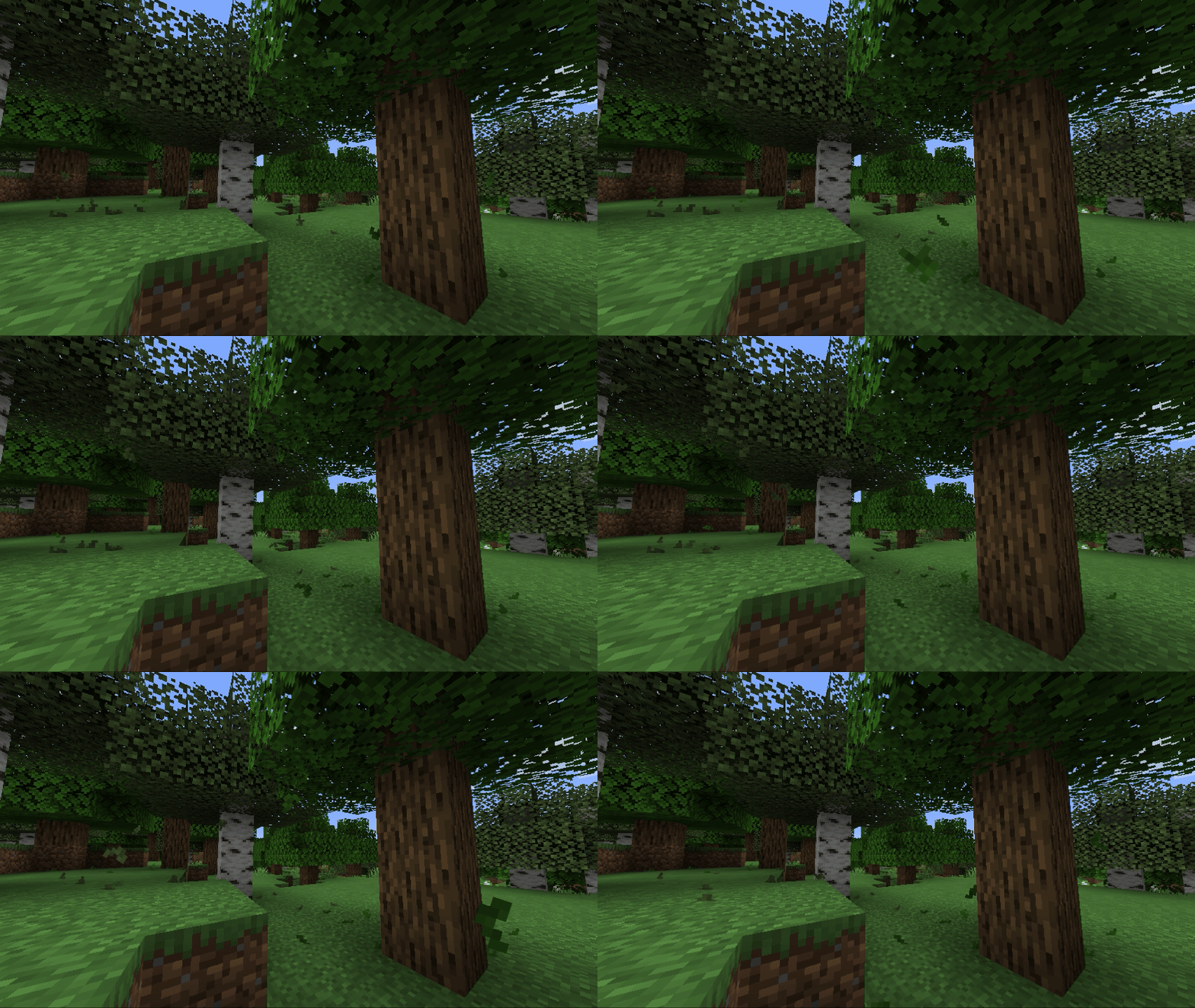
Falling Leaves is a simple but awesome Fabric mod that adds a really nice touch of realism to your Minecraft forests. It basically makes leaf blocks drop tiny leaf particles that drift down to the ground, making the whole world feel way more active and cozy. Instead of trees just sitting there like static blocks, you get this subtle effect that makes it look like the wind is actually blowing through the branches. It is one of those small details that you didn’t know you needed until you see it in action while exploring a forest or building a base.

The best part is that you can totally customize how it works. You can choose exactly which types of trees drop leaves and how often it happens, so you can have a massive leaf fall in a cherry grove or just a few here and there in a dark oak forest. It is a super lightweight mod, so it won’t kill your FPS, but it definitely makes the environment feel much more immersive. If you are tired of the world feeling a bit stiff and want to add some life to your nature builds, this is a must-have for your mod list.


Fabric

  1. 1. Download, execute the Fabric installer, choose Client, select your Minecraft version, and click Install.
  2. 2. Download the Fabric API matching that Minecraft version.
  3. 3. Download Falling Leaves or any additional Fabric-compatible mods you want.
  4. 4. Place the Fabric API and all mods into .minecraft/mods folder.
  5. 5. Open the Minecraft Launcher, select the new Fabric profile, and press Play. Enjoy!

Forge

  1. 1. Download, execute the Forge installer, choose Client, and click Install.
  2. 3. Download Falling Leaves or any additional Forge-compatible mods you want.
  3. 4. Place all mods into .minecraft/mods folder.
  4. 5. Open the Minecraft Launcher, select the new Forge profile, and press Play. Enjoy!

NeoForge

  1. 1. Download, execute the NeoForge installer, choose Client, and click Install.
  2. 3. Download Falling Leaves or any additional NeoForge-compatible mods you want.
  3. 4. Place all mods into .minecraft/mods folder.
  4. 5. Open the Minecraft Launcher, select the new NeoForge profile, and press Play. Enjoy!

Download Falling Leaves Mod

Type Game version File version Loaders Download
R Release
26.2 v2.0.7
Fabric
File
R Release
26.1.x v2.0.7
Fabric
File
R Release
1.21.11 v2.0.3
Fabric
File
R Release
1.21.10 v2.0.2
Fabric
File
R Release
1.21.8 v2.0.1
Fabric
File
R Release
1.21.5 v2.0.1
Fabric
File
R Release
1.21.4 v1.17.0
Fabric
File
R Release
1.21.1 v1.17.1
Fabric
File
R Release
1.20.6 v1.15.9
Fabric
File
R Release
1.20.4 v1.15.6
Fabric
File
R Release
1.20.1 v1.15.6
Fabric
File
R Release
1.19.4 v1.15.6
Fabric
File
R Release
1.19.2 v1.13.0
Fabric
File
R Release
1.18.2 v1.11.1
Fabric
File
R Release
1.17.1 v1.7.4
Fabric
File
R Release
1.16.5 v1.6.0
Fabric
File

Falling Leaves Minecraft Mod

16 files • 26.2, 26.1.2, 1.21.11, 1.20.6, 1.19.4, 1.18.2

Download