logo responsive
/

Continuity Minecraft Mod

26.2, 26.1.2, 1.21.11, 1.20.6, 1.19.4, 1.18.2

glass conected apply texture pack
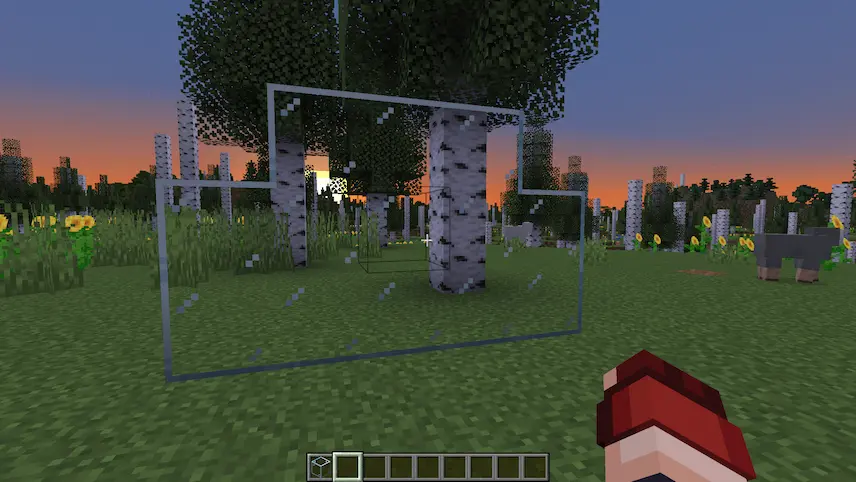
glass conected
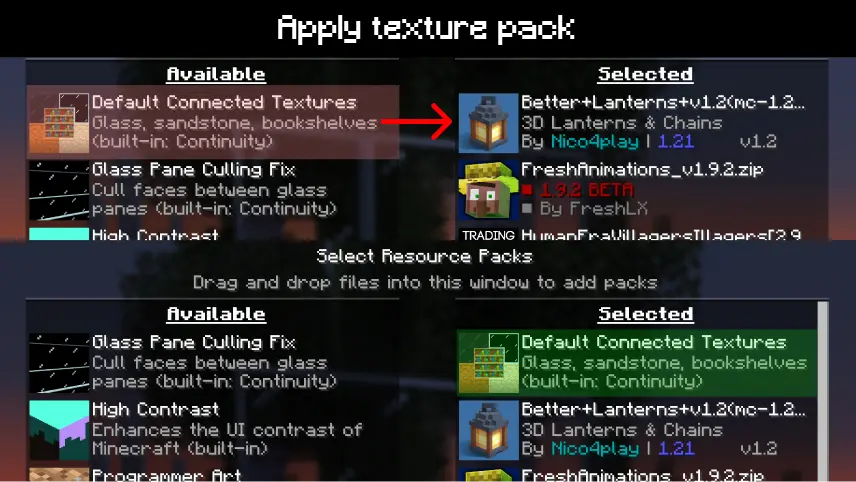
apply texture pack

Continuity is a client-side mod for Fabric, Forge, and NeoForge that brings seamless connected textures and emissive blocks to your Minecraft worlds—without needing OptiFine. Perfect for players who want to use high-quality resource packs but prefer modern mod loaders, Continuity enables support for OptiFine-style connected textures, emissive lighting (for blocks and item models), and custom block layers. It includes two pre-installed resource packs: the Default Connected Textures pack (for glass, sandstone, and bookshelves) and the Glass Pane Culling Fix, which eliminates visual seams in vertically stacked glass panes for a cleaner, more immersive aesthetic.

This mod is ideal for players searching for “OptiFine alternatives for connected textures in Minecraft” or “Minecraft connected textures mod for Fabric/Forge.” Continuity depends on the Fabric API and runs entirely on the client side, ensuring maximum compatibility and performance without affecting gameplay. Whether you’re building modern cities or intricate fantasy structures, Continuity helps bring your world to life with smoother visuals and cleaner transitions between blocks


Fabric

  1. 1. Download, execute the Fabric installer, choose Client, select your Minecraft version, and click Install.
  2. 2. Download the Fabric API matching that Minecraft version.
  3. 3. Download Continuity or any additional Fabric-compatible mods you want.
  4. 4. Place the Fabric API and all mods into .minecraft/mods folder.
  5. 5. Open the Minecraft Launcher, select the new Fabric profile, and press Play. Enjoy!

Forge

  1. 1. Download, execute the Forge installer, choose Client, and click Install.
  2. 3. Download Continuity or any additional Forge-compatible mods you want.
  3. 4. Place all mods into .minecraft/mods folder.
  4. 5. Open the Minecraft Launcher, select the new Forge profile, and press Play. Enjoy!

NeoForge

  1. 1. Download, execute the NeoForge installer, choose Client, and click Install.
  2. 3. Download Continuity or any additional NeoForge-compatible mods you want.
  3. 4. Place all mods into .minecraft/mods folder.
  4. 5. Open the Minecraft Launcher, select the new NeoForge profile, and press Play. Enjoy!

Download Continuity Mod

Type Game version File version Loaders Download
R Release
26.2 v3.0.1 File
R Release
26.1.x v3.0.1
Fabric
File
R Release
1.21.11 v3.0.1
Fabric
File
R Release
1.21.10 v3.0.1
Fabric
File
R Release
1.21.8 v3.0.1
Fabric
File
R Release
1.21.7 v3.0.1
Fabric
File
R Release
1.21.6 v3.0.1
Fabric
File
R Release
1.21.5 v3.0.1
Fabric
File
R Release
1.21.4 v3.0.0
Fabric
File
R Release
1.21.3 v3.0.0
Fabric
File
R Release
1.21.1 v3.0.0
Fabric
File
R Release
1.21.1 v3.0.0
NeoForge
File
R Release
1.20.6 v3.0.0
Fabric
File
R Release
1.20.4 v3.0.0
Fabric
File
R Release
1.20.1 v3.0.0
Fabric
File
R Release
1.20.1 v3.0.0
Forge
File
R Release
1.19.4 v3.0.0
Fabric
File
R Release
1.19.2 v2.0.2
Fabric
File
R Release
1.18.2 v2.0.2
Fabric
File
R Release
1.17.1 v1.1.0
Fabric
File

Continuity Minecraft Mod

20 files • 26.2, 26.1.2, 1.21.11, 1.20.6, 1.19.4, 1.18.2

Download