
logo responsive
/

Bridging Minecraft Mod

26.2, 26.1.2, 1.21.11, 1.20.6, 1.19.4, 1.18.2



Bridging (1st Person) Bridging (3rd Person) Bridging Below Blocks Slabs just work! Crosshair Indicators Even stuff for non-bridging! settings
Bridging (1st Person)
Bridging (3rd Person)
Bridging Below Blocks
Slabs just work!
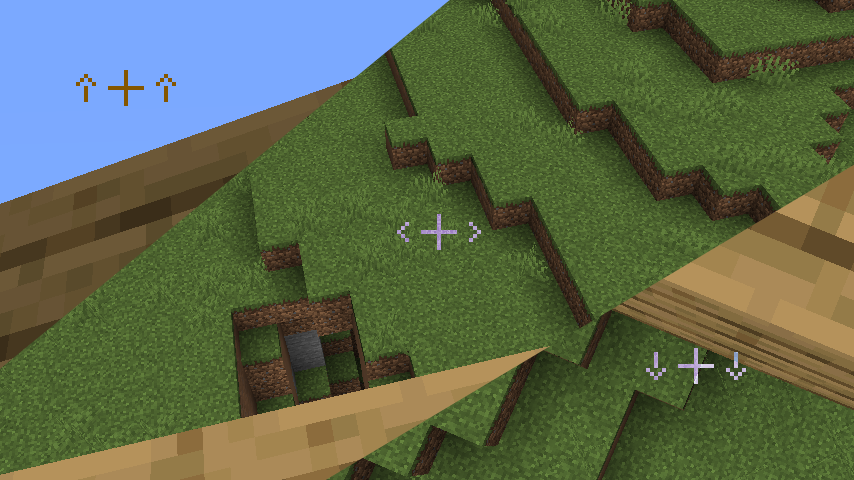
Crosshair Indicators
Even stuff for non-bridging!

settings

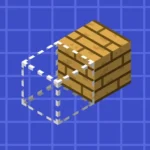
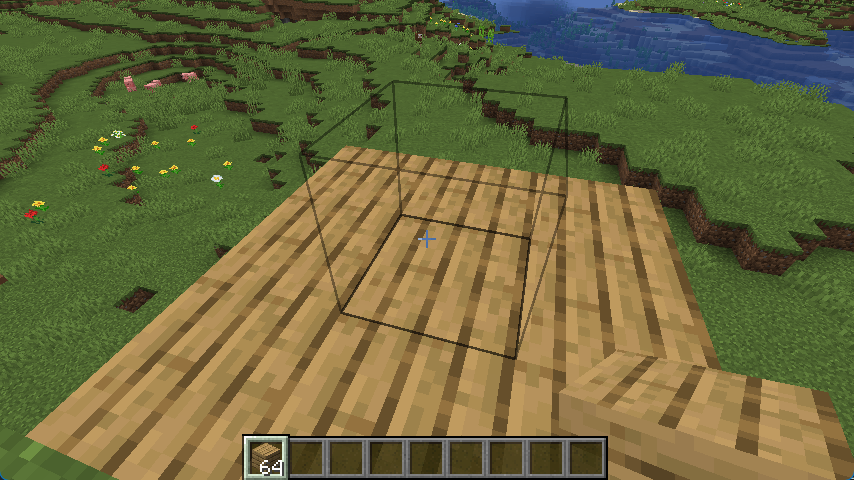
Bridging Mod makes building and parkour much easier by adding a reach-around placement feature inspired by Minecraft Bedrock Edition and the Quark mod. With this mod, you can place blocks in front, above, or below gaps even when you cannot see the surface, allowing for smoother and faster construction. A helpful crosshair appears to show exactly where the next block will go, making your placements accurate and efficient.

Perfect for builders and speedrunners, this Minecraft mod improves gameplay by removing the frustration of tricky block placements. You can also enable an extra outline indicator from the config menu to see the exact placement position at all times. Whether you are bridging across the void or working on large builds, the Bridging Mod saves time and adds convenience while keeping your gameplay experience smooth and intuitive.


Fabric

  1. 1. Download, execute the Fabric installer, choose Client, select your Minecraft version, and click Install.
  2. 2. Download the Fabric API matching that Minecraft version.
  3. 3. Download Bridging or any additional Fabric-compatible mods you want.
  4. 4. Place the Fabric API and all mods into .minecraft/mods folder.
  5. 5. Open the Minecraft Launcher, select the new Fabric profile, and press Play. Enjoy!

Forge

  1. 1. Download, execute the Forge installer, choose Client, and click Install.
  2. 3. Download Bridging or any additional Forge-compatible mods you want.
  3. 4. Place all mods into .minecraft/mods folder.
  4. 5. Open the Minecraft Launcher, select the new Forge profile, and press Play. Enjoy!

NeoForge

  1. 1. Download, execute the NeoForge installer, choose Client, and click Install.
  2. 3. Download Bridging or any additional NeoForge-compatible mods you want.
  3. 4. Place all mods into .minecraft/mods folder.
  4. 5. Open the Minecraft Launcher, select the new NeoForge profile, and press Play. Enjoy!

Download Bridging Mod

Type Game version File version Loaders Download
R Release
26.2 v2.7.0
Fabric
File
R Release
26.2 v2.7.0
NeoForge
File
R Release
26.1.x v2.6.6
Fabric
File
R Release
26.1.x v2.6.6
NeoForge
File
R Release
1.21.11 v2.6.4
Fabric
File
R Release
1.21.11 v2.6.4
Fabric
File
R Release
1.21.10 v2.6.3
Fabric
File
R Release
1.21.10 v2.6.3
NeoForge
File
R Release
1.21.9 v2.6.3
Fabric
File
R Release
1.21.9 v2.6.3
NeoForge
File
R Release
1.21.8 v2.6.3
Fabric
File
R Release
1.21.8 v2.6.3
NeoForge
File
R Release
1.21.7 v2.6.3
Fabric
File
R Release
1.21.7 v2.6.3
NeoForge
File
R Release
1.21.6 v2.6.3
Fabric
File
R Release
1.21.6 v2.6.3
NeoForge
File
R Release
1.21.5 v2.6.3
Fabric
File
R Release
1.21.5 v2.6.3
NeoForge
File
R Release
1.21.4 v2.6.2
Fabric
File
R Release
1.21.4 v2.6.2
NeoForge
File
R Release
1.21.1 v2.6.2
Fabric
File
R Release
1.21.1 v2.6.2
NeoForge
File
R Release
1.20.6 v2.5.0
Fabric
File
R Release
1.20.6 v2.5.0
NeoForge
File
R Release
1.20.4 v2.4.0
Fabric
File
R Release
1.20.4 v2.4.0
Forge
File
R Release
1.20.4 v2.4.0
NeoForge
File
R Release
1.20.1 v2.5.1 File
R Release
1.20.1 v2.5.1
Forge
File
R Release
1.19.4 v2.3.0
Fabric
File
R Release
1.19.4 v2.3.0
Forge
File
R Release
1.19.2 v2.1.1
Fabric
File
R Release
1.19.2 v2.1.1
Forge
File
R Release
1.18.2 v2.3.0
Fabric
File
R Release
1.18.2 v2.3.0
Forge
File
R Release
1.17.1 v1.0.0
Fabric
File

Bridging Minecraft Mod

36 files • 26.2, 26.1.2, 1.21.11, 1.20.6, 1.19.4, 1.18.2

Download