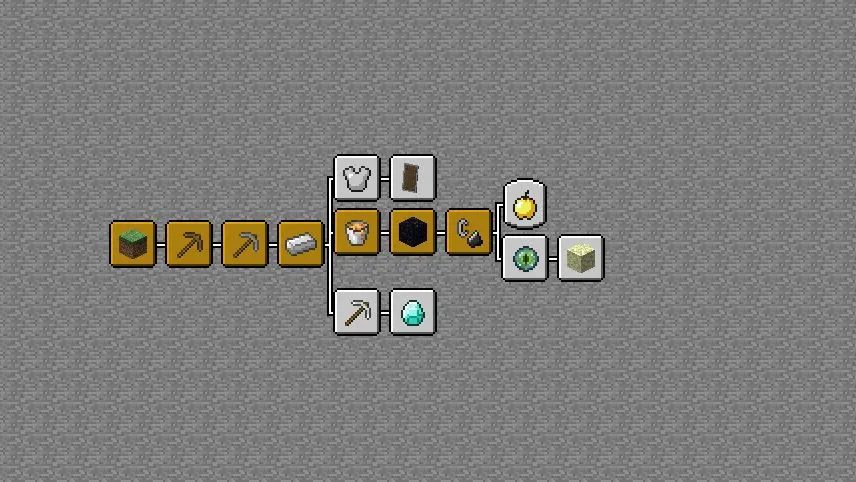
Better Advancements is a game-changer for Minecraft players who love tracking their in-game achievements but hate squinting at tiny, cramped menus. This mod overhauls the advancements system with a sleek, full-screen interface that’s easy to navigate—no more straining your eyes to read descriptions or struggling to find specific goals! You can even customize the colors of advancement icons to match your style, and tweak settings like keeping the background from fading when you hover. Whether you’re playing vanilla or diving into modpacks, Better Advancements makes progress-tracking feel polished and personalized.
Fabric
- 1. Download, execute the Fabric installer, choose Client, select your Minecraft version, and click Install.
- 2. Download the Fabric API matching that Minecraft version.
- 3. Download Better Advancements or any additional Fabric-compatible mods you want.
-
4.
Place the Fabric API and all mods into
.minecraft/modsfolder. - 5. Open the Minecraft Launcher, select the new Fabric profile, and press Play. Enjoy!
Forge
- 1. Download, execute the Forge installer, choose Client, and click Install.
- 3. Download Better Advancements or any additional Forge-compatible mods you want.
-
4.
Place all mods into
.minecraft/modsfolder. - 5. Open the Minecraft Launcher, select the new Forge profile, and press Play. Enjoy!
NeoForge
- 1. Download, execute the NeoForge installer, choose Client, and click Install.
- 3. Download Better Advancements or any additional NeoForge-compatible mods you want.
-
4.
Place all mods into
.minecraft/modsfolder. - 5. Open the Minecraft Launcher, select the new NeoForge profile, and press Play. Enjoy!
Download Better Advancements Mod
| Type | Game version | File version | Loaders | Download |
|---|---|---|---|---|
|
B Beta
|
1.21.11 | v0.4.8.51 |
Fabric
|
File |
|
B Beta
|
1.21.11 | v0.4.8.51 |
Forge
|
File |
|
B Beta
|
1.21.11 | v0.4.8.51 |
NeoForge
|
File |
|
B Beta
|
1.21.10 | v0.4.7.50 |
Fabric
|
File |
|
B Beta
|
1.21.10 | v0.4.7.50 |
Forge
|
File |
|
B Beta
|
1.21.10 | v0.4.7.50 |
NeoForge
|
File |
|
B Beta
|
1.21.8 | v0.4.6.45 |
Fabric
|
File |
|
A Alpha
|
1.21.8 | v0.4.6.45 |
Forge
|
File |
|
B Beta
|
1.21.8 | v0.4.6.45 |
NeoForge
|
File |
|
B Beta
|
1.21.5 | v0.4.6.41 |
Fabric
|
File |
|
B Beta
|
1.21.5 | v0.4.6.41 |
Forge
|
File |
|
B Beta
|
1.21.5 | v0.4.6.41 |
NeoForge
|
File |
|
B Beta
|
1.21.4 | v0.4.6.36 |
Fabric
|
File |
|
B Beta
|
1.21.4 | v0.4.6.36 |
Forge
|
File |
|
B Beta
|
1.21.4 | v0.4.6.36 |
NeoForge
|
File |
|
A Alpha
|
1.21.3 | v0.4.4.22 |
Fabric
|
File |
|
A Alpha
|
1.21.3 | v0.4.4.22 |
Forge
|
File |
|
A Alpha
|
1.21.3 | v0.4.4.22 |
NeoForge
|
File |
|
B Beta
|
1.21.1 | v0.4.3.21 |
Fabric
|
File |
|
B Beta
|
1.21.1 | v0.4.3.21 |
Forge
|
File |
|
B Beta
|
1.21.1 | v0.4.3.21 |
NeoForge
|
File |
|
A Alpha
|
1.20.6 | v0.4.2.18 |
Fabric
|
File |
|
A Alpha
|
1.20.6 | v0.4.2.18 |
Forge
|
File |
|
A Alpha
|
1.20.6 | v0.4.2.18 |
NeoForge
|
File |
|
A Alpha
|
1.20.4 | v0.4.2.8 |
Fabric
|
File |
|
A Alpha
|
1.20.4 | v0.4.2.8 |
Forge
|
File |
|
A Alpha
|
1.20.4 | v0.4.2.8 |
NeoForge
|
File |
|
B Beta
|
1.20.1 | v0.4.2.10 |
Fabric
|
File |
|
B Beta
|
1.20.1 | v0.4.2.10 |
Forge
|
File |
|
B Beta
|
1.20.1 | v0.4.2.10 |
NeoForge
|
File |
|
B Beta
|
1.19.4 | v0.3.1.157 |
Fabric
|
File |
|
B Beta
|
1.19.4 | v0.3.1.157 |
Forge
|
File |
|
R Release
|
1.19.2 | v0.2.2.142 |
Fabric
|
File |
|
R Release
|
1.19.2 | v0.2.2.142 |
Forge
|
File |
|
R Release
|
1.18.2 | v0.2.0.146 |
Fabric
|
File |
|
R Release
|
1.18.2 | v0.2.0.146 |
Forge
|
File |
|
R Release
|
1.17.1 | v0.1.2.116 |
Forge
|
File |
|
R Release
|
1.16.5 | v0.1.1.115 |
Forge
|
File |
|
R Release
|
1.12.2 | v0.1.0.77 |
Forge
|
File |