logo responsive
/

Amplified Nether Minecraft Mod

1.21.11, 1.20.6, 1.19.4, 1.18.2

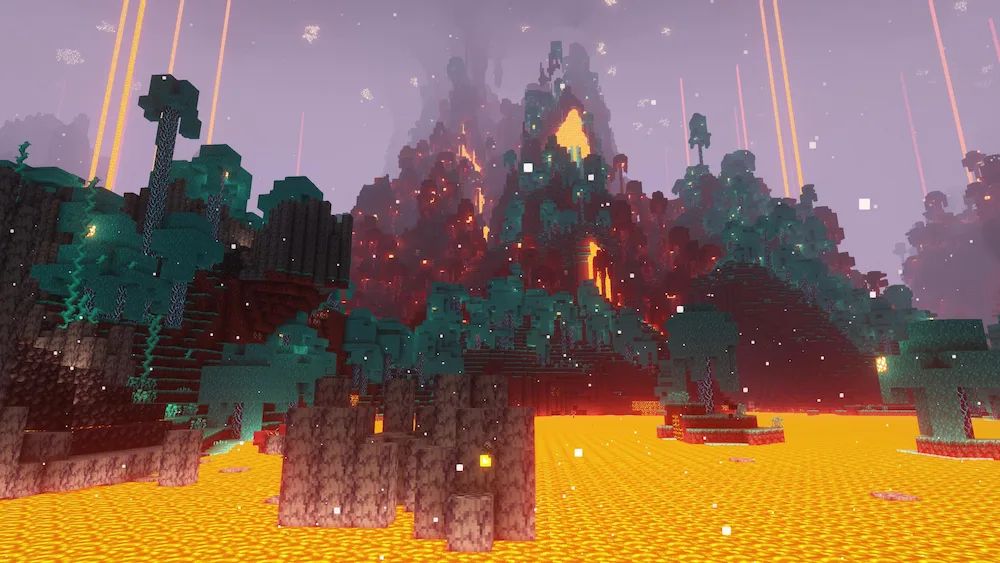
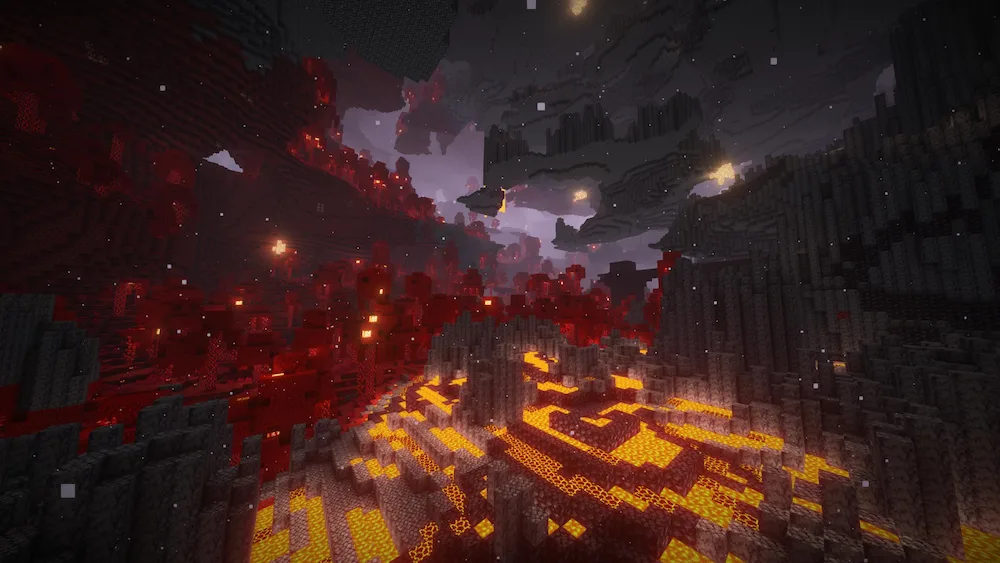
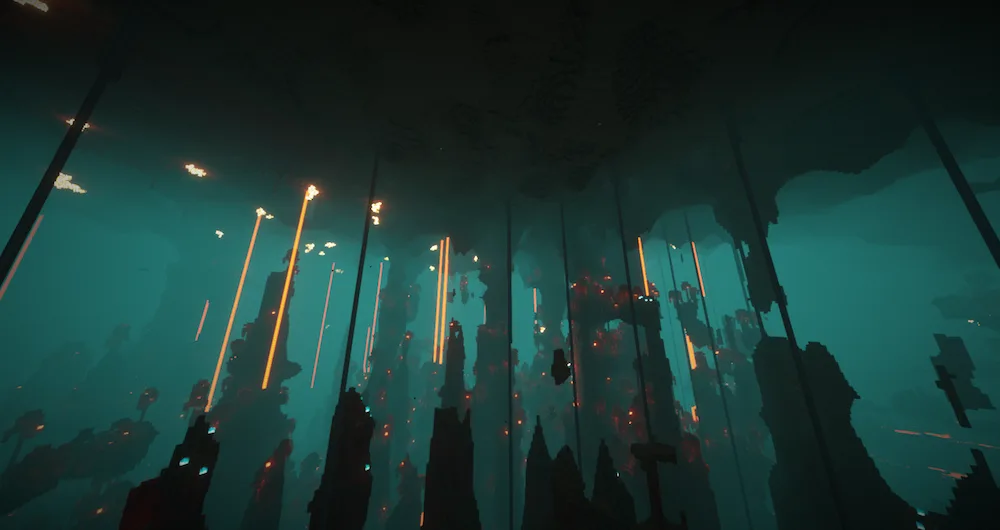
Warped Forest Crimson Forest Soul Sand Valley
Warped Forest
Crimson Forest
Soul Sand Valley

If you ever felt like the Nether was a bit too flat and predictable, Amplified Nether is exactly what you need. This mod takes the 1.18 world generation features and goes wild with them, creating massive 3D biomes and terrain that actually feels like a hellish landscape. The coolest part is that it brings back those epic Nether mountains from the original update trailer—the ones everyone was hyped for but never actually made it into the official game.

What’s great about this mod is that it keeps things simple. It doesn’t clutter your game with a bunch of random new items, mobs, or biomes you don’t recognize. It sticks to the vanilla theme but just makes the world generation way more intense and vertical. You’ll see crazy biome borders and huge cliffs that make exploring the dimension feel like a brand new challenge. If you want a more cinematic and “amplified” experience while hunting for ancient debris, this is definitely the mod to get.


Fabric

  1. 1. Download, execute the Fabric installer, choose Client, select your Minecraft version, and click Install.
  2. 2. Download the Fabric API matching that Minecraft version.
  3. 3. Download Amplified Nether or any additional Fabric-compatible mods you want.
  4. 4. Place the Fabric API and all mods into .minecraft/mods folder.
  5. 5. Open the Minecraft Launcher, select the new Fabric profile, and press Play. Enjoy!

Forge

  1. 1. Download, execute the Forge installer, choose Client, and click Install.
  2. 3. Download Amplified Nether or any additional Forge-compatible mods you want.
  3. 4. Place all mods into .minecraft/mods folder.
  4. 5. Open the Minecraft Launcher, select the new Forge profile, and press Play. Enjoy!

NeoForge

  1. 1. Download, execute the NeoForge installer, choose Client, and click Install.
  2. 3. Download Amplified Nether or any additional NeoForge-compatible mods you want.
  3. 4. Place all mods into .minecraft/mods folder.
  4. 5. Open the Minecraft Launcher, select the new NeoForge profile, and press Play. Enjoy!

Download Amplified Nether Mod

Type Game version File version Loaders Download
R Release
1.21.x v1.2.13
Forge Fabric NeoForge
File
R Release
1.20.x v1.2.13
Forge Fabric NeoForge
File
R Release
1.19.4 v1.2.1
Forge Fabric
File
R Release
1.19.2 v1.2.1
Forge Fabric
File
R Release
1.18.2 v1.1.1
Forge Fabric
File

Amplified Nether Minecraft Mod

5 files • 1.21.11, 1.20.6, 1.19.4, 1.18.2

Download