logo responsive
/

Continents Mod Para Minecraft

1.21.11, 1.20.6, 1.19.4, 1.18.2

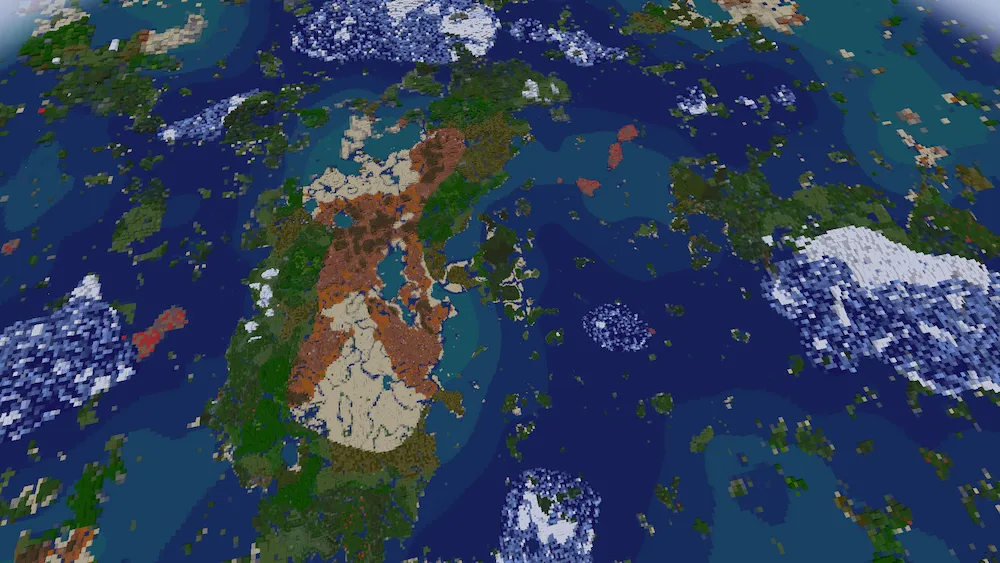
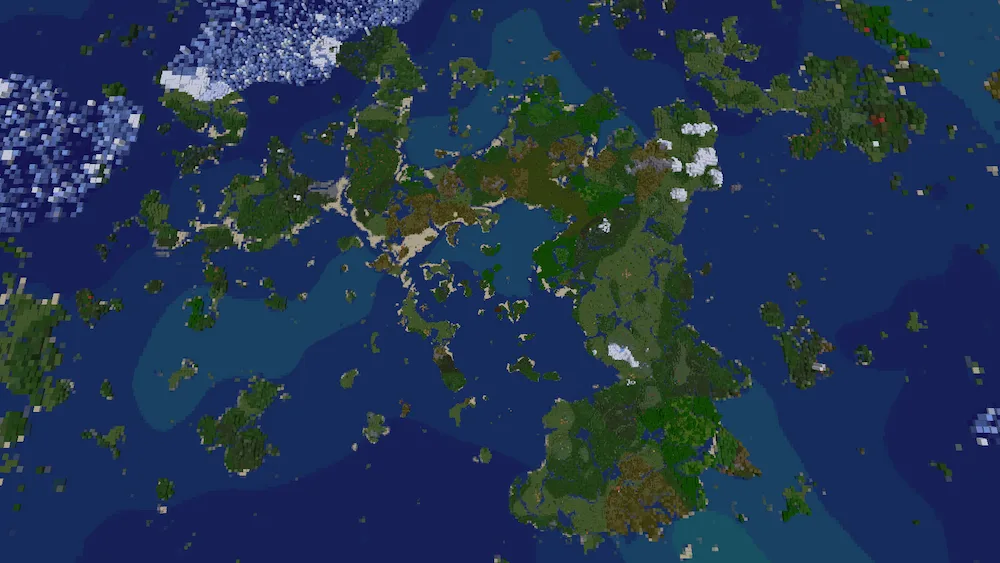
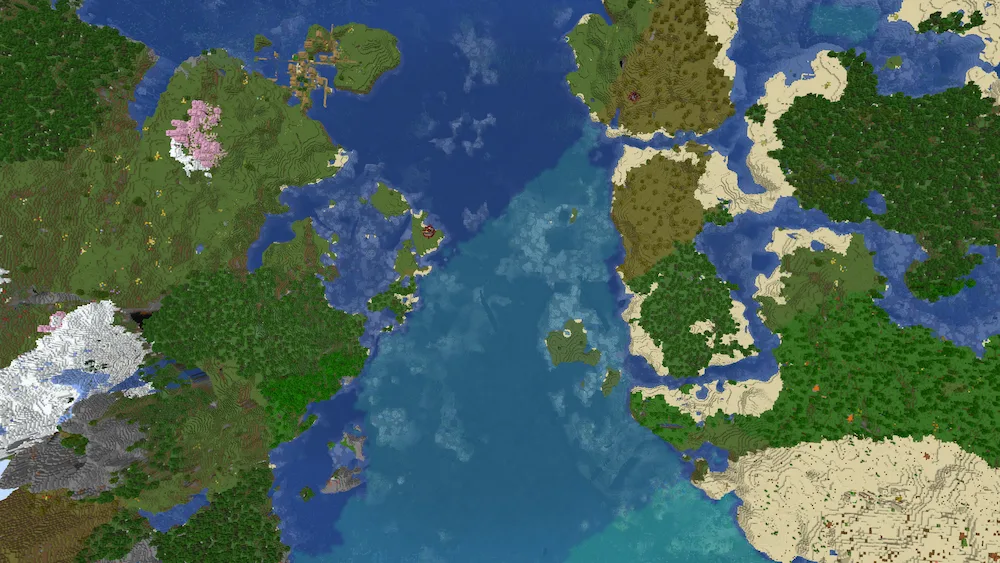
Continents world gen Continents world gen 2 Continents world gen 3
Continents world gen
Continents world gen 2
Continents world gen 3

If you have ever felt like the standard Minecraft world feels more like a bunch of lakes than actual oceans, the Continents mod is a total game-changer. This small add-on completely reshapes how the world generates so that landmasses are actually far apart and vary in size. It makes those massive oceans feel like a real challenge to cross, giving you a reason to finally build a cool boat and set sail. Between these huge chunks of land, you will still find plenty of islands to keep your trips interesting so it never feels like you are just staring at empty water for hours.

One of the best things about this mod is that it guarantees you will always spawn on a medium-sized continent, which is usually around 1k blocks in size. This gives you plenty of room to get geared up and start your base before you have to worry about crossing the deep blue. It makes the game feel way more like a real world map where discovering a new continent is actually a huge deal. Whether you are a fan of exploration or just want your world to have more realistic geography, this mod adds that sense of scale that the vanilla game is missing.


Fabric

  1. 1. Download, execute the Fabric installer, choose Client, select your Minecraft version, and click Install.
  2. 2. Download the Fabric API matching that Minecraft version.
  3. 3. Download Continents Mod Para or any additional Fabric-compatible mods you want.
  4. 4. Place the Fabric API and all mods into .minecraft/mods folder.
  5. 5. Open the Minecraft Launcher, select the new Fabric profile, and press Play. Enjoy!

Forge

  1. 1. Download, execute the Forge installer, choose Client, and click Install.
  2. 3. Download Continents Mod Para or any additional Forge-compatible mods you want.
  3. 4. Place all mods into .minecraft/mods folder.
  4. 5. Open the Minecraft Launcher, select the new Forge profile, and press Play. Enjoy!

NeoForge

  1. 1. Download, execute the NeoForge installer, choose Client, and click Install.
  2. 3. Download Continents Mod Para or any additional NeoForge-compatible mods you want.
  3. 4. Place all mods into .minecraft/mods folder.
  4. 5. Open the Minecraft Launcher, select the new NeoForge profile, and press Play. Enjoy!

Download Continents Mod Para

Type Game version File version Loaders Download
R Release
1.21.x v1.1.12
Forge Fabric NeoForge
File
R Release
1.20.x v1.1.12
Forge Fabric NeoForge
File
R Release
1.19.x v1.1.4
Forge Fabric
File
R Release
1.18.2 v1.1.2
Forge Fabric
File

Continents Mod Para Minecraft

4 files • 1.21.11, 1.20.6, 1.19.4, 1.18.2

Download