logo responsive
/

Axiom Minecraft Mod

26.2, 26.1.2, 1.21.11, 1.20.6

Builder Mode Context Menu Editor Mode Builder Mode Move Replace Mode Showcase
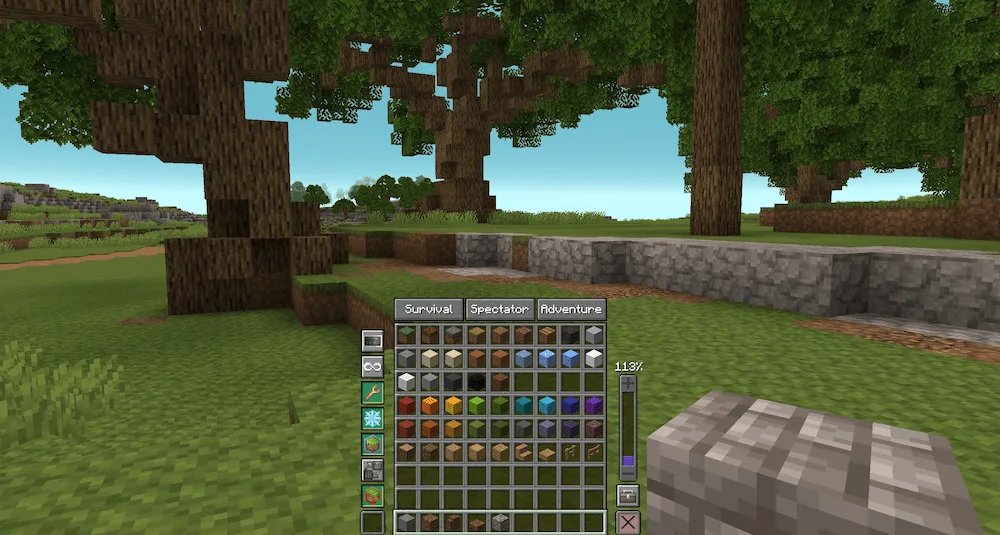
Builder Mode Context Menu
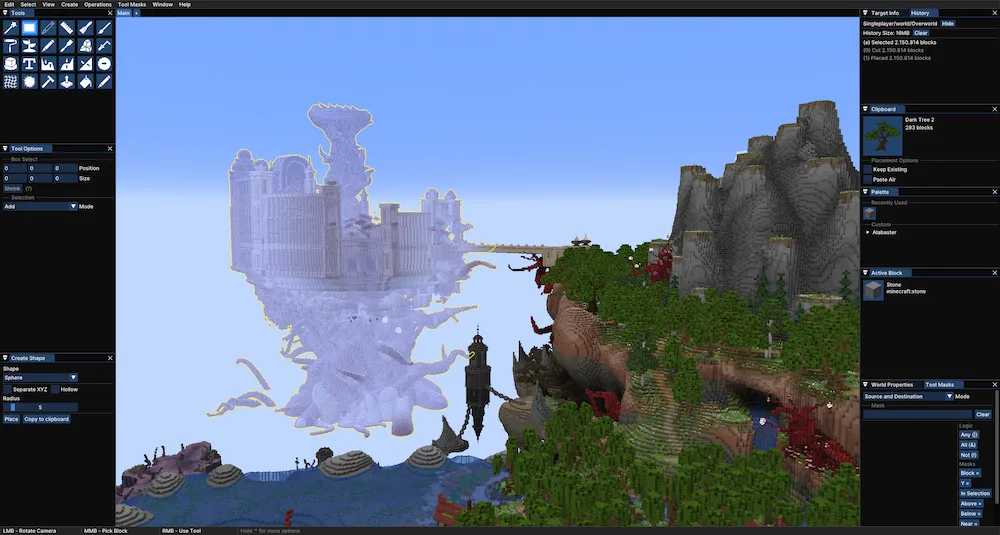
Editor Mode
Builder Mode Move
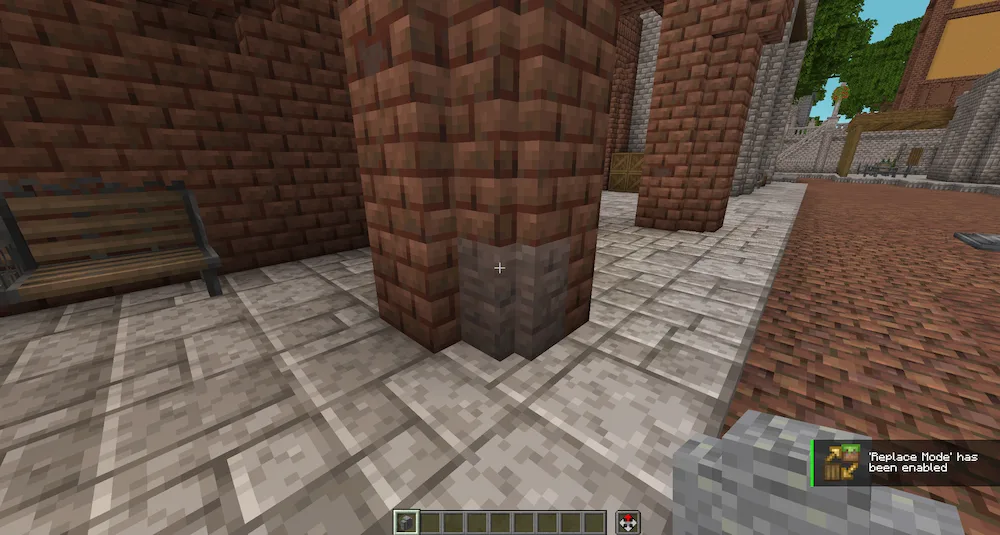
Replace Mode Showcase

Axiom mod is a revolutionary all-in-one building tool that bridges the gap between Minecraft and professional 3D modeling software like Blender. Unlike older tools that rely on text commands, Axiom provides a sleek, visual interface with real-time previews, allowing you to see exactly how your changes will look before you commit to them. It is designed for the Fabric mod loader and is highly optimized, using specialized algorithms to handle massive world edits—like terraforming entire mountain ranges or moving giant structures—without the lag typically associated with large-scale building.

The mod is divided into two primary modes to suit different tasks:

  • Builder Mode: An enhanced version of Creative Mode. It features a Context Menu (hold Left Alt) that gives you “superpowers” like infinite reach, no-clip flight, and an “Angel Placement” tool for placing blocks in mid-air.
  • Editor Mode: A powerful 3D workspace accessed by pressing Right Shift. This mode includes advanced brushes for sculpting terrain, “Magic Select” tools for grabbing complex shapes, and a node-based “Tool Mask” system that lets you filter your edits (e.g., “only replace grass with gravel on slopes steeper than 45 degrees”).


Fabric

  1. 1. Download, execute the Fabric installer, choose Client, select your Minecraft version, and click Install.
  2. 2. Download the Fabric API matching that Minecraft version.
  3. 3. Download Axiom or any additional Fabric-compatible mods you want.
  4. 4. Place the Fabric API and all mods into .minecraft/mods folder.
  5. 5. Open the Minecraft Launcher, select the new Fabric profile, and press Play. Enjoy!

Forge

  1. 1. Download, execute the Forge installer, choose Client, and click Install.
  2. 3. Download Axiom or any additional Forge-compatible mods you want.
  3. 4. Place all mods into .minecraft/mods folder.
  4. 5. Open the Minecraft Launcher, select the new Forge profile, and press Play. Enjoy!

NeoForge

  1. 1. Download, execute the NeoForge installer, choose Client, and click Install.
  2. 3. Download Axiom or any additional NeoForge-compatible mods you want.
  3. 4. Place all mods into .minecraft/mods folder.
  4. 5. Open the Minecraft Launcher, select the new NeoForge profile, and press Play. Enjoy!

Download Axiom Mod

Type Game version File version Loaders Download
R Release
26.2 v5.5.0
Fabric
File
R Release
26.1.x v5.4.2
Fabric
File
R Release
1.21.11 v5.4.2
Fabric
File
R Release
1.21.10 v5.4.2
Fabric
File
R Release
1.21.8 v5.4.2
Fabric
File
R Release
1.21.5 v5.4.2
Fabric
File
R Release
1.21.4 v5.4.2
Fabric
File
R Release
1.21.1 v5.4.2
Fabric
File
R Release
1.20.6 v5.4.2
Fabric
File
R Release
1.20.4 v5.4.2
Fabric
File
R Release
1.20.1 v5.4.2
Fabric
File

Axiom Minecraft Mod

11 files • 26.2, 26.1.2, 1.21.11, 1.20.6

Download