logo responsive
/

Lios Overhauled Villages Minecraft Mod

26.2, 26.1.2, 1.21.11, 1.20.6, 1.19.4

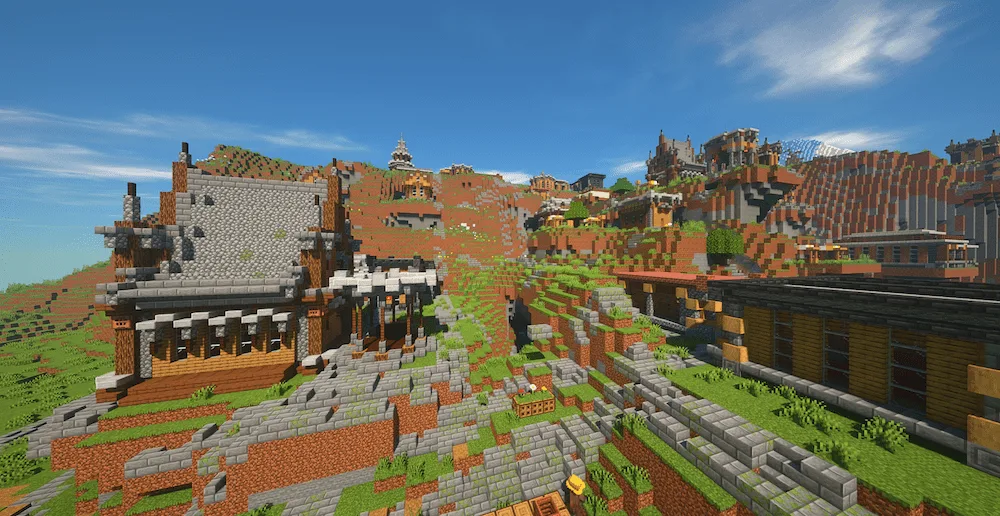
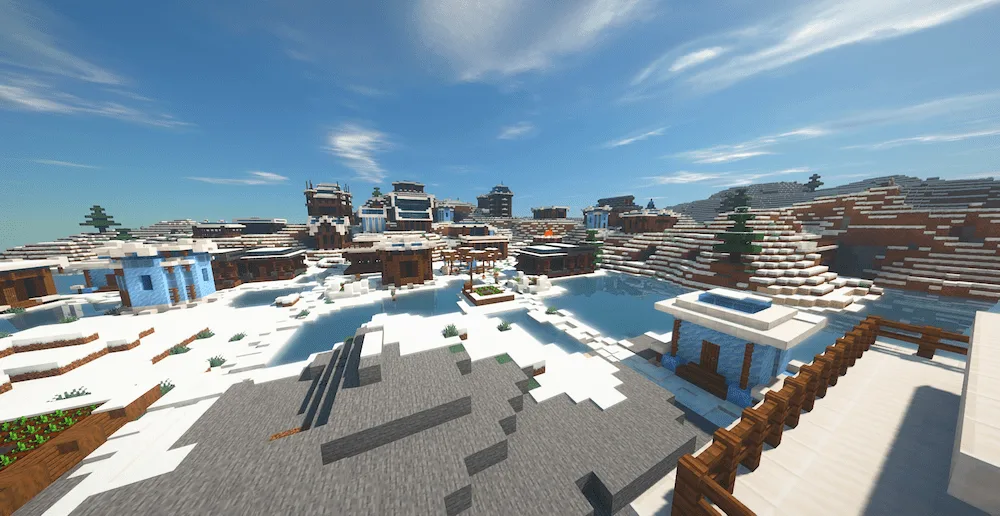
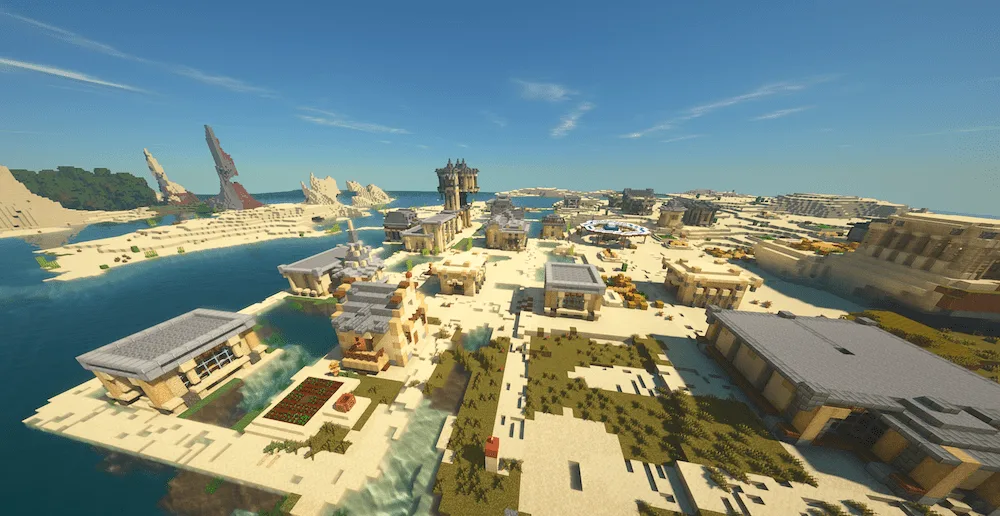
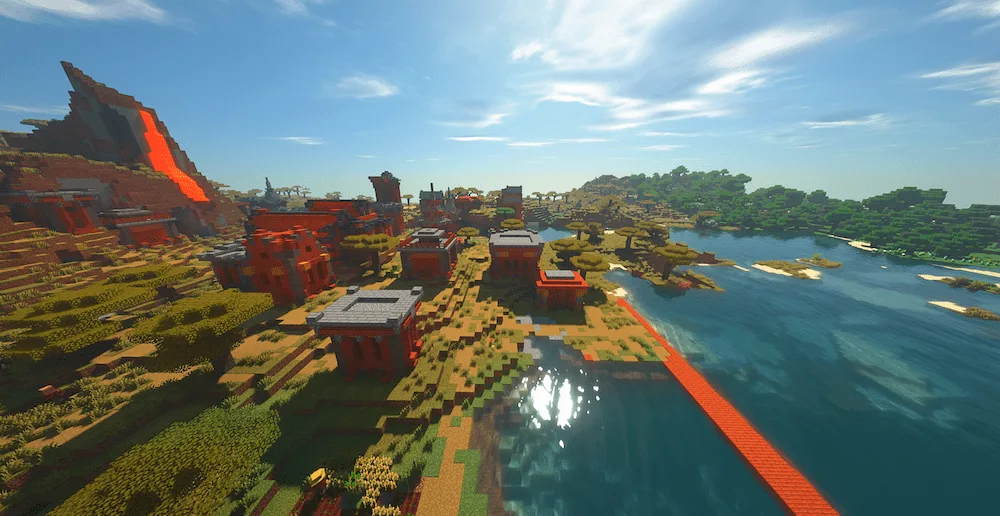
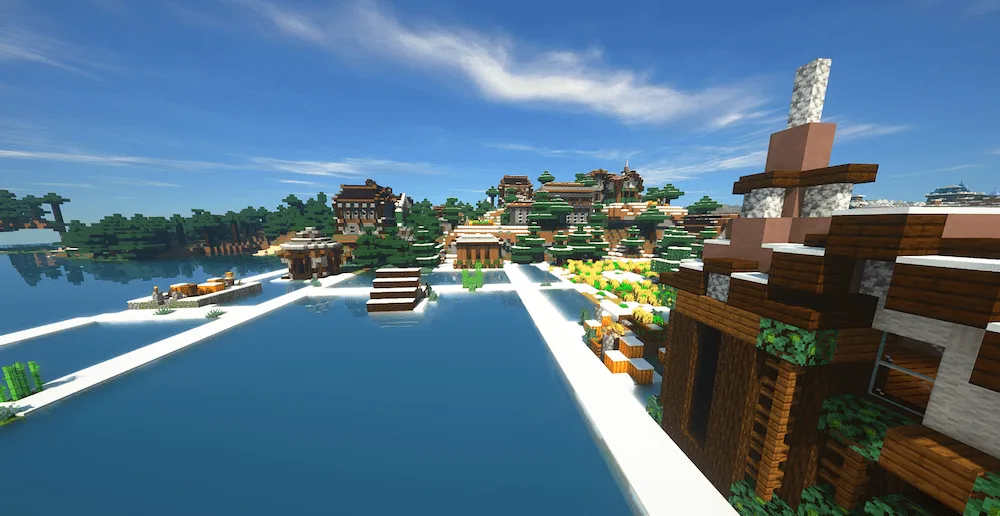
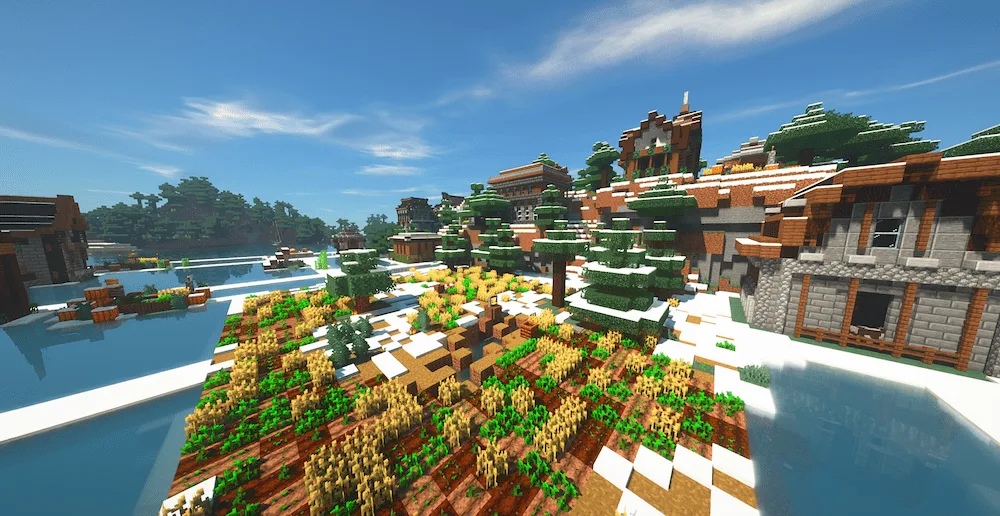
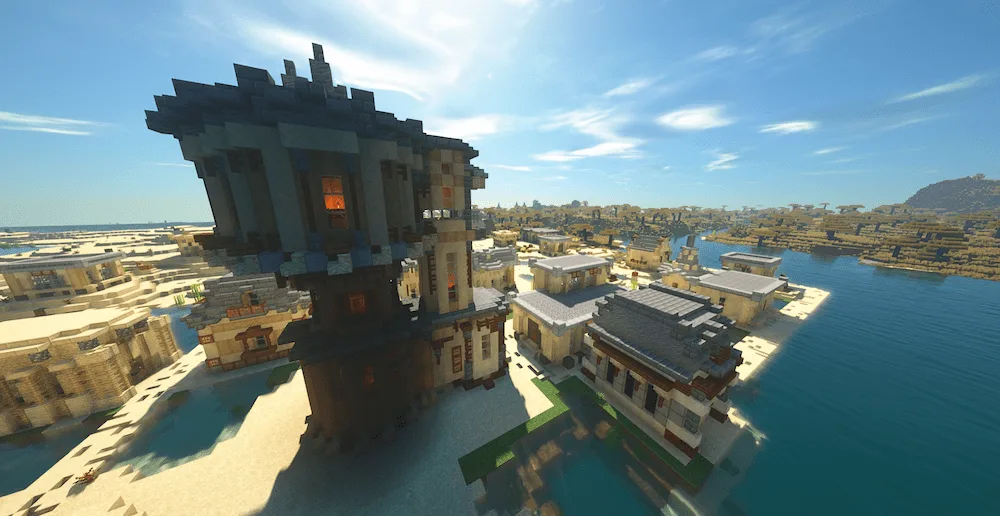
Plains Village Snowy Village Desert Village Savanna Village Full View Taiga Village Taiga Village Side View Desert Library Outside View
Plains Village
Snowy Village
Desert Village
Savanna Village Full View
Taiga Village
Taiga Village Side View
Desert Library Outside View

Tired of the same old boring villages? Say hello to Lio’s Overhauled Villages! This mod is a massive glow-up for the default towns in Minecraft, making them feel super modern and way more alive. Get ready for a totally immersive experience with structures that look cooler and have way more details. Every time you roll into a Plains, Taiga, Desert, Savanna, or Snowy Tundra village, you’ll find upgraded buildings and tons of interactive stuff. Keep an eye out for hidden secrets, too—especially when you check out the libraries!

This mod fits perfectly into your current setup. It plays nice with pretty much all other mods you might be running, and you can even use it alongside other village addons without any drama. It’s an easy install and a massive improvement to your world. Get ready to explore villages that finally feel like actual places!


Fabric

  1. 1. Download, execute the Fabric installer, choose Client, select your Minecraft version, and click Install.
  2. 2. Download the Fabric API matching that Minecraft version.
  3. 3. Download Lios Overhauled Villages or any additional Fabric-compatible mods you want.
  4. 4. Place the Fabric API and all mods into .minecraft/mods folder.
  5. 5. Open the Minecraft Launcher, select the new Fabric profile, and press Play. Enjoy!

Forge

  1. 1. Download, execute the Forge installer, choose Client, and click Install.
  2. 3. Download Lios Overhauled Villages or any additional Forge-compatible mods you want.
  3. 4. Place all mods into .minecraft/mods folder.
  4. 5. Open the Minecraft Launcher, select the new Forge profile, and press Play. Enjoy!

NeoForge

  1. 1. Download, execute the NeoForge installer, choose Client, and click Install.
  2. 3. Download Lios Overhauled Villages or any additional NeoForge-compatible mods you want.
  3. 4. Place all mods into .minecraft/mods folder.
  4. 5. Open the Minecraft Launcher, select the new NeoForge profile, and press Play. Enjoy!

Download Lios Overhauled Villages Mod

Type Game version File version Loaders Download
R Release
26.2 v0.1.1
Forge Fabric NeoForge
File
R Release
26.1.x v0.1.1
Forge Fabric NeoForge
File
R Release
1.21.x v0.1.1
Forge Fabric NeoForge
File
R Release
1.20.x v0.1.1
Forge Fabric NeoForge
File
R Release
1.19.x v0.1.1
Forge Fabric
File
R Release
1.18.x v0.1.1
Forge Fabric
File

Lios Overhauled Villages Minecraft Mod

6 files • 26.2, 26.1.2, 1.21.11, 1.20.6, 1.19.4

Download