logo responsive
/

Variants&Ventures Minecraft Mod

1.21.10, 1.20.6, 1.19.4

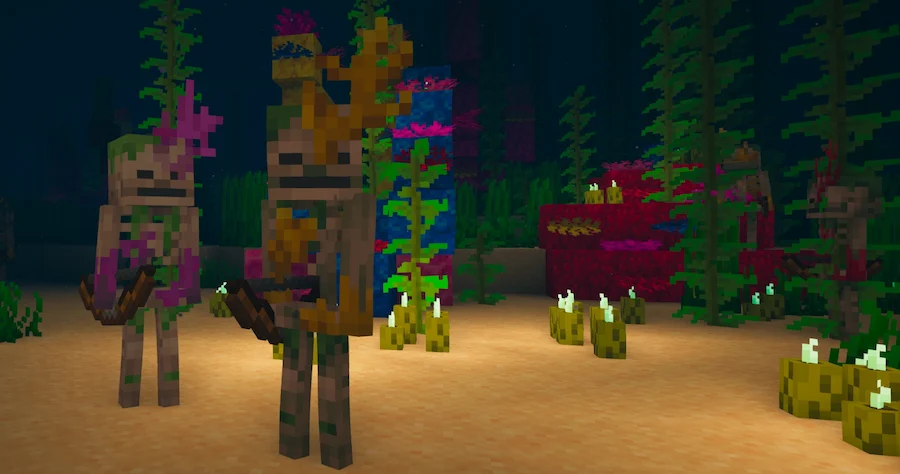
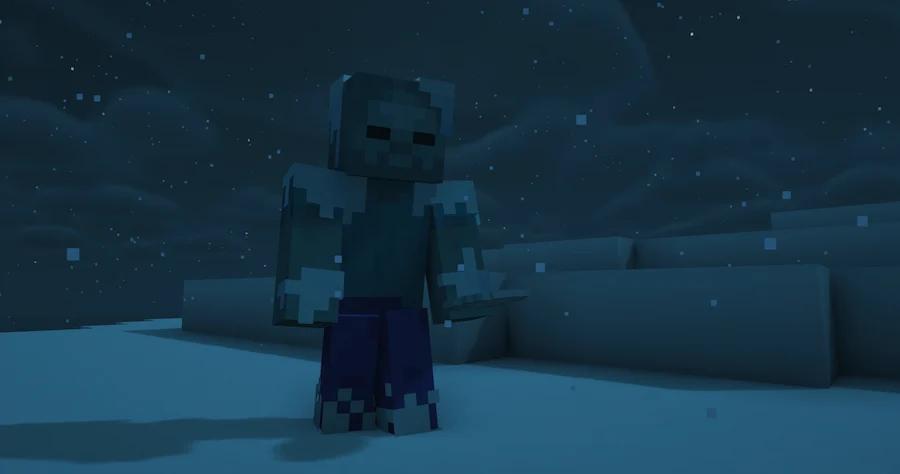
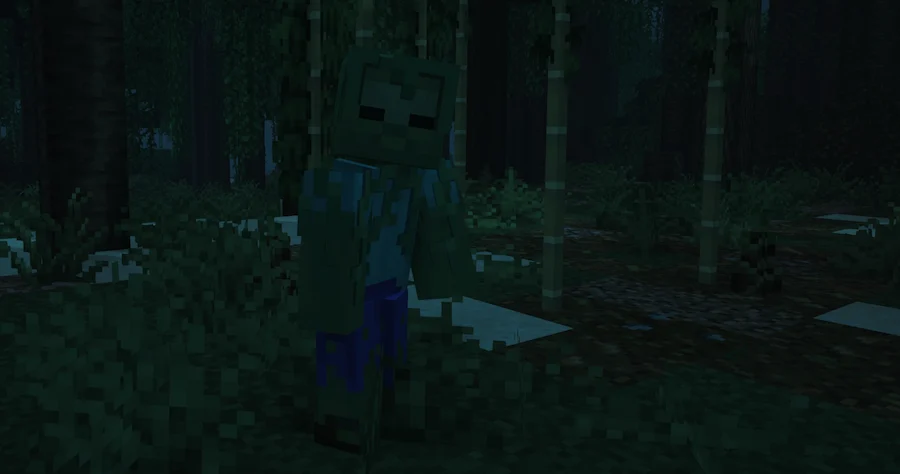
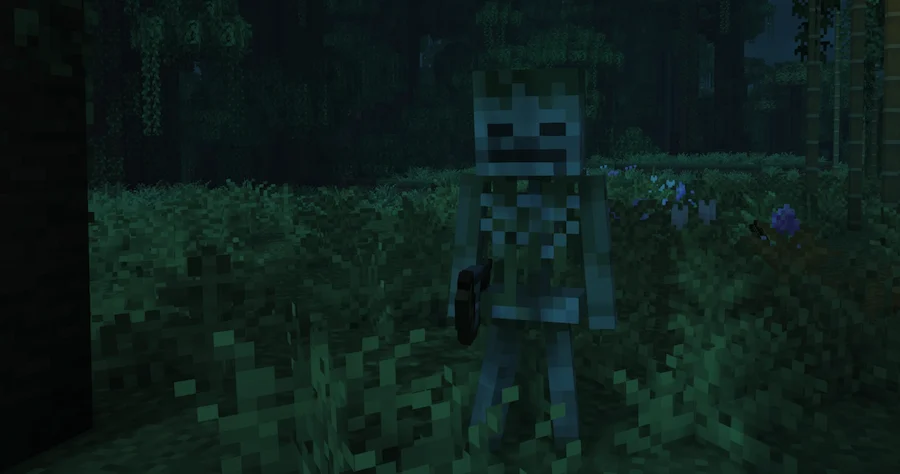
Sunken Skeleton Frozen Zombie Jungle Zombie Jungle Skeleton
Sunken Skeleton
Frozen Zombie
Jungle Zombie
Jungle Skeleton

Variants and Ventures is a Minecraft mod that introduces exciting new mob variants, each blending naturally into the world to make exploration more engaging. These mobs are designed to fit seamlessly with their biomes, from icy regions to lush jungles and even deep oceans. They also appear through dungeon spawners and trial chamber spawners, adding new challenges to familiar structures and giving players more reasons to explore and fight.

Each new variant comes with unique traits that make encounters feel fresh. The Gelid zombie freezes its targets in cold biomes, while the Thicket zombie poisons players in the jungle. Jungle skeletons become Verdants, firing poison arrows, and the Murk skeleton lurks in warm oceans with the ability to drop corals when sheared. With these new threats, adventuring in Minecraft feels more dangerous and rewarding, making this mod a great addition for players who want new challenges without losing the vanilla style.

Fabric

  1. 1. Download, execute the Fabric installer, choose Client, select your Minecraft version, and click Install.
  2. 2. Download the Fabric API matching that Minecraft version.
  3. 3. Download Variants&Ventures or any additional Fabric-compatible mods you want.
  4. 4. Place the Fabric API and all mods into .minecraft/mods folder.
  5. 5. Open the Minecraft Launcher, select the new Fabric profile, and press Play. Enjoy!

Forge

  1. 1. Download, execute the Forge installer, choose Client, and click Install.
  2. 3. Download Variants&Ventures or any additional Forge-compatible mods you want.
  3. 4. Place all mods into .minecraft/mods folder.
  4. 5. Open the Minecraft Launcher, select the new Forge profile, and press Play. Enjoy!

NeoForge

  1. 1. Download, execute the NeoForge installer, choose Client, and click Install.
  2. 3. Download Variants&Ventures or any additional NeoForge-compatible mods you want.
  3. 4. Place all mods into .minecraft/mods folder.
  4. 5. Open the Minecraft Launcher, select the new NeoForge profile, and press Play. Enjoy!

Download Variants&Ventures Mod

Type Game version File version Loaders Download
R Release
26.2 v1.0.26
Fabric
File
R Release
26.2 v1.0.26
NeoForge
File
R Release
26.1.x v1.0.26
Fabric
File
R Release
26.1.x v1.0.26
NeoForge
File
R Release
1.21.11 v1.0.26
Fabric
File
R Release
1.21.11 v1.0.26
NeoForge
File
R Release
1.21.10 v1.0.19
Fabric
File
R Release
1.21.10 v1.0.19
NeoForge
File
R Release
1.21.8 v1.0.19
Fabric
File
R Release
1.21.8 v1.0.19
NeoForge
File
R Release
1.21.7 v1.0.19
Fabric
File
R Release
1.21.7 v1.0.19
NeoForge
File
R Release
1.21.6 v1.0.19
Fabric
File
R Release
1.21.6 v1.0.19
NeoForge
File
R Release
1.21.5 v1.0.19
Fabric
File
R Release
1.21.5 v1.0.19
NeoForge
File
R Release
1.21.4 v1.0.18
Fabric
File
R Release
1.21.4 v1.0.18
NeoForge
File
R Release
1.21.1 v1.0.19
Fabric
File
R Release
1.21.1 v1.0.19
NeoForge
File
R Release
1.20.6 v1.0.6
Fabric
File
R Release
1.20.6 v1.0.6
NeoForge
File
R Release
1.20.4 v1.0.6
Fabric
File
R Release
1.20.4 v1.0.6
NeoForge
File
R Release
1.20.1 v1.0.6
Fabric
File
R Release
1.20.1 v1.0.6
Forge
File
R Release
1.19.4 v1.0.6
Fabric
File
R Release
1.19.4 v1.0.6
Forge
File
R Release
1.19.2 v1.0.6
Fabric
File
R Release
1.19.2 v1.0.6
Forge
File

Variants&Ventures Minecraft Mod

30 files • 1.21.10, 1.20.6, 1.19.4

Download