
logo responsive
/

Full Turtle Armor Minecraft Mod

1.21.5, 1.20.6, 1.19.4, 1.18.2

in-game craft turtle armor set on player turtle armor icon
in-game
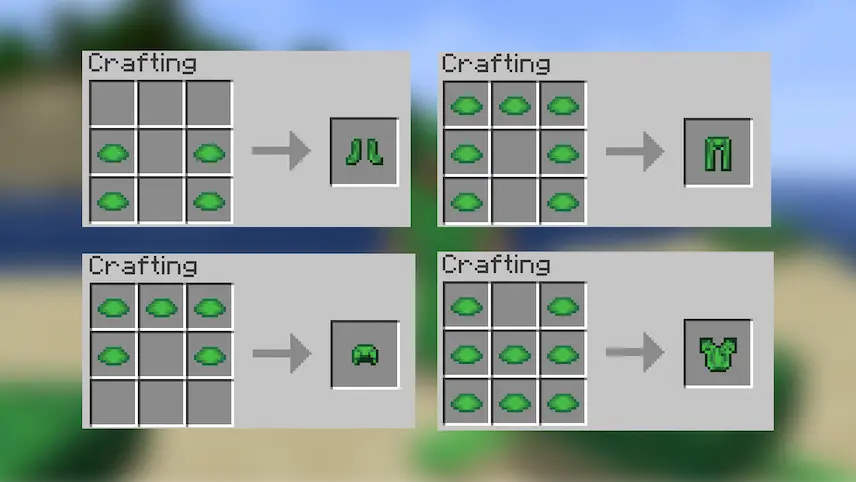
craft
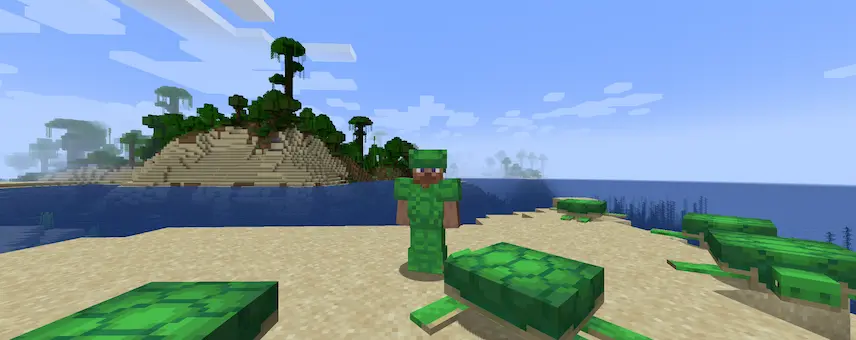
turtle armor set on player
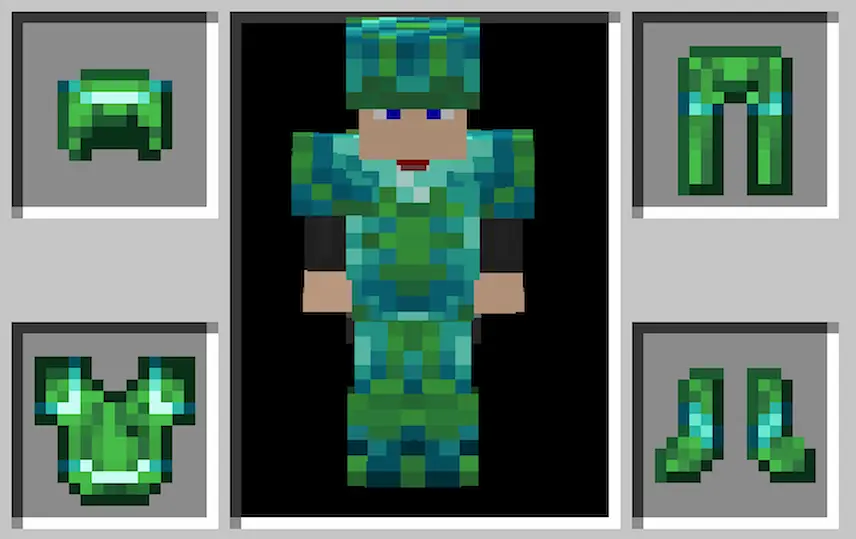
turtle armor icon

Full Turtle Armor is a Minecraft mod that expands on the game’s lone turtle shell helmet by adding a complete armor set made from scutes. Instead of just wearing a helmet, you can now craft a matching chestplate, leggings, and boots—all carrying the same durability and protective values you expect from mid‑game gear. This means you can suit up head to toe in turtle armor, giving you consistent defense across every slot rather than being limited to a single piece.

Beyond simply filling out your armor bar, Full Turtle Armor lets you embrace the turtle’s aquatic theme more fully. While the vanilla turtle shell grants a bit of extra underwater breathing time, wearing the full set can be a great complement to other water‑focused mods or enchantments, making long dives and ocean expeditions safer and more stylish. Installation is straightforward—just drop the mod into your “mods” folder—and you’ll immediately find the new recipes alongside the helmet. By rounding out the turtle gear line, this Minecraft mod adds fresh options to your survival toolkit and brings more cohesion to your mid‑game armor choices.


Fabric

  1. 1. Download, execute the Fabric installer, choose Client, select your Minecraft version, and click Install.
  2. 2. Download the Fabric API matching that Minecraft version.
  3. 3. Download Full Turtle Armor or any additional Fabric-compatible mods you want.
  4. 4. Place the Fabric API and all mods into .minecraft/mods folder.
  5. 5. Open the Minecraft Launcher, select the new Fabric profile, and press Play. Enjoy!

Forge

  1. 1. Download, execute the Forge installer, choose Client, and click Install.
  2. 3. Download Full Turtle Armor or any additional Forge-compatible mods you want.
  3. 4. Place all mods into .minecraft/mods folder.
  4. 5. Open the Minecraft Launcher, select the new Forge profile, and press Play. Enjoy!

NeoForge

  1. 1. Download, execute the NeoForge installer, choose Client, and click Install.
  2. 3. Download Full Turtle Armor or any additional NeoForge-compatible mods you want.
  3. 4. Place all mods into .minecraft/mods folder.
  4. 5. Open the Minecraft Launcher, select the new NeoForge profile, and press Play. Enjoy!

Download Full Turtle Armor Mod

Type Game version File version Loaders Download
R Release
1.21.5 v1.11
Fabric
File
R Release
1.21.5 v1.11
Forge
File
R Release
1.21.5 v1.11
NeoForge
File
R Release
1.21.4 v1.10.4
Fabric
File
R Release
1.21.4 v1.10.4
Forge
File
R Release
1.21.4 v1.10.4
NeoForge
File
R Release
1.21.1 v1.10.3
Fabric
File
R Release
1.21.1 v1.10.3
Forge
File
R Release
1.21.1 v1.10
NeoForge
File
R Release
1.20.6 v1.10.1
Fabric
File
R Release
1.20.6 v1.10.1
Forge
File
R Release
1.20.6 v1.10
NeoForge
File
R Release
1.20.4 v1.9.1
Fabric
File
R Release
1.20.4 v1.9
Forge
File
R Release
1.20.4 v1.9.1
NeoForge
File
R Release
1.20.1 v1.6
Fabric
File
R Release
1.20.1 v1.9
Forge
File
R Release
1.19.4 v1.3.2
Fabric
File
R Release
1.19.4 v1.3.3
Forge
File
R Release
1.19.2 v1.3.2
Fabric
File
R Release
1.19.2 v1.2
Forge
File
R Release
1.18.2 v1.3.1
Fabric
File
R Release
1.18.2 v1.3.2
Forge
File
R Release
1.17.1 v1.0.3
Fabric
File
R Release
1.17.1 v1.0.3
Forge
File
R Release
1.16.5 v1.0.3
Fabric
File
R Release
1.16.5 v1.0.4
Forge
File

Full Turtle Armor Minecraft Mod

27 files • 1.21.5, 1.20.6, 1.19.4, 1.18.2

Download