logo responsive
/

What Are They Up To (Watut) Minecraft Mod

1.21.1, 1.20.6

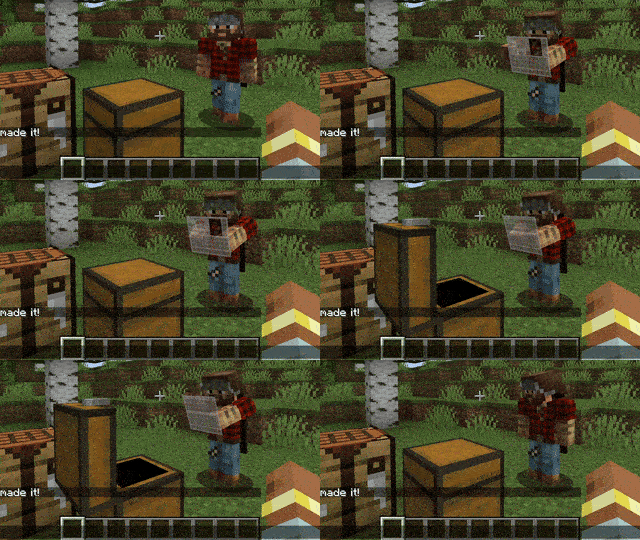
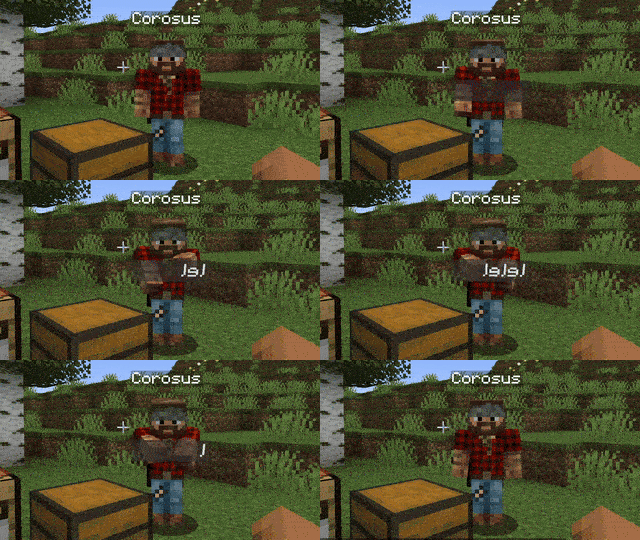
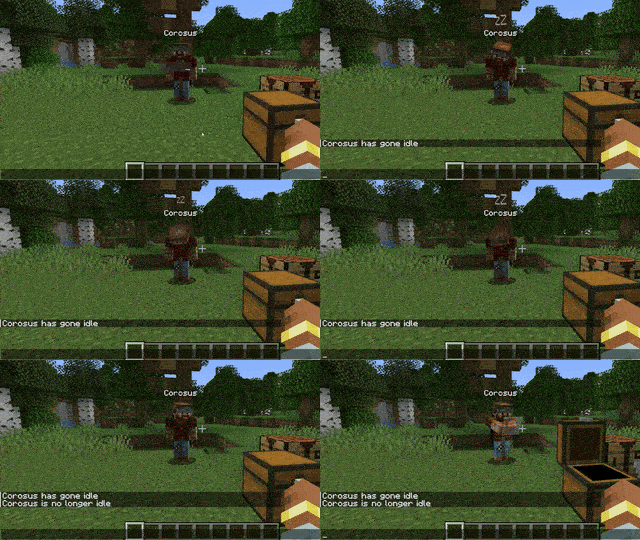
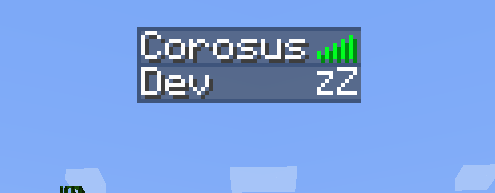
See when a player is typing, in world and in GUI. The visual gets faster and wackier the faster you type See when a player is in a GUI such as inventory, chest, crafting, etc See when a player is idle for over 5 minutes See idle state in player list
See when a player is typing, in world and in GUI. The visual gets faster and wackier the faster you type
See when a player is in a GUI such as inventory, chest, crafting, etc
See when a player is idle for over 5 minutes
See idle state in player list

What Are They Up To (WATUT) is a clever Minecraft mod that lets you see exactly what other players are doing in real time. As someone types in chat, you’ll watch their character’s hands flail faster and goofier the quicker they type, adding a playful visual cue to conversations. When a player opens any GUI—like their inventory, a chest, or a crafting table—you’ll notice their avatar interacting with an on‑screen panel, clicking and moving items as if you were peeking over their shoulder. These animations make multiplayer servers feel more alive and help you guess what your friends are up to without shouts or chat spam.

Beyond chatter and crafting, WATUT also tracks idleness: if someone stands still for over five minutes, they’ll slump to the ground in a sleeping animation, and a sleepy “Zz” icon appears beside their name in the player list. The mod respects privacy—typing commands stays hidden by default, and you never see the contents of another player’s inventory. It works with both vanilla and many modded containers, although only the standard GUI screens get the animated treatment. Since WATUT runs on both client and server, you’ll need it installed on both ends, but once set up, it adds a layer of fun and intuition to your Minecraft multiplayer experience.


Fabric

  1. 1. Download, execute the Fabric installer, choose Client, select your Minecraft version, and click Install.
  2. 2. Download the Fabric API matching that Minecraft version.
  3. 3. Download What Are They Up To (Watut) or any additional Fabric-compatible mods you want.
  4. 4. Place the Fabric API and all mods into .minecraft/mods folder.
  5. 5. Open the Minecraft Launcher, select the new Fabric profile, and press Play. Enjoy!

Forge

  1. 1. Download, execute the Forge installer, choose Client, and click Install.
  2. 3. Download What Are They Up To (Watut) or any additional Forge-compatible mods you want.
  3. 4. Place all mods into .minecraft/mods folder.
  4. 5. Open the Minecraft Launcher, select the new Forge profile, and press Play. Enjoy!

NeoForge

  1. 1. Download, execute the NeoForge installer, choose Client, and click Install.
  2. 3. Download What Are They Up To (Watut) or any additional NeoForge-compatible mods you want.
  3. 4. Place all mods into .minecraft/mods folder.
  4. 5. Open the Minecraft Launcher, select the new NeoForge profile, and press Play. Enjoy!

Download What Are They Up To (Watut) Mod

Type Game version File version Loaders Download
R Release
1.21.4 v1.2.5
Fabric
File
R Release
1.21.4 v1.2.5
NeoForge
File
R Release
1.21.3 v1.2.3
Fabric
File
R Release
1.21.3 v1.2.3
NeoForge
File
R Release
1.21.1 v1.2.7
Fabric
File
R Release
1.21.1 v1.2.7
NeoForge
File
R Release
1.20.6 v1.1.3
Fabric
File
R Release
1.20.6 v1.1.3
Forge
File
R Release
1.20.4 v1.1.3
Fabric
File
R Release
1.20.4 v1.1.3
Forge
File
R Release
1.20.1 v1.2.3
Fabric
File
R Release
1.20.1 v1.2.3
Forge
File
R Release
1.19.4 v1.0.14
Fabric
File
R Release
1.19.4 v1.0.14
Forge
File
R Release
1.19.2 v1.0.14
Fabric
File
R Release
1.19.2 v1.0.14
Forge
File
R Release
1.18.2 v1.0.14
Forge
File
R Release
1.16.5 v1.0.14
Fabric
File
R Release
1.16.5 v1.0.14
Forge
File

What Are They Up To (Watut) Minecraft Mod

19 files • 1.21.1, 1.20.6

Download