logo responsive
/

YUNG’s Better Mineshafts Minecraft Mod

1.21.4, 1.20.4, 1.19.4

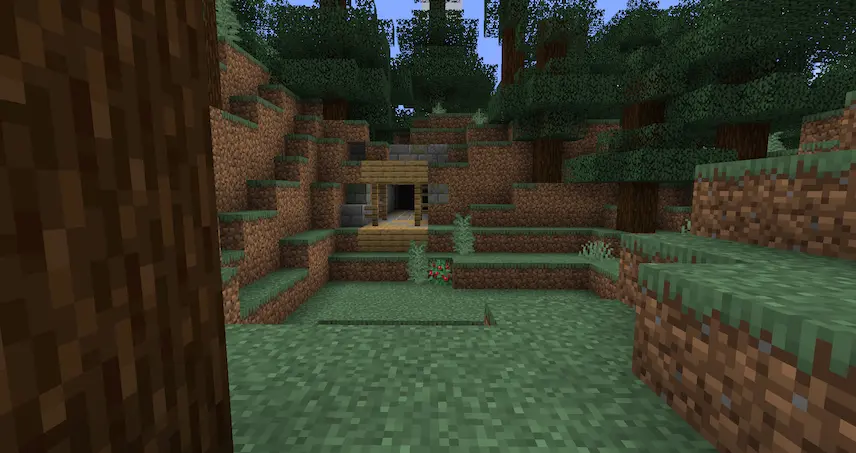
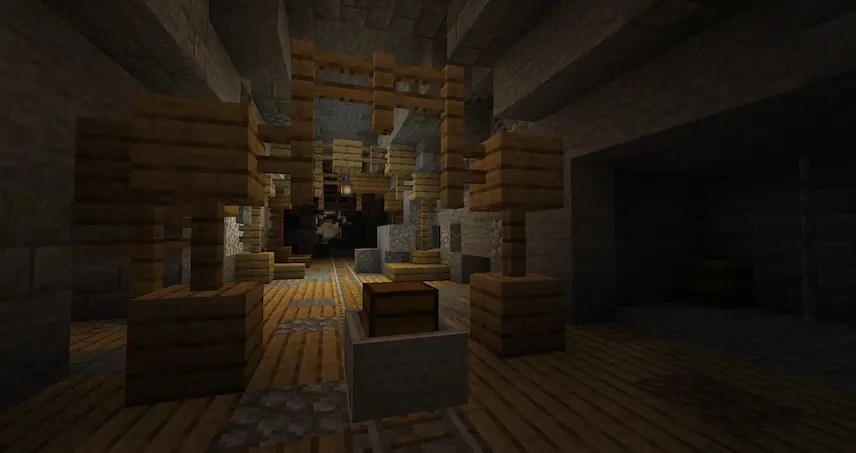
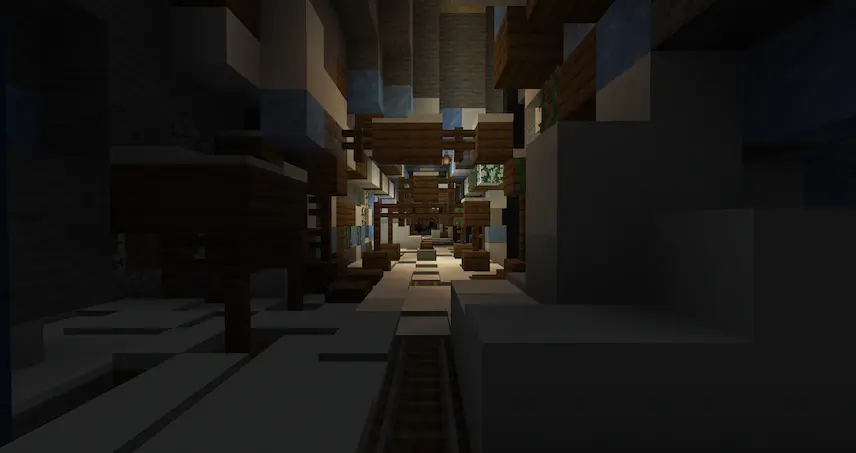
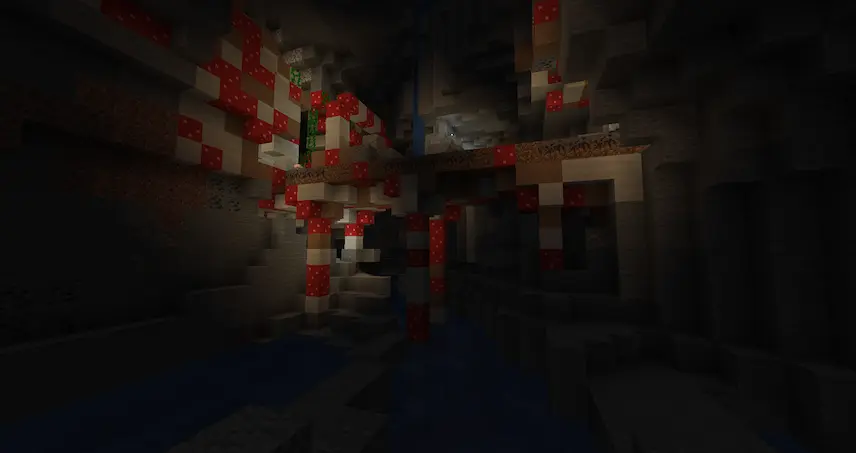
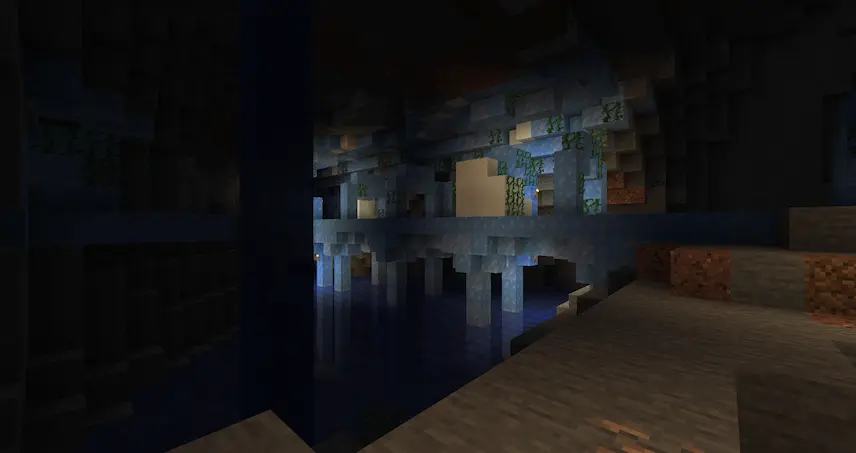
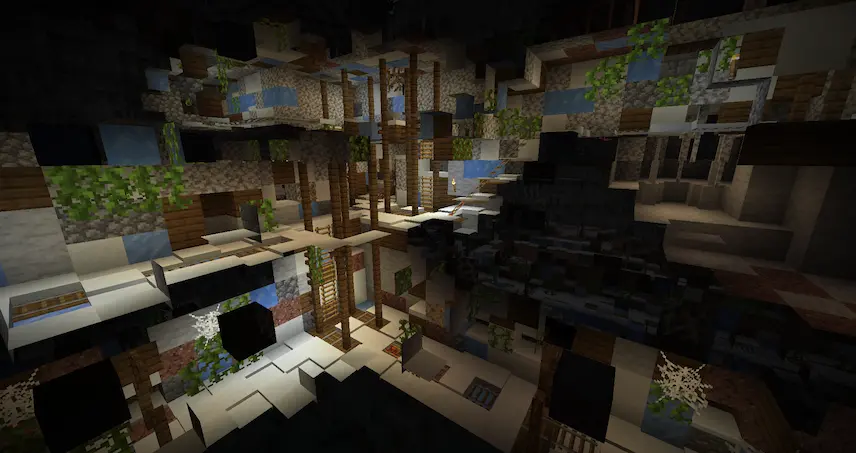
Mineshaft entrance oak mineshaft Snowy Mineshaft Mushroom Mineshaft Ice Mineshaft Mineshaft layers
Mineshaft entrance
oak mineshaft
Snowy Mineshaft
Mushroom Mineshaft
Ice Mineshaft
Mineshaft layers

YUNG’s Better Mineshafts is a Minecraft mod that transforms the dull, linear abandoned mineshafts into sprawling, maze-like networks of tunnels. Instead of long, straight corridors, you’ll now find intricate webs of wooden supports, cross-cut passages, and branching shafts that make exploration feel fresh and unpredictable. Along the way, abandoned workstations hide useful loot in nooks and crannies, and minecart chests sit out in the open, waiting to reward your curiosity. This variety turns every mineshaft dive into a genuine adventure rather than a routine strip-mine ritual.

Beyond simply reworking tunnel layouts, the mod adds 13 biome-specific variants—so you might stumble upon a snowy mineshaft under taiga trees or even a rare mushroom mineshaft glowing beneath the surface. Deeper in the maze, ore deposits occasionally appear at dead ends, giving you quick access to coal, iron, redstone, gold, lapis, emerald, and, if you’re lucky, diamond. Less common features like workstation cellars and abandoned miners’ outposts introduce extra loot and narrative flavor, while the rare surface openings let you enter or exit the network in unexpected places. By making mineshafts more organic and rewarding, YUNG’s Better Mineshafts enhances both exploration and resource gathering in your Minecraft world.


Fabric

  1. 1. Download, execute the Fabric installer, choose Client, select your Minecraft version, and click Install.
  2. 2. Download the Fabric API matching that Minecraft version.
  3. 3. Download YUNG’s Better Mineshafts or any additional Fabric-compatible mods you want.
  4. 4. Place the Fabric API and all mods into .minecraft/mods folder.
  5. 5. Open the Minecraft Launcher, select the new Fabric profile, and press Play. Enjoy!

Forge

  1. 1. Download, execute the Forge installer, choose Client, and click Install.
  2. 3. Download YUNG’s Better Mineshafts or any additional Forge-compatible mods you want.
  3. 4. Place all mods into .minecraft/mods folder.
  4. 5. Open the Minecraft Launcher, select the new Forge profile, and press Play. Enjoy!

NeoForge

  1. 1. Download, execute the NeoForge installer, choose Client, and click Install.
  2. 3. Download YUNG’s Better Mineshafts or any additional NeoForge-compatible mods you want.
  3. 4. Place all mods into .minecraft/mods folder.
  4. 5. Open the Minecraft Launcher, select the new NeoForge profile, and press Play. Enjoy!

Download YUNG’s Better Mineshafts Mod

Type Game version File version Loaders Download
R Release
1.21.4 v5.4.0
Fabric
File
R Release
1.21.4 v5.4.0
NeoForge
File
R Release
1.21.1 v5.1.1
Fabric
File
R Release
1.21.1 v5.1.1
Forge
File
R Release
1.21.1 v5.1.1
NeoForge
File
R Release
1.20.4 v4.4.2
Fabric
File
R Release
1.20.4 v4.4.2
Forge
File
R Release
1.20.4 v4.4.2
NeoForge
File
R Release
1.20.1 v4.0.4
Fabric
File
R Release
1.20.1 v4.0.4
Forge
File
R Release
1.19.4 v3.4.0
Fabric
File
R Release
1.19.4 v3.4.0
Forge
File
R Release
1.19.2 v3.2.1
Fabric
File
R Release
1.19.2 v3.2.1
Forge
File
R Release
1.18.2 v2.2
Fabric
File
R Release
1.18.2 v2.2
Forge
File
R Release
1.17.1 v1.0.1
Fabric
File
R Release
1.16.5 v1.0.2
Fabric
File
R Release
1.16.5 v2.0.4
Forge
File
R Release
1.12.2 v2.2.1
Forge
File

YUNG’s Better Mineshafts Minecraft Mod

20 files • 1.21.4, 1.20.4, 1.19.4

Download