logo responsive
/

Fabric API Minecraft

26.3, 26.2, 26.1.2, 1.21.11, 1.20.6, 1.19.4, 1.18.2, 1.17.1, 1.16.5

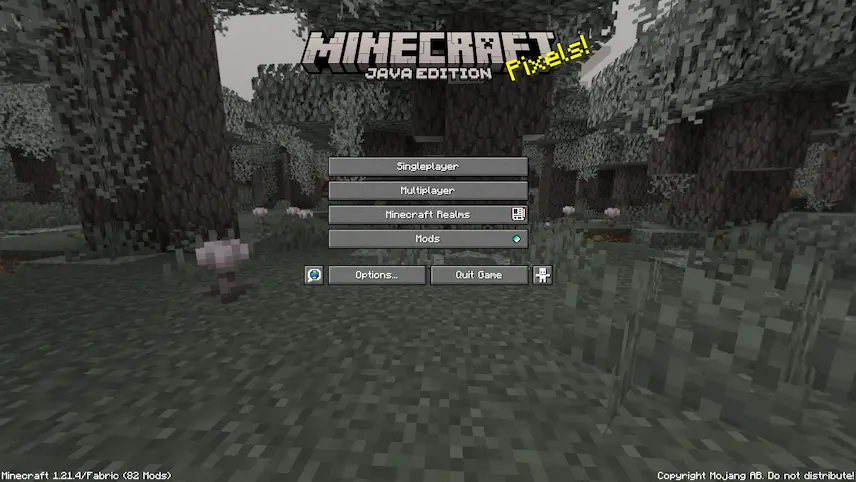
title screen with fabric

Fabric API is an essential library designed for Minecraft modding, providing crucial hooks and interoperability mechanisms for Fabric mods. This API simplifies access to various functionalities, such as particles, biomes, and dimensions, which can be challenging to implement without it. Additionally, Fabric API enhances mod compatibility by adding events and APIs that allow different mods to work together seamlessly. It also includes essential features like registry synchronization and improved crash report information, making it a vital tool for both developers and players looking to enhance their Minecraft experience.

To get started with Fabric API, you first need to install Fabric Loader, which serves as the foundation for loading your mods. Once you have Fabric Loader set up, simply place the downloaded Fabric API jar file into your mods folder. This setup will enable you to take full advantage of the extensive capabilities offered by the API.


Fabric

  1. 1. Download, execute the Fabric installer, choose Client, select your Minecraft version, and click Install.
  2. 2. Download the Fabric API matching that Minecraft version.
  3. 3. Download Fabric API or any additional Fabric-compatible mods you want.
  4. 4. Place the Fabric API and all mods into .minecraft/mods folder.
  5. 5. Open the Minecraft Launcher, select the new Fabric profile, and press Play. Enjoy!

Forge

  1. 1. Download, execute the Forge installer, choose Client, and click Install.
  2. 3. Download Fabric API or any additional Forge-compatible mods you want.
  3. 4. Place all mods into .minecraft/mods folder.
  4. 5. Open the Minecraft Launcher, select the new Forge profile, and press Play. Enjoy!

NeoForge

  1. 1. Download, execute the NeoForge installer, choose Client, and click Install.
  2. 3. Download Fabric API or any additional NeoForge-compatible mods you want.
  3. 4. Place all mods into .minecraft/mods folder.
  4. 5. Open the Minecraft Launcher, select the new NeoForge profile, and press Play. Enjoy!

Download Fabric API

Type Game version File version Loaders Download
R Release
26.3 v0.160.7
Fabric
File
R Release
26.2 v0.160.0
Fabric
File
R Release
26.1.2 v0.155.3
Fabric
File
R Release
1.21.11 v0.141.6
Fabric
File
R Release
1.21.10 v0.138.4
Fabric
File
R Release
1.21.9 v0.134.1
Fabric
File
R Release
1.21.8 v0.136.1
Fabric
File
R Release
1.21.7 v0.129.0
Fabric
File
R Release
1.21.6 v0.128.2
Fabric
File
R Release
1.21.5 v0.128.2
Fabric
File
R Release
1.21.4 v0.119.3
Fabric
File
R Release
1.21.3 v0.114.1
Fabric
File
R Release
1.21.2 v0.106.1
Fabric
File
R Release
1.21.1 v0.116.17
Fabric
File
R Release
1.21 v0.102.0
Fabric
File
R Release
1.20.6 v0.100.8
Fabric
File
R Release
1.20.5 v0.97.8
Fabric
File
R Release
1.20.4 v0.97.3
Fabric
File
R Release
1.20.3 v0.91.1
Fabric
File
R Release
1.20.2 v0.91.6
Fabric
File
R Release
1.20.1 v0.92.12
Fabric
File
R Release
1.20 0.83.0
Fabric
File
R Release
1.19.4 0.87.2
Fabric
File
R Release
1.19.3 v0.76.1
Fabric
File
R Release
1.19.2 v0.77.0
Fabric
File
R Release
1.18.2 v0.77.0
Fabric
File
R Release
1.17.1 v0.46.1
Fabric
File
R Release
1.16.5 v0.42.0
Fabric
File
R Release
1.15.2 v0.28.5
Fabric
File
R Release
1.14.4 v0.28.5
Fabric
File

Fabric API Minecraft

30 files • 26.3, 26.2, 26.1.2, 1.21.11, 1.20.6, 1.19.4, 1.18.2, 1.17.1, 1.16.5

Download