logo responsive
/

Terralith Minecraft Mod

26.2, 26.1.2, 1.21.11, 1.20.6, 1.19.4, 1.18.2, 1.16.5

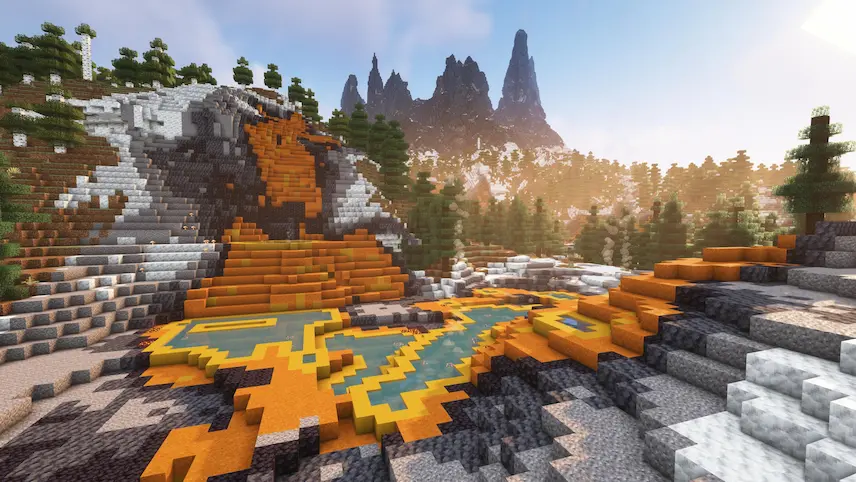
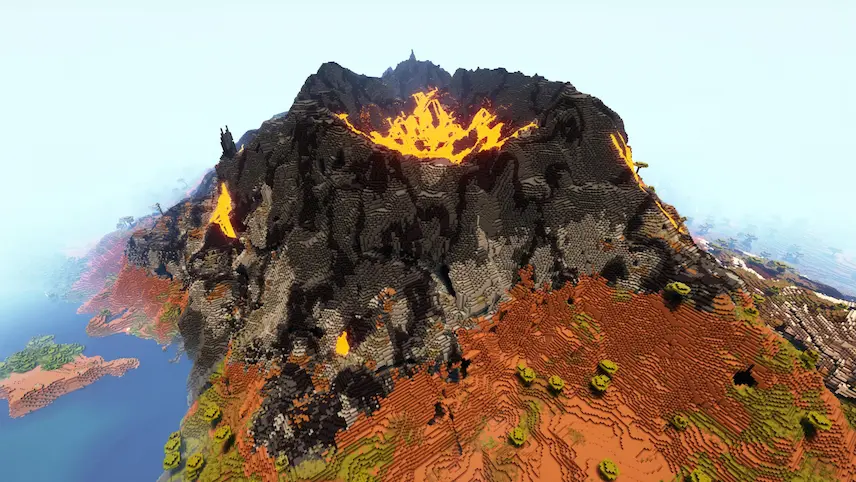
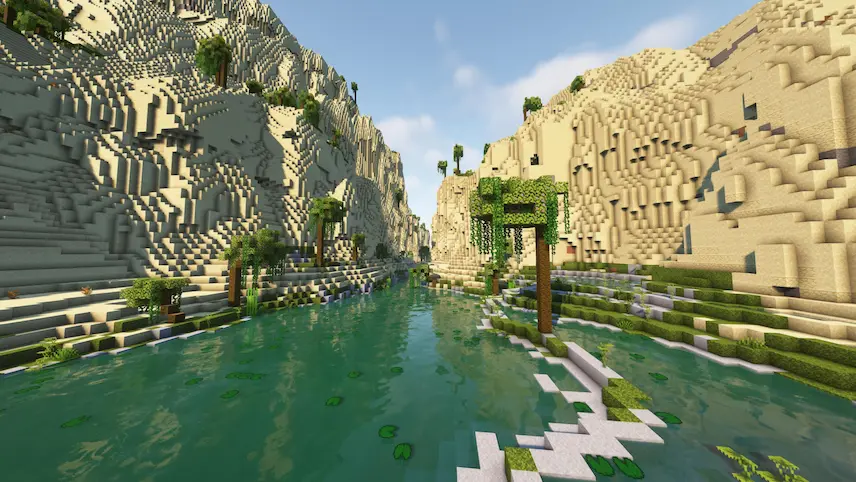
Terracotta biome volcano beach
Terracotta biome
volcano
beach

Transform your Minecraft world like never before with Terralith 2.0, a groundbreaking world generation mod and datapack compatible with both Fabric and Forge. Designed to elevate the already revolutionary terrain changes of Minecraft 1.18, Terralith completely reimagines the Overworld—adding nearly 100 brand-new biomes, updated vanilla biomes, and jaw-dropping terrain features like deep ocean trenches, canyons, floating islands, and shattered landscapes. Best of all, Terralith adds no new blocks, making it 100% vanilla client compatible and perfect for servers and players seeking a seamless, immersive experience. Whether you’re craving realism with biomes like Yellowstone and Highlands or diving into fantasy with Skylands and Mirage Isles, Terralith delivers an unforgettable exploration experience.

But the adventure doesn’t stop at the surface. Terralith completely revamps Minecraft’s underground, introducing multiple new cave biomes, diverse cave shapes, and even caverns built entirely from alternative stone types. Fully compatible with Biomes O’ Plenty, Oh The Biomes You’ll Go, and most structure mods, this mod integrates smoothly with your existing modpacks. If you’re searching for the best Minecraft terrain generation mod or looking to supercharge your next survival or creative world, Terralith 2.0 is the ultimate choice.

Fabric

  1. 1. Download, execute the Fabric installer, choose Client, select your Minecraft version, and click Install.
  2. 2. Download the Fabric API matching that Minecraft version.
  3. 3. Download Terralith or any additional Fabric-compatible mods you want.
  4. 4. Place the Fabric API and all mods into .minecraft/mods folder.
  5. 5. Open the Minecraft Launcher, select the new Fabric profile, and press Play. Enjoy!

Forge

  1. 1. Download, execute the Forge installer, choose Client, and click Install.
  2. 3. Download Terralith or any additional Forge-compatible mods you want.
  3. 4. Place all mods into .minecraft/mods folder.
  4. 5. Open the Minecraft Launcher, select the new Forge profile, and press Play. Enjoy!

NeoForge

  1. 1. Download, execute the NeoForge installer, choose Client, and click Install.
  2. 3. Download Terralith or any additional NeoForge-compatible mods you want.
  3. 4. Place all mods into .minecraft/mods folder.
  4. 5. Open the Minecraft Launcher, select the new NeoForge profile, and press Play. Enjoy!

Download Terralith Mod

Type Game version File version Loaders Download
R Release
26.2 v2.6.4
Fabric
File
R Release
26.2 v2.6.4
NeoForge
File
R Release
26.1.2 v2.6.2
Fabric
File
R Release
26.1.2 v2.6.2
NeoForge
File
R Release
26.1.1 v2.6.2
Fabric
File
R Release
26.1.1 v2.6.2
NeoForge
File
R Release
26.1 v2.6.2
Fabric
File
R Release
26.1 v2.6.2
NeoForge
File
R Release
1.21.11 v2.6.1
Fabric
File
R Release
1.21.11 v2.5.14
Forge
File
R Release
1.21.11 v2.6.1
NeoForge
File
R Release
1.21.10 v2.5.13
Forge Fabric NeoForge
File
R Release
1.21.9 v2.5.13
Forge Fabric NeoForge
File
R Release
1.21.8 v2.5.13
Forge Fabric NeoForge
File
R Release
1.21.7 v2.5.13
Forge Fabric NeoForge
File
R Release
1.21.6 v2.5.13
Forge Fabric NeoForge
File
R Release
1.21.5 v2.5.13
Forge Fabric NeoForge
File
R Release
1.21.4 v2.5.8
Forge Fabric NeoForge
File
R Release
1.21.3 v2.5.8
Forge Fabric NeoForge
File
R Release
1.21.1 v2.5.8
Forge Fabric NeoForge
File
R Release
1.20.6 v2.5.4
Forge Fabric NeoForge
File
R Release
1.20.4 v2.5.4
Forge Fabric NeoForge
File
R Release
1.20.1 v2.5.4
Forge Fabric
File
R Release
1.19.4 v2.3.12
Forge Fabric
File
R Release
1.19.2 v2.3.12
Forge Fabric
File
R Release
1.18.2 v2.2.6
Forge Fabric
File
R Release
1.17.1 v1.6.1
Fabric
File

Terralith Minecraft Mod

27 files • 26.2, 26.1.2, 1.21.11, 1.20.6, 1.19.4, 1.18.2, 1.16.5

Download