logo responsive
/

Ok Zoomer Minecraft Mod

26.1.2, 1.21.11, 1.20.6, 1.18.2, 1.16.5

zoom

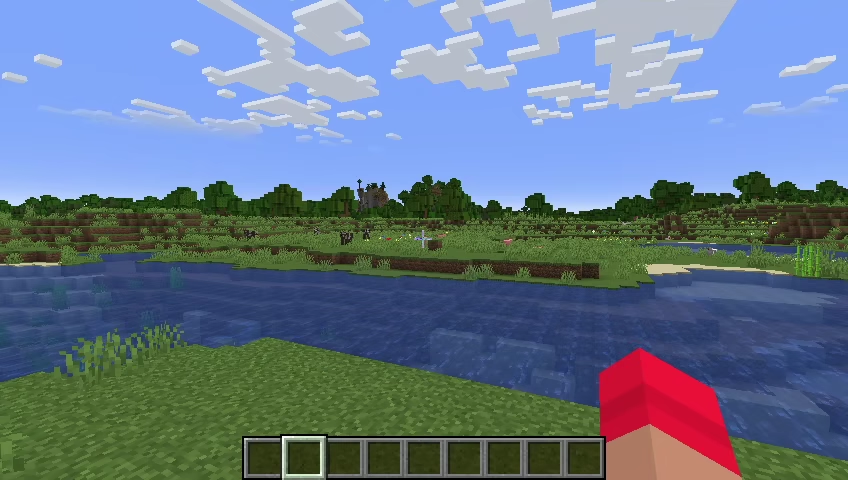
Ok Zoomer is a lightweight Minecraft zoom mod that provides a smooth and highly customizable way to view distant objects, landscapes, and structures. Designed for Fabric-based gameplay, the mod offers a clean zooming experience with fluid animations, adjustable zoom levels, and performance-friendly controls, making it an excellent alternative to traditional zoom features found in larger utility mods.

Whether you are exploring mountains, locating distant landmarks, building detailed structures, or taking screenshots, Ok Zoomer makes it easier to see the world without affecting normal gameplay. The zoom effect feels natural thanks to its smooth transitions, and players can customize everything from zoom speed to field of view behavior through an intuitive configuration menu.

One of the mod’s biggest strengths is its flexibility. Multiple presets and advanced settings allow players to fine-tune the zoom experience to match their preferences, whether they want quick scouting capabilities or cinematic camera movements for screenshots and content creation. By default, the zoom function is assigned to the C key, but all controls can be easily changed to fit your preferred setup.

While Mod Menu is not required, it provides a convenient way to access and manage the mod’s settings directly from Minecraft. If you are looking for a simple, fast, and highly customizable Minecraft zoom mod, Ok Zoomer is one of the best options available for improving visibility and exploration without adding unnecessary complexity.


Fabric

  1. 1. Download, execute the Fabric installer, choose Client, select your Minecraft version, and click Install.
  2. 2. Download the Fabric API matching that Minecraft version.
  3. 3. Download Ok Zoomer or any additional Fabric-compatible mods you want.
  4. 4. Place the Fabric API and all mods into .minecraft/mods folder.
  5. 5. Open the Minecraft Launcher, select the new Fabric profile, and press Play. Enjoy!

Forge

  1. 1. Download, execute the Forge installer, choose Client, and click Install.
  2. 3. Download Ok Zoomer or any additional Forge-compatible mods you want.
  3. 4. Place all mods into .minecraft/mods folder.
  4. 5. Open the Minecraft Launcher, select the new Forge profile, and press Play. Enjoy!

NeoForge

  1. 1. Download, execute the NeoForge installer, choose Client, and click Install.
  2. 3. Download Ok Zoomer or any additional NeoForge-compatible mods you want.
  3. 4. Place all mods into .minecraft/mods folder.
  4. 5. Open the Minecraft Launcher, select the new NeoForge profile, and press Play. Enjoy!

Download Ok Zoomer Mod

Type Game version File version Loaders Download
R Release
26.1.x v17.0.0
Fabric
File
R Release
26.1.x v17.0.0
NeoForge
File
R Release
1.21.11 v16.0.0
Fabric
File
R Release
1.21.11 v16.0.0
NeoForge
File
R Release
1.21.10 v15.0.0
Fabric
File
R Release
1.21.10 v15.0.0
NeoForge
File
R Release
1.21.9 v15.0.0
Fabric
File
R Release
1.21.9 v15.0.0
NeoForge
File
R Release
1.21.8 v14.0.0
Fabric
File
R Release
1.21.8 v14.0.0
NeoForge
File
R Release
1.21.7 v14.0.0
Fabric
File
R Release
1.21.7 v14.0.0
NeoForge
File
R Release
1.21.6 v14.0.0
Fabric
File
R Release
1.21.6 v14.0.0
NeoForge
File
R Release
1.21.5 v13.0.0
Fabric
File
R Release
1.21.5 v13.0.0
NeoForge
File
R Release
1.21.4 v12.0.0
Fabric
File
R Release
1.21.4 v12.0.0
NeoForge
File
R Release
1.21.3 v11.0.0
Fabric
File
R Release
1.21.3 v11.0.0
NeoForge
File
R Release
1.21.1 v10.0.0
Fabric
File
R Release
1.21.1 v10.0.0
NeoForge
File
R Release
1.20.6 v8.0.1
Fabric
File
R Release
1.20.1 v5.4.0
Fabric
File
R Release
1.20.1 v5.4.0
Forge
File
B Beta
1.18.2 v5.0.0
Fabric
File
B Beta
1.17.1 v5.0.0
Fabric
File
R Release
1.16.5 v4.0.1
Fabric
File

Ok Zoomer Minecraft Mod

28 files • 26.1.2, 1.21.11, 1.20.6, 1.18.2, 1.16.5

Download