logo responsive
/

Dynamic Crosshair Minecraft Mod

26.2, 26.1.2, 1.21.11, 1.20.6, 1.19.4, 1.18.2

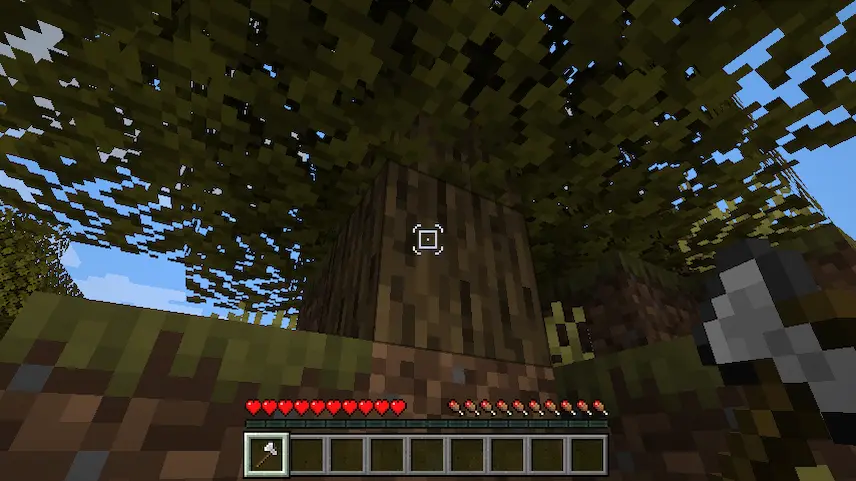
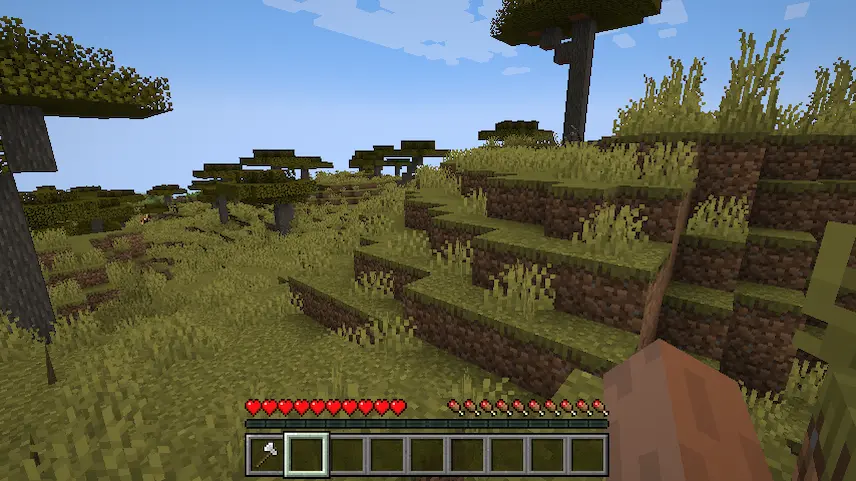
crosdshair depending on the action no crosshair
crosdshair depending on the action
no crosshair

Dynamic Crosshair is a versatile Minecraft mod that adapts your crosshair based on what you’re doing and looking at, giving you a cleaner, more immersive experience. Compatible with Fabric, Forge, and NeoForge launchers, this mod can automatically hide your crosshair when you’re not targeting any block or entity, reducing on-screen clutter. Whether you’re exploring lush forests, mining deep caves, or building intricate structures, Dynamic Crosshair keeps your view uncluttered until you need precise aiming.

Beyond simple hiding, you can customize exactly when and how the crosshair appears. Configure it to show only when you’re holding a bow or sword, or swap between different crosshair styles for tasks like fishing, shooting, or crafting. The highly configurable settings let you tailor the crosshair’s behavior and look for every situation, so you never miss a shot or make an accidental block placement. Easy to set up and automatically migrating your old settings in version 8, Dynamic Crosshair enhances gameplay by making your HUD smarter and more responsive to your actions.


Fabric

  1. 1. Download, execute the Fabric installer, choose Client, select your Minecraft version, and click Install.
  2. 2. Download the Fabric API matching that Minecraft version.
  3. 3. Download Dynamic Crosshair or any additional Fabric-compatible mods you want.
  4. 4. Place the Fabric API and all mods into .minecraft/mods folder.
  5. 5. Open the Minecraft Launcher, select the new Fabric profile, and press Play. Enjoy!

Forge

  1. 1. Download, execute the Forge installer, choose Client, and click Install.
  2. 3. Download Dynamic Crosshair or any additional Forge-compatible mods you want.
  3. 4. Place all mods into .minecraft/mods folder.
  4. 5. Open the Minecraft Launcher, select the new Forge profile, and press Play. Enjoy!

NeoForge

  1. 1. Download, execute the NeoForge installer, choose Client, and click Install.
  2. 3. Download Dynamic Crosshair or any additional NeoForge-compatible mods you want.
  3. 4. Place all mods into .minecraft/mods folder.
  4. 5. Open the Minecraft Launcher, select the new NeoForge profile, and press Play. Enjoy!

Download Dynamic Crosshair Mod

Type Game version File version Loaders Download
R Release
26.2 v9.13
Fabric
File
R Release
26.1.x v9.12
Fabric
File
R Release
1.21.11 v9.11
Fabric
File
R Release
1.21.11 v9.11
NeoForge
File
R Release
1.21.10 v9.11
Fabric
File
R Release
1.21.10 v9.11
Forge
File
R Release
1.21.10 v9.11
NeoForge
File
R Release
1.21.8 v9.8
Fabric
File
R Release
1.21.8 v9.8
Forge
File
R Release
1.21.8 v9.8
NeoForge
File
R Release
1.21.5 v9.11
Fabric
File
R Release
1.21.5 v9.11
NeoForge
File
R Release
1.21.4 v9.11
Fabric
File
R Release
1.21.4 v9.10
Forge
File
R Release
1.21.4 v9.11
NeoForge
File
R Release
1.21.3 v9.3
Fabric
File
R Release
1.21.3 v9.3
Forge
File
R Release
1.21.3 v9.3
NeoForge
File
R Release
1.21.1 v9.10
Fabric
File
R Release
1.21.1 v9.10
Forge
File
R Release
1.21.1 v9.10
NeoForge
File
R Release
1.20.6 v9.3
Fabric
File
R Release
1.20.6 v9.3
Forge
File
R Release
1.20.6 v9.3
NeoForge
File
R Release
1.20.4 v9.3
Fabric
File
R Release
1.20.4 v9.3
Forge
File
R Release
1.20.4 v9.3
NeoForge
File
R Release
1.20.1 v9.10
Fabric
File
R Release
1.20.1 v9.10
Forge
File
R Release
1.19.4 v6.3
Fabric
File
R Release
1.19.4 v6.3
Forge
File
R Release
1.19.2 v5.7.1
Fabric
File
R Release
1.19.2 v5.7.1
Forge
File
R Release
1.18.2 v5.0
Fabric
File
R Release
1.18.2 v5.0
Forge
File

Dynamic Crosshair Minecraft Mod

35 files • 26.2, 26.1.2, 1.21.11, 1.20.6, 1.19.4, 1.18.2

Download