logo responsive
/

Only Hammers And Excavators Minecraft Mod

1.21.11, 1.20.6, 1.19.4

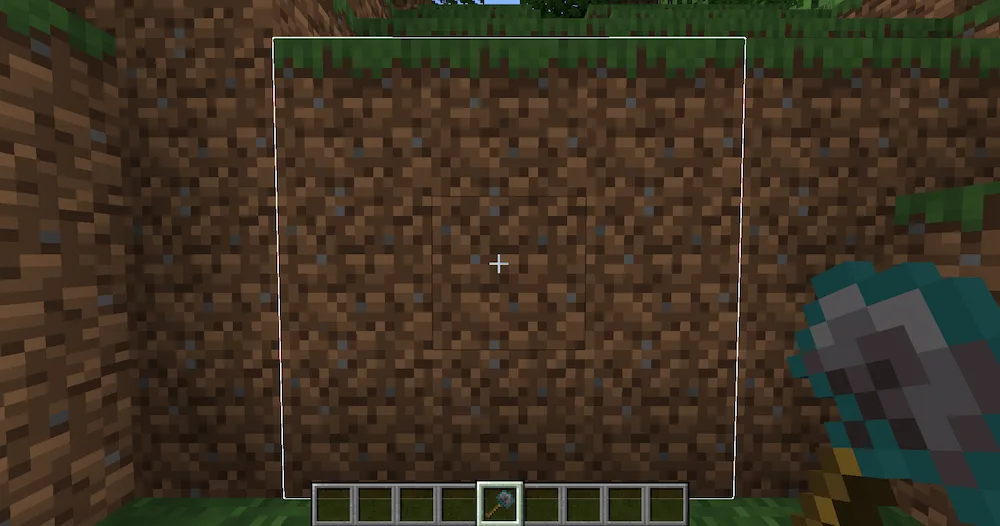
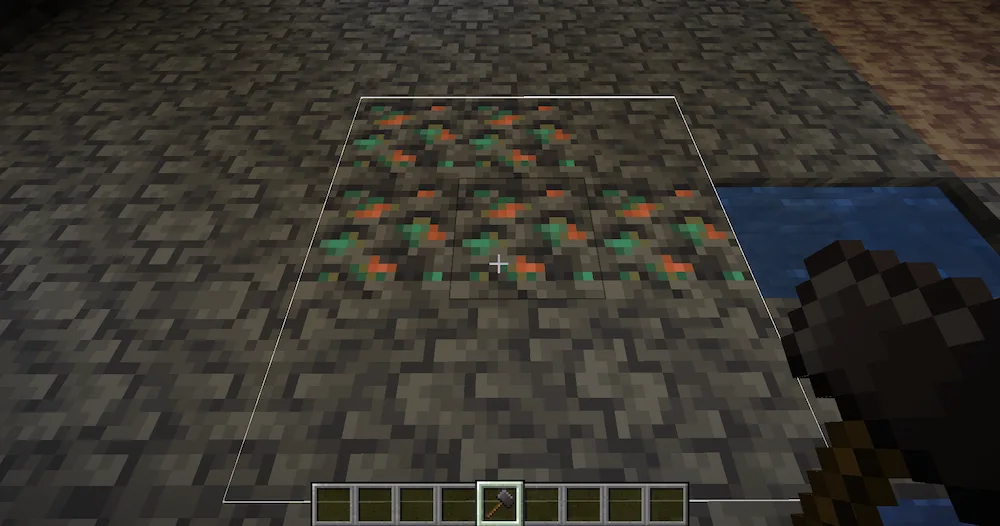
Excavator area hammer area
Excavator area
hammer area

If you are tired of mining one block at a time, the Only Hammers And Excavators mod is a total lifesaver for your survival world. This mod adds a huge variety of tools that let you mine and dig in a 3×3 area, which makes clearing out big tunnels or flattening land way faster and more efficient. Whether you are still using wood and stone or you’ve finally upgraded to netherite, there is a version for every material. It is the perfect upgrade for anyone who spends way too much time grinding for resources or prepping a big build site.

The mechanics are super simple and feel very natural to use. Hammers work like super-powered pickaxes for stone, while excavators handle all your dirt, sand, and gravel needs. A really cool feature is that if you need to be precise, you can just sneak while using them to break only a single block instead of the whole 3×3 area. This gives you total control so you don’t accidentally blow a hole in your base. It is a massive quality-of-life upgrade that keeps the vanilla feel while saving you a ton of time.


Fabric

  1. 1. Download, execute the Fabric installer, choose Client, select your Minecraft version, and click Install.
  2. 2. Download the Fabric API matching that Minecraft version.
  3. 3. Download Only Hammers And Excavators or any additional Fabric-compatible mods you want.
  4. 4. Place the Fabric API and all mods into .minecraft/mods folder.
  5. 5. Open the Minecraft Launcher, select the new Fabric profile, and press Play. Enjoy!

Forge

  1. 1. Download, execute the Forge installer, choose Client, and click Install.
  2. 3. Download Only Hammers And Excavators or any additional Forge-compatible mods you want.
  3. 4. Place all mods into .minecraft/mods folder.
  4. 5. Open the Minecraft Launcher, select the new Forge profile, and press Play. Enjoy!

NeoForge

  1. 1. Download, execute the NeoForge installer, choose Client, and click Install.
  2. 3. Download Only Hammers And Excavators or any additional NeoForge-compatible mods you want.
  3. 4. Place all mods into .minecraft/mods folder.
  4. 5. Open the Minecraft Launcher, select the new NeoForge profile, and press Play. Enjoy!

Download Only Hammers And Excavators Mod

Type Game version File version Loaders Download
R Release
1.21.11 v0.2
Fabric
File
R Release
1.21.11 v0.2
Forge
File
R Release
1.21.11 v0.2
NeoForge
File
R Release
1.21.10 v0.2
Fabric
File
R Release
1.21.10 v0.2
Forge
File
R Release
1.21.10 v0.2
NeoForge
File
R Release
1.21.8 v0.2
Fabric
File
R Release
1.21.8 v0.2
Forge
File
R Release
1.21.8 v0.2
NeoForge
File
R Release
1.21.5 v1.0.0
Fabric
File
R Release
1.21.5 v0.9
Forge
File
R Release
1.21.5 v0.9
NeoForge
File
R Release
1.21.4 v0.8
Fabric
File
R Release
1.21.4 v0.9
Forge
File
R Release
1.21.4 v0.8
NeoForge
File
R Release
1.21.1 v0.9
Fabric
File
R Release
1.21.1 v1.0.0
Forge
File
R Release
1.21.1 v0.9
NeoForge
File
R Release
1.20.6 v0.4
Fabric
File
R Release
1.20.6 v0.2
Forge
File
R Release
1.20.4 v0.3
Fabric
File
R Release
1.20.4 v0.1
Forge
File
R Release
1.20.1 v0.4
Fabric
File
R Release
1.20.1 v0.4
Forge
File
R Release
1.19.4 v0.3
Fabric
File
R Release
1.19.4 v0.3
Forge
File
R Release
1.19.2 v0.3v0.3
Fabric
File
R Release
1.19.2 v0.3
Forge
File

Only Hammers And Excavators Minecraft Mod

28 files • 1.21.11, 1.20.6, 1.19.4

Download