logo responsive
/

Wavey Capes Minecraft Mod

1.21.11, 1.20.6, 1.19.4, 1.18.2

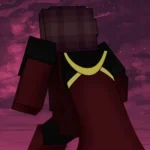

Wavey Cape in-game

WaveyCapes is a cool mod that finally fixes those stiff, cardboard-like capes in Minecraft. Instead of a solid block hanging off your back, this mod turns your cape into a smooth, flexible piece that actually moves with your character. It uses realistic physics so the fabric bends and flows naturally while you run, jump, or fall. It is a small visual change, but it makes your skin look way more professional and high-quality, giving your character a much more dynamic feel as you move through your world.

One of the best things about this mod is that it is entirely client-side, meaning you can use it on any server without the staff needing to install anything. You can also hop into the in-game config menu to tweak exactly how your cape behaves. Whether you want it to react to the wind or you prefer a specific rendering style, you can fine-tune the physics until it looks just right. If you have a cool cape from an event or a skin, this is definitely the best way to show it off without it looking like a floating rectangle.


Fabric

  1. 1. Download, execute the Fabric installer, choose Client, select your Minecraft version, and click Install.
  2. 2. Download the Fabric API matching that Minecraft version.
  3. 3. Download Wavey Capes or any additional Fabric-compatible mods you want.
  4. 4. Place the Fabric API and all mods into .minecraft/mods folder.
  5. 5. Open the Minecraft Launcher, select the new Fabric profile, and press Play. Enjoy!

Forge

  1. 1. Download, execute the Forge installer, choose Client, and click Install.
  2. 3. Download Wavey Capes or any additional Forge-compatible mods you want.
  3. 4. Place all mods into .minecraft/mods folder.
  4. 5. Open the Minecraft Launcher, select the new Forge profile, and press Play. Enjoy!

NeoForge

  1. 1. Download, execute the NeoForge installer, choose Client, and click Install.
  2. 3. Download Wavey Capes or any additional NeoForge-compatible mods you want.
  3. 4. Place all mods into .minecraft/mods folder.
  4. 5. Open the Minecraft Launcher, select the new NeoForge profile, and press Play. Enjoy!

Download Wavey Capes Mod

Type Game version File version Loaders Download
R Release
1.21.11 v1.8.2
Fabric
File
R Release
1.21.11 v1.8.2
NeoForge
File
R Release
1.21.10 v1.8.2
Fabric
File
R Release
1.21.10 v1.8.2
Forge
File
R Release
1.21.10 v1.8.2
NeoForge
File
R Release
1.21.8 v1.8.2
Fabric
File
R Release
1.21.8 v1.8.2
Forge
File
R Release
1.21.8 v1.8.2
NeoForge
File
R Release
1.21.5 v1.8.2
Fabric
File
R Release
1.21.5 v1.8.2
Forge
File
R Release
1.21.5 v1.8.2
NeoForge
File
R Release
1.21.4 v1.8.2
Fabric
File
R Release
1.21.4 v1.8.2
Forge
File
R Release
1.21.4 v1.8.2
NeoForge
File
R Release
1.21.1 v1.8.2
Fabric
File
R Release
1.21.1 v1.8.2
Forge
File
R Release
1.21.1 v1.8.2
NeoForge
File
R Release
1.20.6 v1.8.2
Fabric
File
R Release
1.20.6 v1.8.2
Forge
File
R Release
1.20.6 v1.8.2
NeoForge
File
R Release
1.20.4 v1.8.2
Fabric
File
R Release
1.20.4 v1.8.2
Forge
File
R Release
1.20.4 v1.8.2
NeoForge
File
R Release
1.20.1 v1.8.2
Fabric
File
R Release
1.20.1 v1.8.2
Forge
File
R Release
1.19.4 v1.8.2
Fabric
File
R Release
1.19.4 v1.8.2
Forge
File
R Release
1.19.2 v1.8.2
Fabric
File
R Release
1.19.2 v1.8.2
Forge
File
R Release
1.18.2 v1.8.2
Fabric
File
R Release
1.18.2 v1.8.2
Forge
File
R Release
1.17.1 v1.5.1
Fabric
File
R Release
1.17.1 v1.5.1
Forge
File
R Release
1.16.5 v1.8.2
Fabric
File
R Release
1.16.5 v1.5.2
Forge
File
R Release
1.12.2 v1.2.0
Forge
File

Wavey Capes Minecraft Mod

36 files • 1.21.11, 1.20.6, 1.19.4, 1.18.2

Download