logo responsive
/

Visuality: Reforged Minecraft Mod

1.21.4, 1.20.6, 1.19.4, 1.18.2

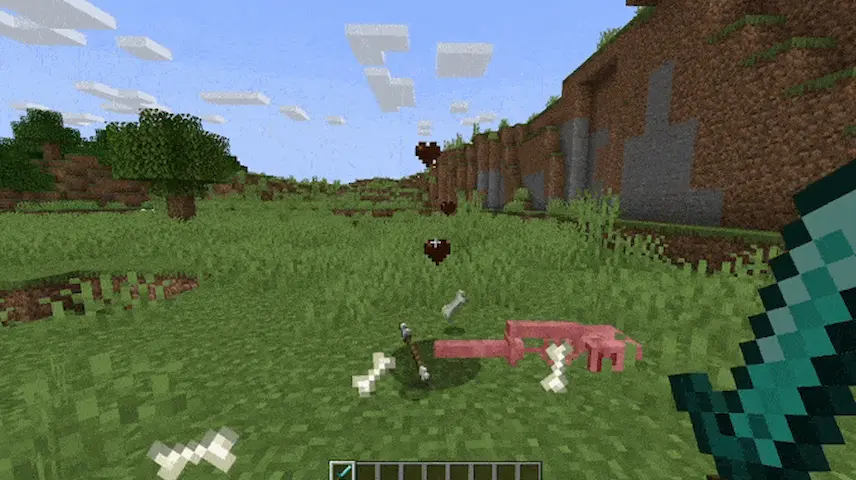
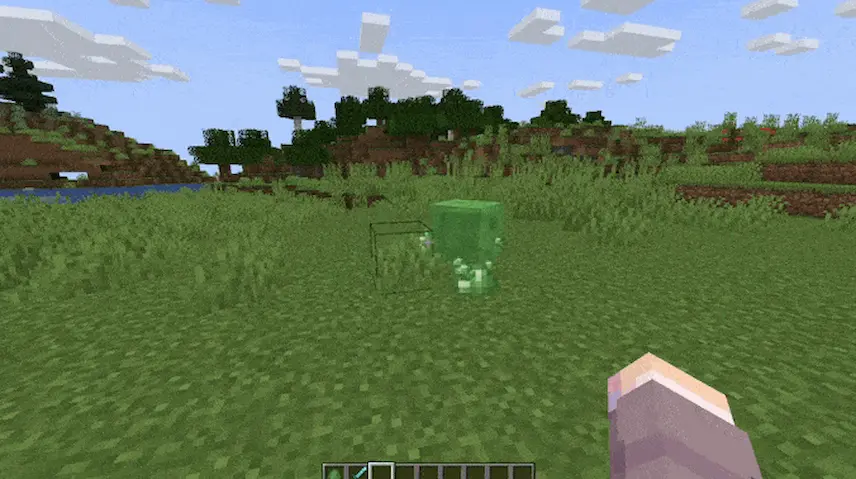
skeleton bone particles slime particles
skeleton bone particles
slime particles

Visuality: Reforged is a client-side Minecraft mod for Forge that brings the best of the Visuality particle effects to your game. Once installed, you’ll see delicate crystal sparkles drifting around ores and gems, custom blob particles bouncing off slimes, and dynamic hit effects every time you strike a mob. The world itself feels more alive thanks to subtle environmental particles—dust motes in dry biomes, drifting pollen in forests, and ripples of magic around enchanted blocks—that add depth to every exploration and build.

Beyond just looking pretty, these cosmetic enhancements give you immediate visual feedback on your actions and surroundings, making mining, combat, and even simple walks through your world more engaging. Because Visuality: Reforged is purely cosmetic and optimized for performance, it won’t bog down your frame rate, and it works seamlessly on any Forge-based setup. With the promise of new particle types in future updates, this mod ensures your Minecraft adventures stay fresh and vibrant without touching gameplay mechanics—letting you support the original Visuality work while enjoying rich visuals on Forge.


Fabric

  1. 1. Download, execute the Fabric installer, choose Client, select your Minecraft version, and click Install.
  2. 2. Download the Fabric API matching that Minecraft version.
  3. 3. Download Visuality: Reforged or any additional Fabric-compatible mods you want.
  4. 4. Place the Fabric API and all mods into .minecraft/mods folder.
  5. 5. Open the Minecraft Launcher, select the new Fabric profile, and press Play. Enjoy!

Forge

  1. 1. Download, execute the Forge installer, choose Client, and click Install.
  2. 3. Download Visuality: Reforged or any additional Forge-compatible mods you want.
  3. 4. Place all mods into .minecraft/mods folder.
  4. 5. Open the Minecraft Launcher, select the new Forge profile, and press Play. Enjoy!

NeoForge

  1. 1. Download, execute the NeoForge installer, choose Client, and click Install.
  2. 3. Download Visuality: Reforged or any additional NeoForge-compatible mods you want.
  3. 4. Place all mods into .minecraft/mods folder.
  4. 5. Open the Minecraft Launcher, select the new NeoForge profile, and press Play. Enjoy!

Download Visuality: Reforged Mod

Type Game version File version Loaders Download
R Release
1.21.4 v2.0.6
NeoForge
File
R Release
1.21.3 v2.0.6
NeoForge
File
R Release
1.21.1 v2.0.5
NeoForge
File
R Release
1.20.4 v2.0.4
Forge
File
R Release
1.20.4 v2.0.4
NeoForge
File
R Release
1.20.1 v2.0.2
Forge
File
R Release
1.19.4 v2.0.2
Forge
File
R Release
1.19.2 v2.0.2
Forge
File
R Release
1.18.2 v1.0
Forge
File

Visuality: Reforged Minecraft Mod

9 files • 1.21.4, 1.20.6, 1.19.4, 1.18.2

Download