
logo responsive
/

Sophisticated Backpacks Minecraft Mod

1.21.11, 1.20.4, 1.19.2, 1.18.2, 1.16.5

backpacks color variants upgrades
backpacks
color variants
upgrades

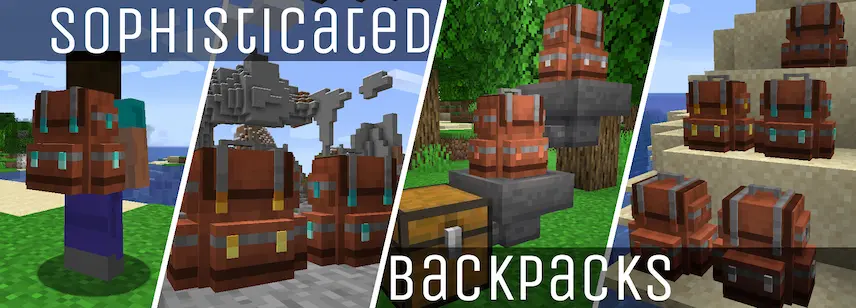
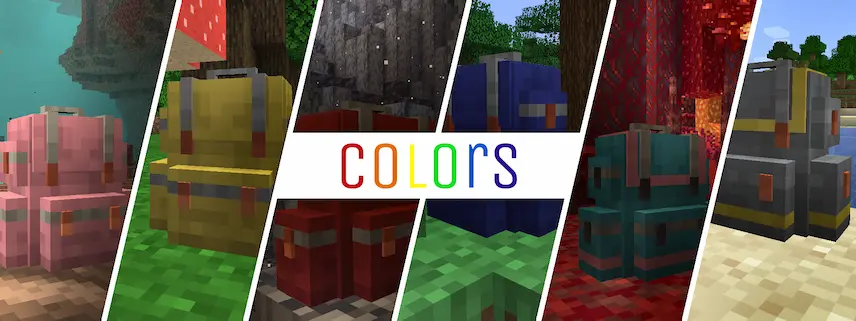
Sophisticated Backpacks is the ultimate Minecraft mod for players who crave style and smarts in their inventory management! These aren’t just ordinary backpacks—they’re fully customizable, upgradeable, and even placeable in the world like portable chests. Toss one on your back (via Curios or your chest slot), press B to access it anytime, or drop it as a storage hub for your base. With five tiers (leather to netherite), each upgrade adds more slots and unlocks game-changing perks like auto-feeding or item sorting. Plus, hunt for rare backpacks in loot chests—or steal them from mobs who occasionally strut around with loot-filled packs!

I’ve been using these backpacks to conquer my survival world, and they’re life-changing. The ability to pipe items in/out with hoppers, dye them any color, or even plop one down as a makeshift shop makes every adventure smoother.


Fabric

  1. 1. Download, execute the Fabric installer, choose Client, select your Minecraft version, and click Install.
  2. 2. Download the Fabric API matching that Minecraft version.
  3. 3. Download Sophisticated Backpacks or any additional Fabric-compatible mods you want.
  4. 4. Place the Fabric API and all mods into .minecraft/mods folder.
  5. 5. Open the Minecraft Launcher, select the new Fabric profile, and press Play. Enjoy!

Forge

  1. 1. Download, execute the Forge installer, choose Client, and click Install.
  2. 3. Download Sophisticated Backpacks or any additional Forge-compatible mods you want.
  3. 4. Place all mods into .minecraft/mods folder.
  4. 5. Open the Minecraft Launcher, select the new Forge profile, and press Play. Enjoy!

NeoForge

  1. 1. Download, execute the NeoForge installer, choose Client, and click Install.
  2. 3. Download Sophisticated Backpacks or any additional NeoForge-compatible mods you want.
  3. 4. Place all mods into .minecraft/mods folder.
  4. 5. Open the Minecraft Launcher, select the new NeoForge profile, and press Play. Enjoy!

Download Sophisticated Backpacks Mod

Type Game version File version Loaders Download
R Release
1.21.11 v3.25.24.1473
NeoForge
File
R Release
1.21.10 v3.25.23.1472
NeoForge
File
R Release
1.21.8 v3.25.21.1467
NeoForge
File
R Release
1.21.5 v3.25.19.1468
NeoForge
File
R Release
1.21.4 v3.25.20.1469
NeoForge
File
R Release
1.21.1 v3.25.20.1470
NeoForge
File
R Release
1.20.4 v3.20.6.1051
NeoForge
File
R Release
1.20.1 v3.24.16.1471
Forge
File
R Release
1.19.2 v3.20.2.1035
Forge
File
R Release
1.18.2 v3.20.3.1063
Forge
File
R Release
1.17.1 v3.12.3.496
Forge
File
R Release
1.16.5 v3.15.20.755
Forge
File

Sophisticated Backpacks Minecraft Mod

12 files • 1.21.11, 1.20.4, 1.19.2, 1.18.2, 1.16.5

Download