logo responsive
/

Sword Blocking Mechanics Minecraft Mod

1.21.5, 1.20.4, 1.18.2

Steve Blocking damage Blocking sword
Steve Blocking damage
Blocking sword

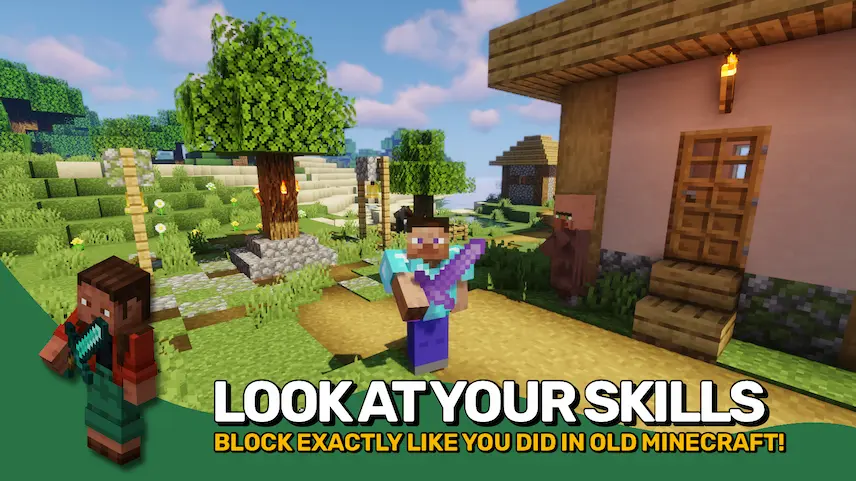
Sword Blocking Mechanics is a Minecraft mod that brings back the classic ability to block with any sword, just like in the 1.7 and 1.8 combat era. By simply right clicking while holding a sword, you automatically reduce half of all incoming damage without needing a bulky shield. This makes close combat much smoother and more intuitive, especially when you want to keep your offhand free for torches or other tools.

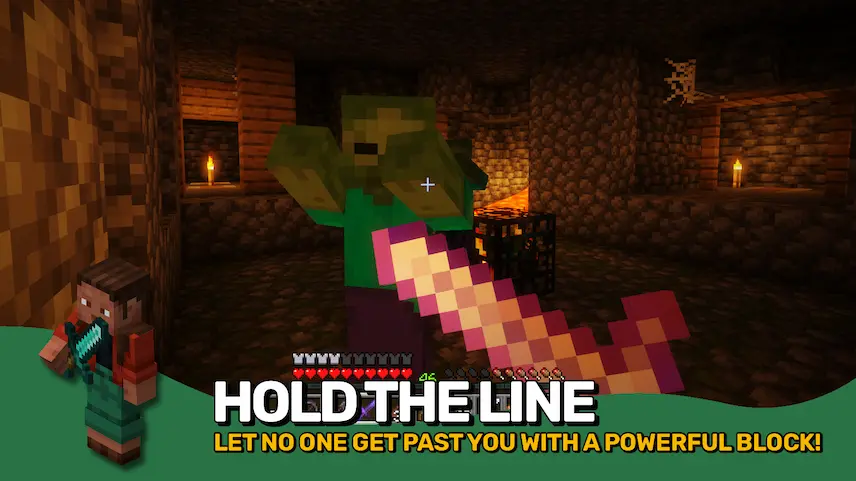
On top of the basic block feature, the mod adds a customizable parry system that works in the first half second after you start blocking. During that window, you block all damage just like a shield, giving you a powerful counter timing in fights. You can still use a shield if you prefer by holding it in your offhand, and shields will always take priority over sword blocking. With a full range of settings to tweak block timing and damage reduction, Sword Blocking Mechanics fits any play style and brings fresh depth to your Minecraft battles.


Fabric

  1. 1. Download, execute the Fabric installer, choose Client, select your Minecraft version, and click Install.
  2. 2. Download the Fabric API matching that Minecraft version.
  3. 3. Download Sword Blocking Mechanics or any additional Fabric-compatible mods you want.
  4. 4. Place the Fabric API and all mods into .minecraft/mods folder.
  5. 5. Open the Minecraft Launcher, select the new Fabric profile, and press Play. Enjoy!

Forge

  1. 1. Download, execute the Forge installer, choose Client, and click Install.
  2. 3. Download Sword Blocking Mechanics or any additional Forge-compatible mods you want.
  3. 4. Place all mods into .minecraft/mods folder.
  4. 5. Open the Minecraft Launcher, select the new Forge profile, and press Play. Enjoy!

NeoForge

  1. 1. Download, execute the NeoForge installer, choose Client, and click Install.
  2. 3. Download Sword Blocking Mechanics or any additional NeoForge-compatible mods you want.
  3. 4. Place all mods into .minecraft/mods folder.
  4. 5. Open the Minecraft Launcher, select the new NeoForge profile, and press Play. Enjoy!

Download Sword Blocking Mechanics Mod

Type Game version File version Loaders Download
R Release
1.21.5 v21.5.0
Fabric
File
R Release
1.21.5 v21.5.0
NeoForge
File
R Release
1.21.4 v21.4.0
Fabric
File
R Release
1.21.4 v21.4.0
NeoForge
File
R Release
1.21.3 v21.3.1
Fabric
File
R Release
1.21.3 v21.3.1
NeoForge
File
R Release
1.21.1 v21.1.1
Fabric
File
R Release
1.21.1 v21.1.1
NeoForge
File
R Release
1.20.4 v20.4.1
Fabric
File
R Release
1.20.4 v20.4.1
Forge
File
R Release
1.20.4 v20.4.1
NeoForge
File
R Release
1.20.1 v8.0.2
Fabric
File
R Release
1.20.1 v8.0.2
Forge
File
R Release
1.18.2 v3.0.1
Fabric
File
R Release
1.18.2 v3.0.1
Forge
File

Sword Blocking Mechanics Minecraft Mod

15 files • 1.21.5, 1.20.4, 1.18.2

Download