 Tags
Tags
If you’re tired of the same old Minecraft, you need to try mods. But sometimes installing them is a huge pain. Don’t worry, we’re going to use Fabric, which is super popular for lightweight, cool mods that don’t make your PC cry. Follow this easy guide to get your Minecraft mods up and running today.
Table of Contents
Get Your Mods Ready: The Simple Install Guide
To install Fabric mods, you need two things: the Fabric Loader and the Fabric API. It’s easier than you think.
Step 1: Get the Fabric Loader Installer
- Go to the official Fabric website.
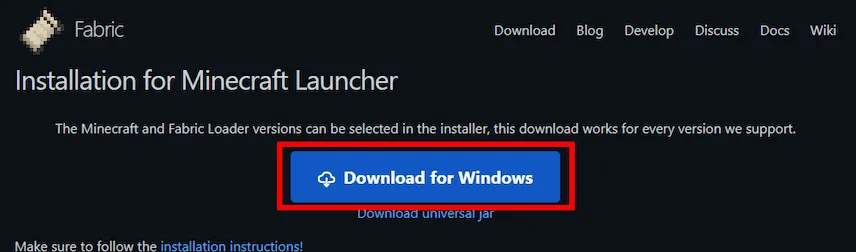
- Click the “Download for Windows” button. It will download a small file called
fabric-installer.jar. - Double-click the installer file. A small window will pop up.
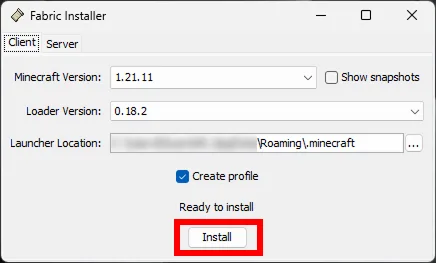
- Make sure the Minecraft version at the top is the one you want to use.
- Click the Install button.
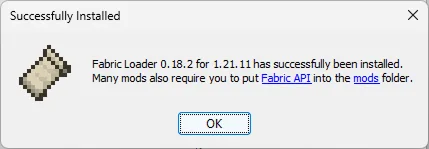
- Press “OK” to confirm installation.
- Open your Minecraft launcher and you will see a new profile.

Step 2: Download Your Mods and the Fabric API
- You need the Fabric API. This is a small mod that most other Fabric mods need to work.
- Go find the cool Minecraft mods you want to play with! Always check that the mod says it’s for “Fabric” and the correct version of Minecraft. Download the
.jarfiles.
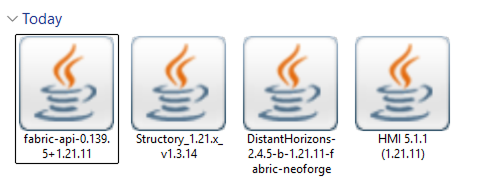
- DO NOT unzip the files. Just keep them as
.jarfiles.
Step 3: Put the Mods in the Right Folder
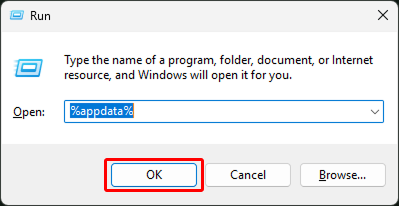
- Open the Windows application “Run” by pressing the Win + R keys.
- Type
%appdata%in the dialog box and press “OK” (or Enter).
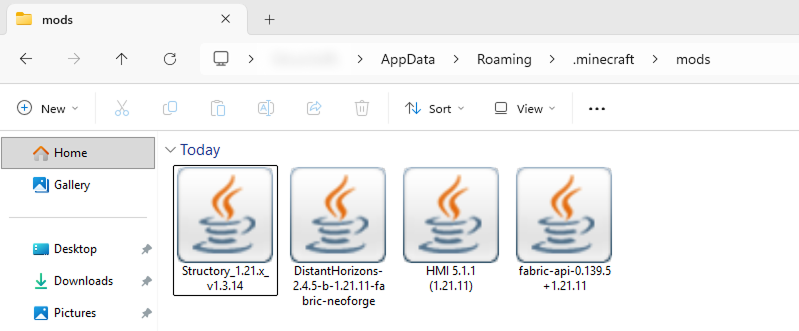
- Navigate to the
.minecraft/modsfolder. - Drag and drop the Fabric API
.jarfile and all the Minecraft mod.jarfiles you downloaded into mods folder.
Step 4: Launch the Game
- Go back to the Minecraft Launcher.
- Make sure the selected profile is “Fabric Loader“.
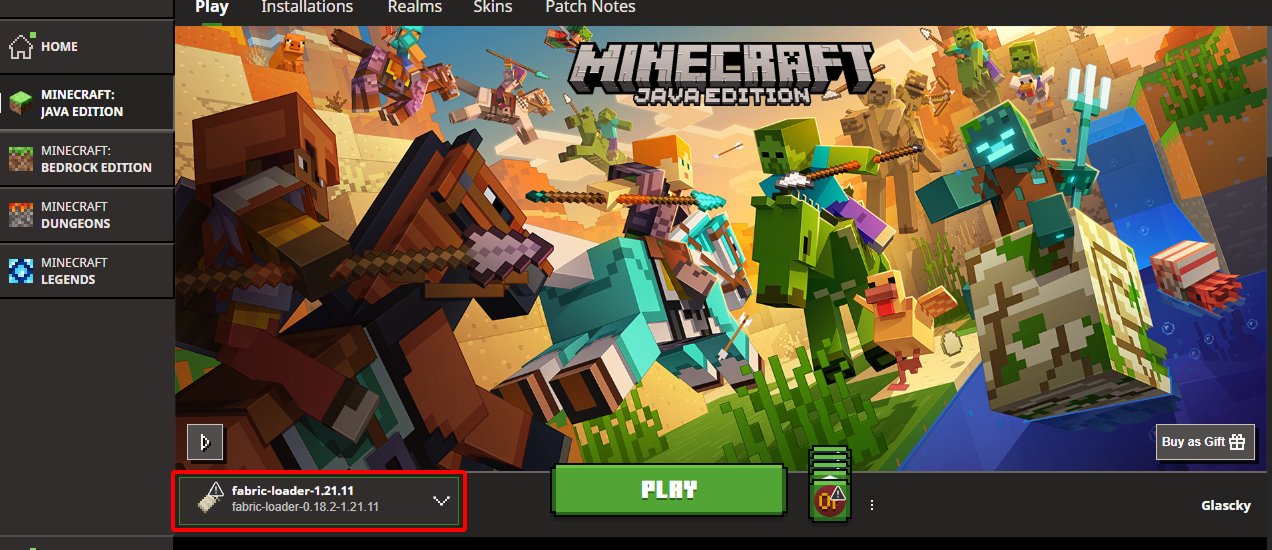
- Hit Play and wait for Minecraft to start.
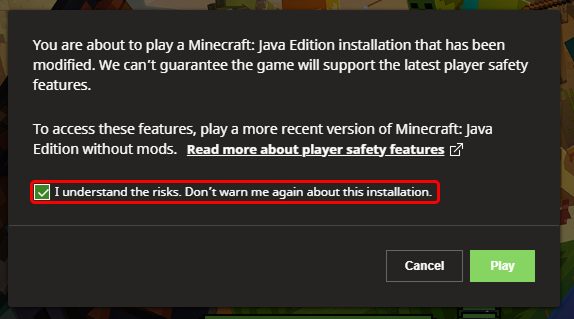
- Check the “I understand the risk” box and press Play.
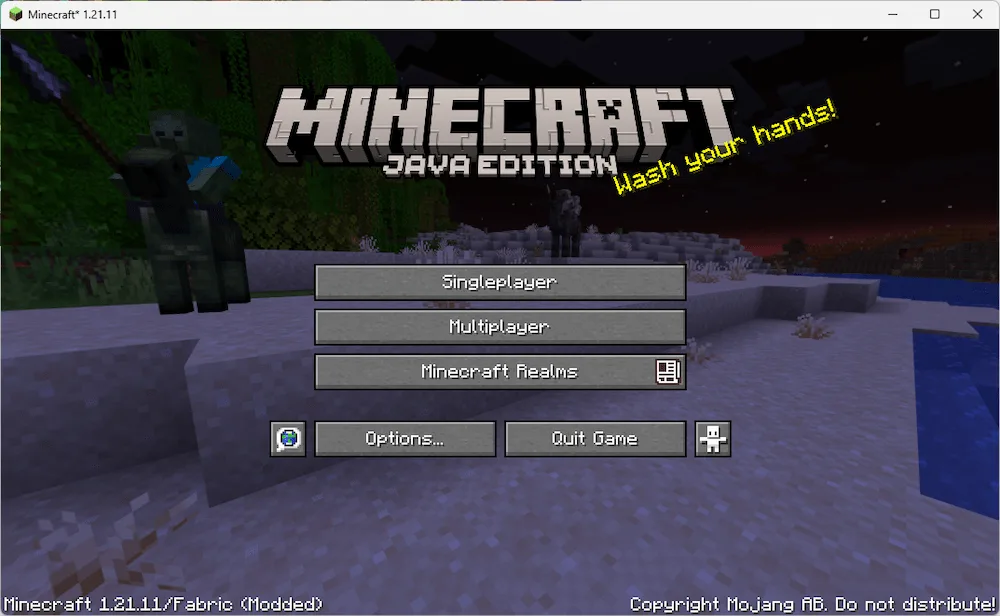
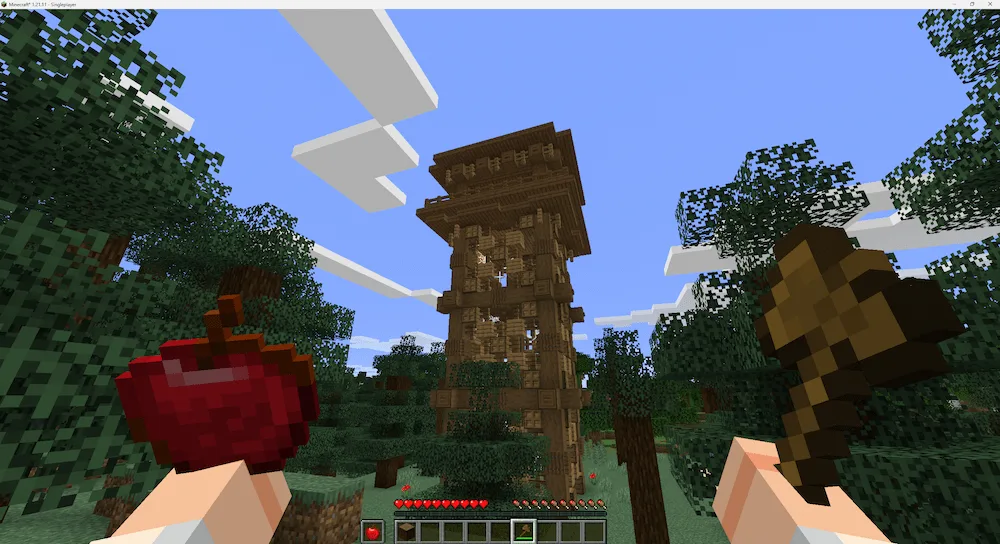
- If you see your new items or new settings in the game, congrats, you installed your mods correctly.
Time to Play
See, that wasn’t hard at all. Installing Fabric mods is a quick way to completely change how you play Minecraft. Remember, if a mod isn’t working, always check if you have the Fabric API in the mods folder and that every file is for the exact same Minecraft version. Now go build something awesome with your new gear.