logo responsive
/

Lightweight Inventory Sorting Minecraft Mod

26.2, 26.1.2, 1.21.11, 1.20.6

items Sorting on chest

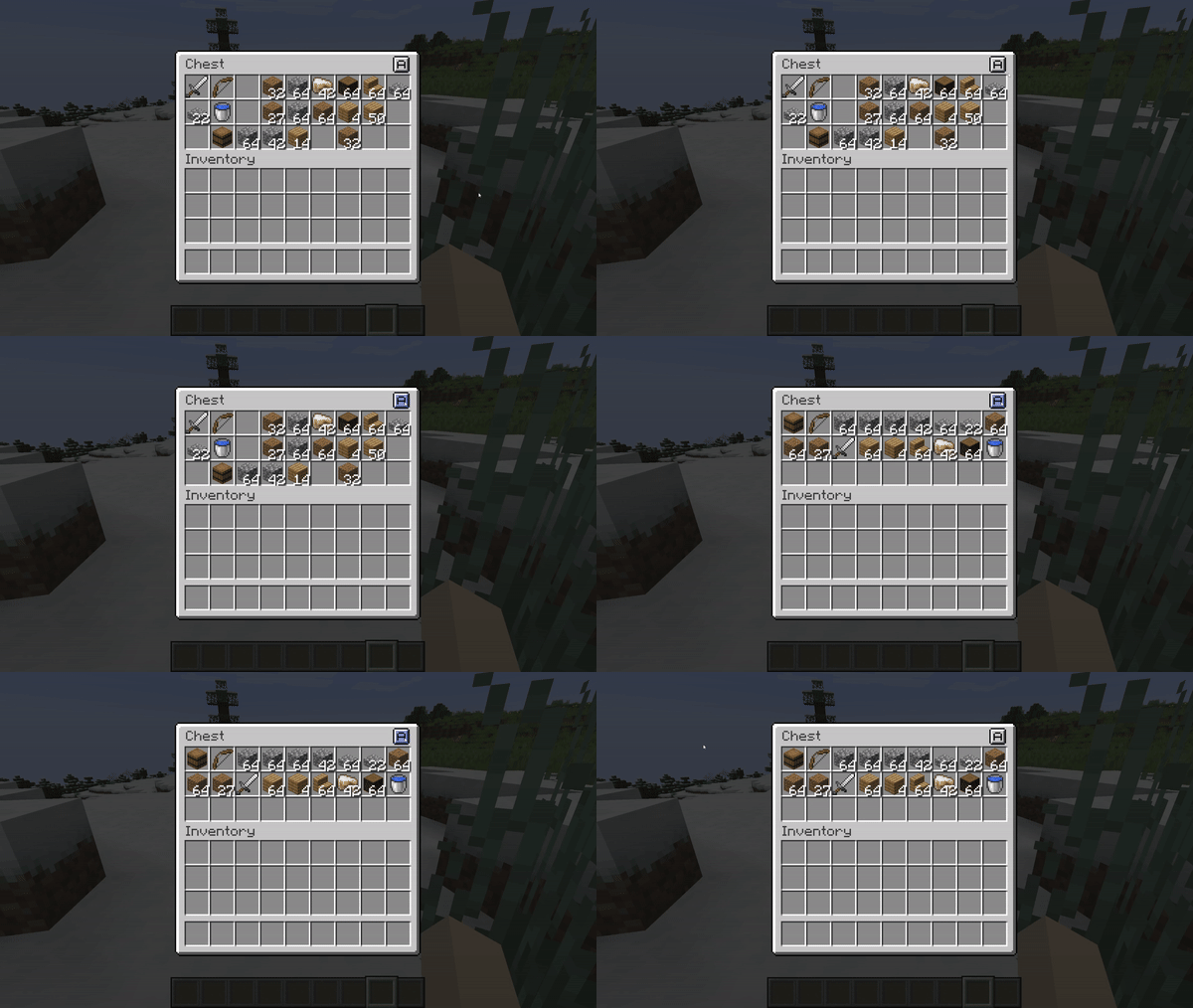
Lightweight Inventory Sorting mod for Fabric is here to solve all your storage nightmares without adding a ton of extra complicated stuff. This simple, client-side tool lets you instantly clean up your storage containers with just a button press or keybind. It works by sorting all your items either alphabetically, which is super helpful, or in reverse, and it automatically combines like items into neat, full stacks to save space.

The best part is that it works almost everywhere you store items, from basic single and double chests to Ender Chests, Barrels, Shulker Boxes, and even your main player inventory. If you want to fine-tune how it works, you can easily open up the customizable settings using Cloth Config. From there, you can change the size and location of the sort button on your screen, or even switch up the default sorting type. It’s a must-have quality-of-life mod that saves you a ton of time on boring inventory management.


Fabric

  1. 1. Download, execute the Fabric installer, choose Client, select your Minecraft version, and click Install.
  2. 2. Download the Fabric API matching that Minecraft version.
  3. 3. Download Lightweight Inventory Sorting or any additional Fabric-compatible mods you want.
  4. 4. Place the Fabric API and all mods into .minecraft/mods folder.
  5. 5. Open the Minecraft Launcher, select the new Fabric profile, and press Play. Enjoy!

Forge

  1. 1. Download, execute the Forge installer, choose Client, and click Install.
  2. 3. Download Lightweight Inventory Sorting or any additional Forge-compatible mods you want.
  3. 4. Place all mods into .minecraft/mods folder.
  4. 5. Open the Minecraft Launcher, select the new Forge profile, and press Play. Enjoy!

NeoForge

  1. 1. Download, execute the NeoForge installer, choose Client, and click Install.
  2. 3. Download Lightweight Inventory Sorting or any additional NeoForge-compatible mods you want.
  3. 4. Place all mods into .minecraft/mods folder.
  4. 5. Open the Minecraft Launcher, select the new NeoForge profile, and press Play. Enjoy!

Download Lightweight Inventory Sorting Mod

Type Game version File version Loaders Download
R Release
26.2 v1.1.6
Fabric
File
R Release
26.1.x v1.1.6
Fabric
File
R Release
1.21.11 v1.1.4
Fabric
File
R Release
1.21.10 v1.1.4
Fabric
File
R Release
1.21.8 v1.1.4
Fabric
File
R Release
1.21.5 v1.1.4
Fabric
File
R Release
1.21.4 v1.1.4
Fabric
File
R Release
1.21.1 v1.1.2
Fabric
File
R Release
1.20.6 v1.1.2
Fabric
File

Lightweight Inventory Sorting Minecraft Mod

9 files • 26.2, 26.1.2, 1.21.11, 1.20.6

Download