logo responsive
/

Locomotion Minecraft Mod – First Person Animation Update

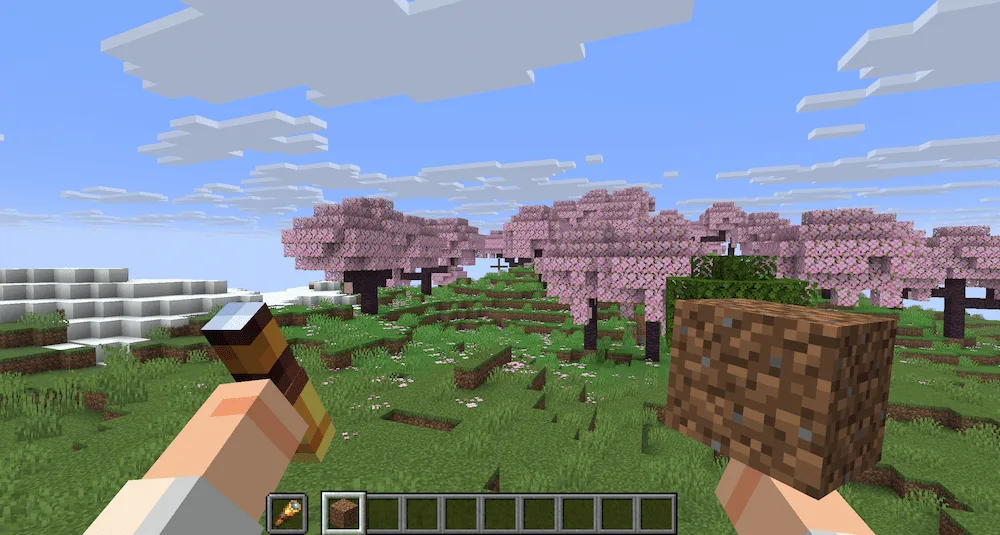
hold item animation

Want to make the first-person view in Minecraft feel incredibly immersive and realistic? Locomotion ModFirst Person Animation Update brings a full suite of detailed player animations to the game, ready for testing on Minecraft version 1.21.10 for both Fabric and NeoForge. This mod is an early build, but it’s already packed with smooth, detailed animations that bring your character to life.

The current version includes animations for core actions like walking, running, crouching, and wading in water, along with specific animations for holding items and leaning. The update has added a huge amount of detail to combat and utility actions, including:

  • Weapon Usage: Updated animations for crossbows, tridents, axes, and fine-tuned sword attacks. It also adds animations for the new mace weapon.
  • Tool & Item Use: New animations for eating, brushing, using a spyglass, and specific use animations for hoe tilling, shovel flattening, axe scraping, and shears.
  • Movement & World Interaction: New swimming animations, improved idle, jump, and walking animations, and a refactoring of how all movement works.

You can configure the intensity of the camera movement (YACL or Mod Menu required).
Fabric

  1. 1. Download, execute the Fabric installer, choose Client, select your Minecraft version, and click Install.
  2. 2. Download the Fabric API matching that Minecraft version.
  3. 3. Download Locomotion or any additional Fabric-compatible mods you want.
  4. 4. Place the Fabric API and all mods into .minecraft/mods folder.
  5. 5. Open the Minecraft Launcher, select the new Fabric profile, and press Play. Enjoy!

Forge

  1. 1. Download, execute the Forge installer, choose Client, and click Install.
  2. 3. Download Locomotion or any additional Forge-compatible mods you want.
  3. 4. Place all mods into .minecraft/mods folder.
  4. 5. Open the Minecraft Launcher, select the new Forge profile, and press Play. Enjoy!

NeoForge

  1. 1. Download, execute the NeoForge installer, choose Client, and click Install.
  2. 3. Download Locomotion or any additional NeoForge-compatible mods you want.
  3. 4. Place all mods into .minecraft/mods folder.
  4. 5. Open the Minecraft Launcher, select the new NeoForge profile, and press Play. Enjoy!

Download Locomotion Mod – First Person Animation Update

Type Game version File version Loaders Download
R Release
1.21.11 v0.1.12
Fabric
File
R Release
1.21.11 v0.1.12
NeoForge
File
R Release
1.21.10 v0.1.8
Fabric
File
R Release
1.21.10 v0.1.8
NeoForge
File

Locomotion Minecraft Mod – First Person Animation Update

4 files

Download