 Tags
Tags
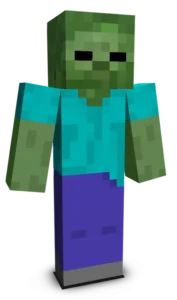
Classic Slime brings one of Minecraft’s most iconic mobs into a clean and simple skin. Featuring the bright green body and soft transparent look, this design captures the bouncy and playful nature of slimes. It’s perfect for players who enjoy classic mobs and want a fun, recognizable, and easygoing style while exploring or jumping around their world.
To change your character's skin in Minecraft Java Edition, follow these steps:
- Open your web browser and go to the official Minecraft website: https://www.minecraft.net/.
- Log in with your Minecraft account if you haven't already.
- At the top of the website, you will see the "Skins" option. Click on it.
- Here, you can choose from several options:
- New Skin: Upload a custom skin from your computer.
- Change to Steve: Change your skin to the default Steve appearance.
- Change to Alex: Change your skin to the default Alex appearance.
- Browse Skins: Explore and select a skin from Minecraft's official gallery.
- If you choose "New Skin," select the image file of your new skin from your computer. The skin should be in PNG format and follow the appropriate dimensions.
- After selecting or uploading the skin, click the "Upload" or "Change My Skin" button to apply the new skin to your character.
- Open the Minecraft game and check that the new skin has been applied correctly.