logo responsive
/

A Good Place Minecraft Mod

26.1.2, 1.21.11, 1.20.1

Block animation

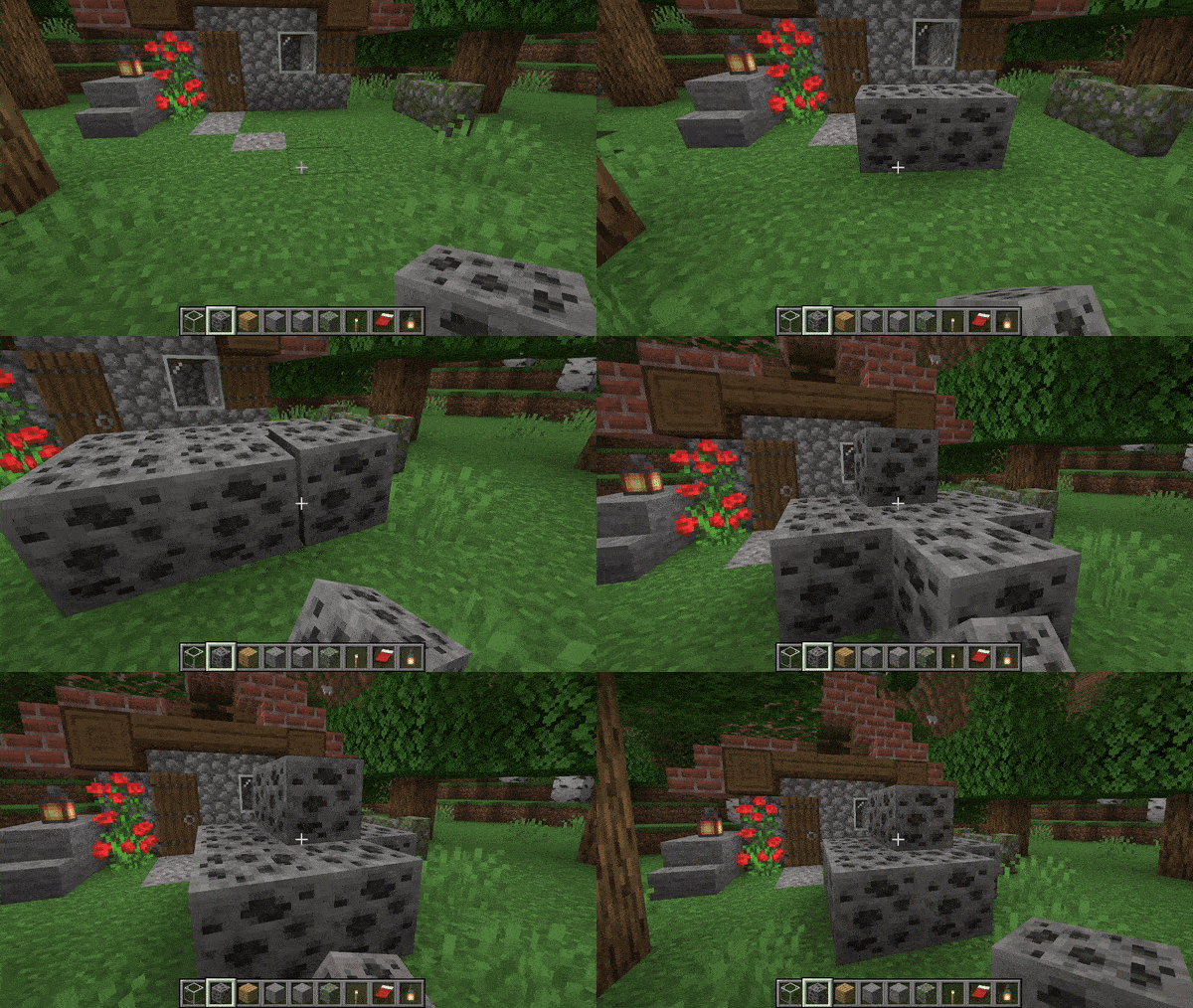
A Good Place Mod is a unique visual enhancement that replaces the instant “pop” of placing blocks with smooth, customizable 3D animations. Instead of blocks simply appearing, they can slide, scale, or bounce into place, making the act of building feel significantly more tactile and satisfying. The mod is highly optimized to ensure that these visual flourishes don’t interfere with the speed of your building, maintaining a “Vanilla+” feel while providing a much more polished and modern aesthetic to the creative process.

What makes this mod stand out is its deep integration with Resource Packs, allowing players and creators to design their own placement styles. By editing files within a resource pack, you can use various control points to tweak the timing, direction, and easing of the animations for specific block types. Whether you want heavy stone blocks to thud into place or delicate leaves to scale up gently, the system gives you total creative control over the physical “weight” of your world-building.


Fabric

  1. 1. Download, execute the Fabric installer, choose Client, select your Minecraft version, and click Install.
  2. 2. Download the Fabric API matching that Minecraft version.
  3. 3. Download A Good Place or any additional Fabric-compatible mods you want.
  4. 4. Place the Fabric API and all mods into .minecraft/mods folder.
  5. 5. Open the Minecraft Launcher, select the new Fabric profile, and press Play. Enjoy!

Forge

  1. 1. Download, execute the Forge installer, choose Client, and click Install.
  2. 3. Download A Good Place or any additional Forge-compatible mods you want.
  3. 4. Place all mods into .minecraft/mods folder.
  4. 5. Open the Minecraft Launcher, select the new Forge profile, and press Play. Enjoy!

NeoForge

  1. 1. Download, execute the NeoForge installer, choose Client, and click Install.
  2. 3. Download A Good Place or any additional NeoForge-compatible mods you want.
  3. 4. Place all mods into .minecraft/mods folder.
  4. 5. Open the Minecraft Launcher, select the new NeoForge profile, and press Play. Enjoy!

Download A Good Place Mod

Type Game version File version Loaders Download
R Release
26.1.2 v1.3.4
Fabric
File
R Release
26.1.2 v1.3.4
NeoForge
File
R Release
1.21.11 v1.3.2
Fabric
File
R Release
1.21.11 v1.3.2
NeoForge
File
R Release
1.21.4 v1.2.10
Fabric
File
R Release
1.21.4 v1.2.10
NeoForge
File
R Release
1.21.1 v1.2.6
Fabric
File
R Release
1.21.1 v1.2.6
NeoForge
File
R Release
1.20.1 v1.2.8
Fabric
File
R Release
1.20.1 v1.2.8
NeoForge
File

A Good Place Minecraft Mod

10 files • 26.1.2, 1.21.11, 1.20.1

Download