logo responsive
/

Fancy World Animations Minecraft Mod

26.2, 26.1.2, 1.21.11, 1.20.1

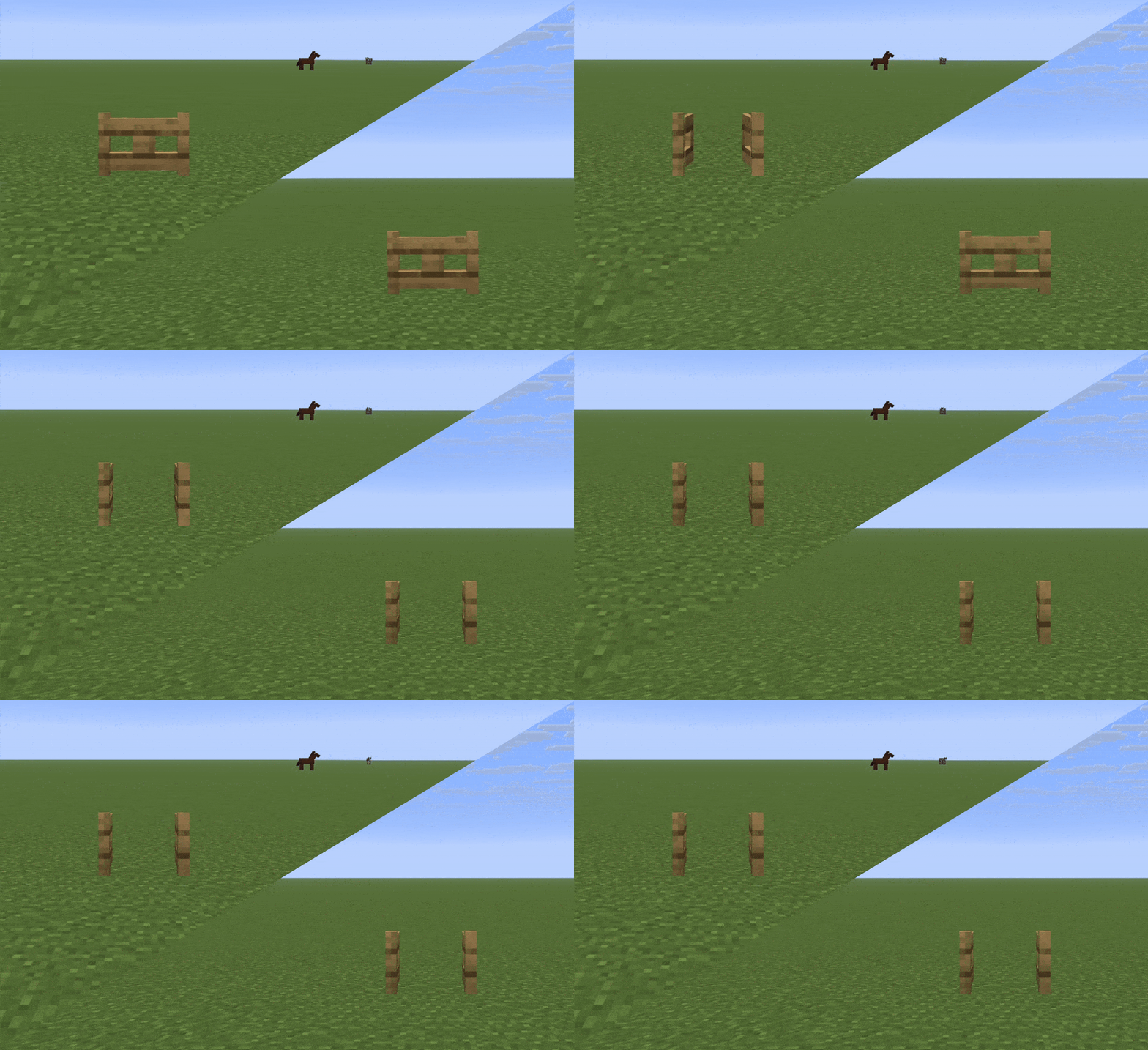
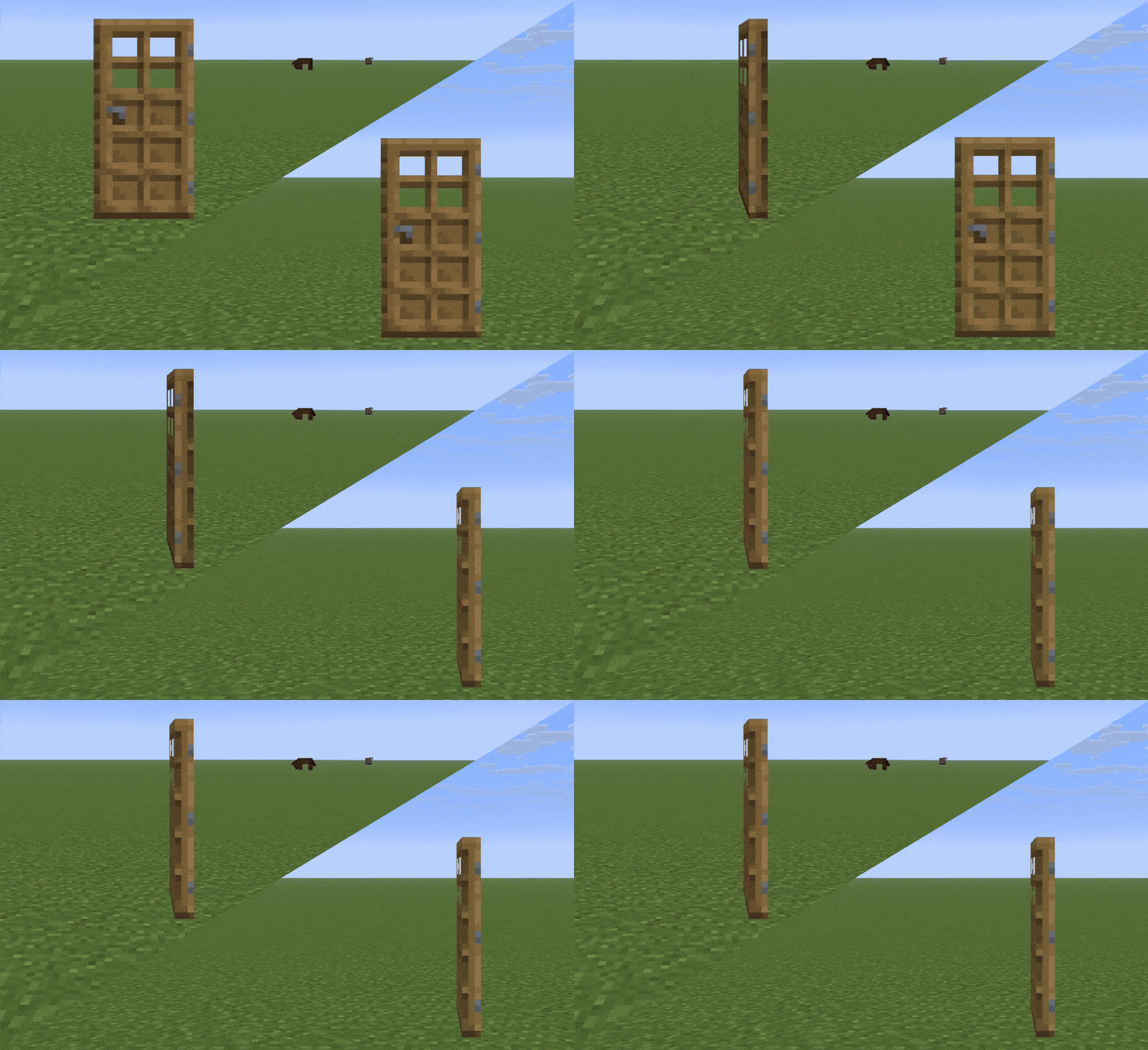
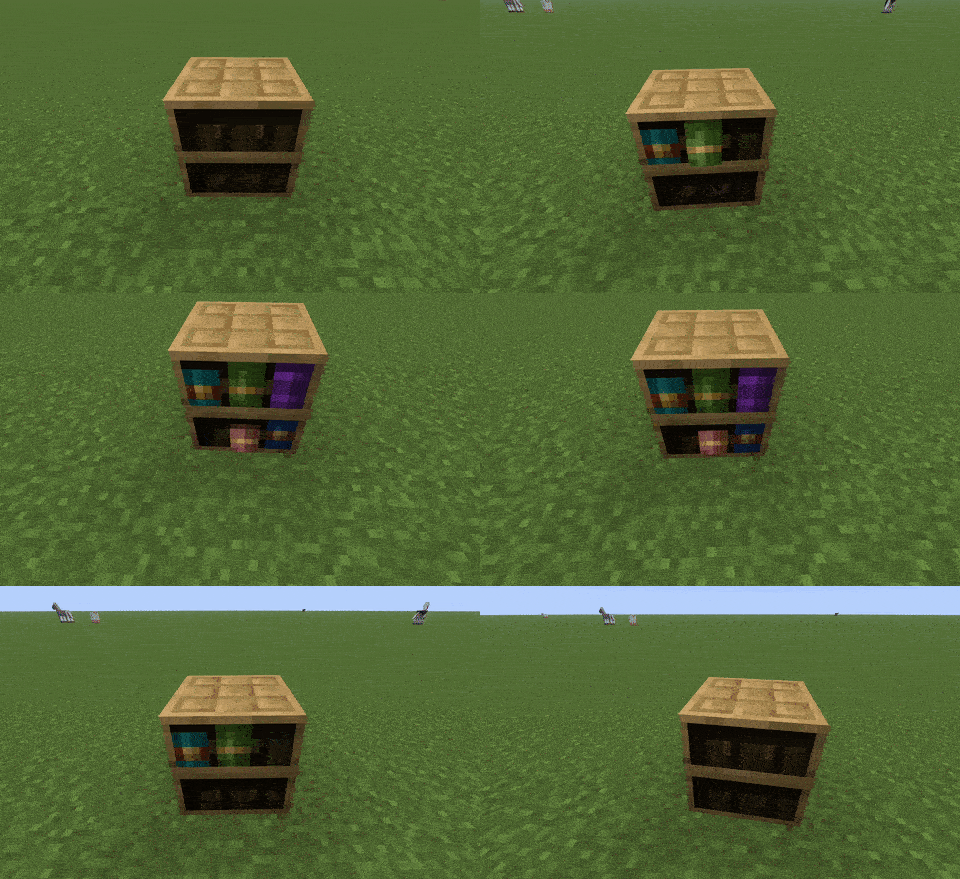
Smooth fence-gate Smooth doors Smooth chiseled bookshelves
Smooth fence-gate
Smooth doors
Smooth chiseled bookshelves

If you’ve ever felt like the blocks in Minecraft are a bit too static and robotic, Fancy World Animations (or FWA) is the mod you never knew you needed. It adds incredibly smooth, lifelike animations to almost every block you interact with. Instead of doors and fence gates just “snapping” open, they now swing with a fluid motion that makes the world feel much more high-end. It even adds little details like discs spinning inside jukeboxes, swinging lanterns, and levers that actually look like they’re being pulled. Once you see a chest open with a custom animation or a campfire flickering smoothly, it’s honestly really hard to go back to the standard game.

The best part is that it’s built to work perfectly with your favorite resource packs, as well as performance mods like Sodium and Iris shaders. It covers everything from repeaters and buttons to more complex blocks like cauldrons, composters, and even the eyes in end portal frames. It even adds “idling” animations to things like bells and lecterns so the world feels alive even when you aren’t touching anything. It’s a simple, lightweight way to add a ton of polish to your survival world or creative builds without changing the core gameplay.


Fabric

  1. 1. Download, execute the Fabric installer, choose Client, select your Minecraft version, and click Install.
  2. 2. Download the Fabric API matching that Minecraft version.
  3. 3. Download Fancy World Animations or any additional Fabric-compatible mods you want.
  4. 4. Place the Fabric API and all mods into .minecraft/mods folder.
  5. 5. Open the Minecraft Launcher, select the new Fabric profile, and press Play. Enjoy!

Forge

  1. 1. Download, execute the Forge installer, choose Client, and click Install.
  2. 3. Download Fancy World Animations or any additional Forge-compatible mods you want.
  3. 4. Place all mods into .minecraft/mods folder.
  4. 5. Open the Minecraft Launcher, select the new Forge profile, and press Play. Enjoy!

NeoForge

  1. 1. Download, execute the NeoForge installer, choose Client, and click Install.
  2. 3. Download Fancy World Animations or any additional NeoForge-compatible mods you want.
  3. 4. Place all mods into .minecraft/mods folder.
  4. 5. Open the Minecraft Launcher, select the new NeoForge profile, and press Play. Enjoy!

Download Fancy World Animations Mod

Type Game version File version Loaders Download
R Release
26.2 v1.2.34
Fabric
File
R Release
26.1.x v1.2.34
Fabric
File
R Release
26.1.x v1.2.30
NeoForge
File
R Release
1.21.11 v1.2.34
Fabric
File
R Release
1.21.11 v1.2.30
NeoForge
File
R Release
1.21.10 v1.1.12
Fabric
File
R Release
1.21.8 v1.1.12
Fabric
File
R Release
1.21.5 v1.1.12
Fabric
File
R Release
1.21.4 v1.1.12
Fabric
File
R Release
1.21.1 v1.2.31
Fabric
File
R Release
1.21.1 v1.2.31
NeoForge
File
R Release
1.20.1 v1.2.31
Fabric
File
R Release
1.20.1 v1.2.31
Forge
File

Fancy World Animations Minecraft Mod

13 files • 26.2, 26.1.2, 1.21.11, 1.20.1

Download