logo responsive
/

No XP Anvils Minecraft Mod

1.21.11, 1.20.1

repair sword change name enchanting sword
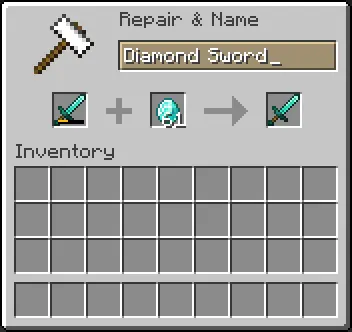
repair sword
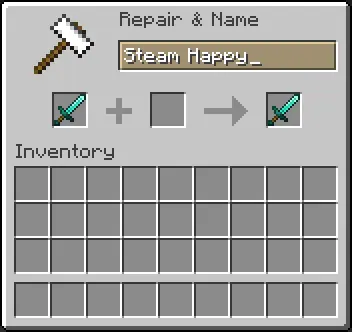
change name
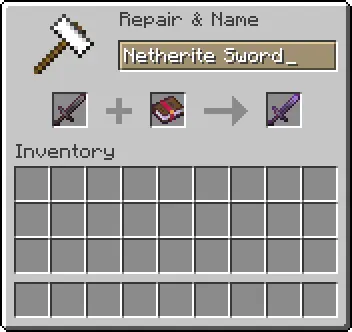
enchanting sword

No XP Anvils is a Minecraft mod that takes the hassle out of using an anvil by removing all XP costs for repairing, renaming, and applying enchantments to your gear. Instead of stocking up experience levels and worrying about high repair bills, you simply place your tools or armor in the anvil and make the changes without spending a single level. This means you can keep your diamond sword sharp, rename your favorite pickaxe, or combine enchanted books freely, all without grinding for XP.

By eliminating experience costs, this Minecraft mod streamlines gear maintenance and lets you focus on exploration and building rather than farming mobs or mining for levels. Your enchanted gear stays at peak performance without the risk of running out of XP, which is especially handy in survival mode or on busy multiplayer servers. Installation is straightforward—drop the mod into your “mods” folder—and it works right away, making your anvil sessions faster, cheaper, and more convenient.


Fabric

  1. 1. Download, execute the Fabric installer, choose Client, select your Minecraft version, and click Install.
  2. 2. Download the Fabric API matching that Minecraft version.
  3. 3. Download No XP Anvils or any additional Fabric-compatible mods you want.
  4. 4. Place the Fabric API and all mods into .minecraft/mods folder.
  5. 5. Open the Minecraft Launcher, select the new Fabric profile, and press Play. Enjoy!

Forge

  1. 1. Download, execute the Forge installer, choose Client, and click Install.
  2. 3. Download No XP Anvils or any additional Forge-compatible mods you want.
  3. 4. Place all mods into .minecraft/mods folder.
  4. 5. Open the Minecraft Launcher, select the new Forge profile, and press Play. Enjoy!

NeoForge

  1. 1. Download, execute the NeoForge installer, choose Client, and click Install.
  2. 3. Download No XP Anvils or any additional NeoForge-compatible mods you want.
  3. 4. Place all mods into .minecraft/mods folder.
  4. 5. Open the Minecraft Launcher, select the new NeoForge profile, and press Play. Enjoy!

Download No XP Anvils Mod

Type Game version File version Loaders Download
R Release
1.21.11 v1.2.1
Fabric
File
R Release
1.21.10 v1.2.1
Fabric
File
R Release
1.21.9 v1.2.1
Fabric
File
R Release
1.21.8 v1.2.1
Fabric
File
R Release
1.21.7 v1.2.1
Fabric
File
R Release
1.21.6 v1.2.1
Fabric
File
R Release
1.21.5 v1.2.1
Fabric
File
R Release
1.21.4 v1.2.0
Fabric
File
R Release
1.21.1 v1.2.0
Fabric
File
R Release
1.20.1 v1.2.0
Fabric
File

No XP Anvils Minecraft Mod

10 files • 1.21.11, 1.20.1

Download