logo responsive
/

Modular Backpacks Minecraft Mod

1.21.1, 1.20.1

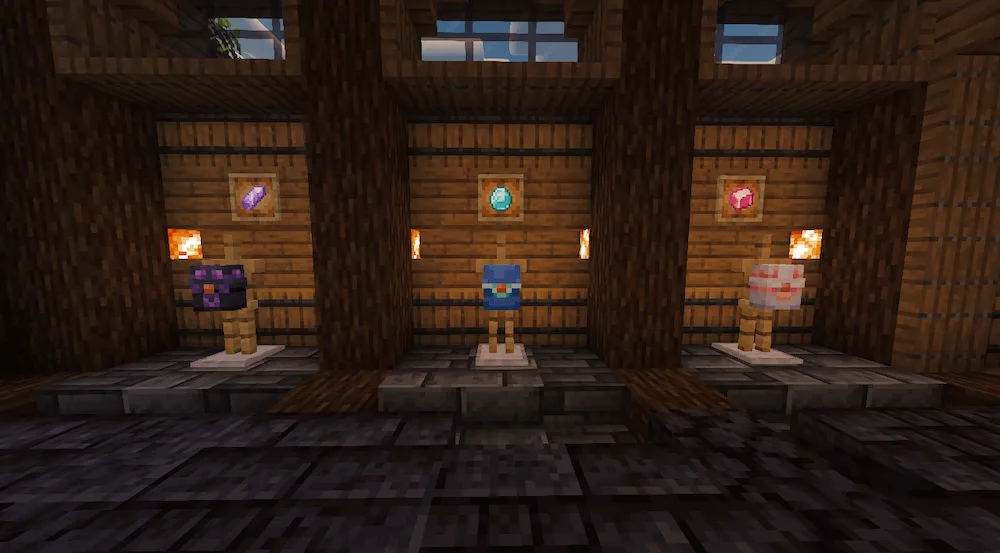
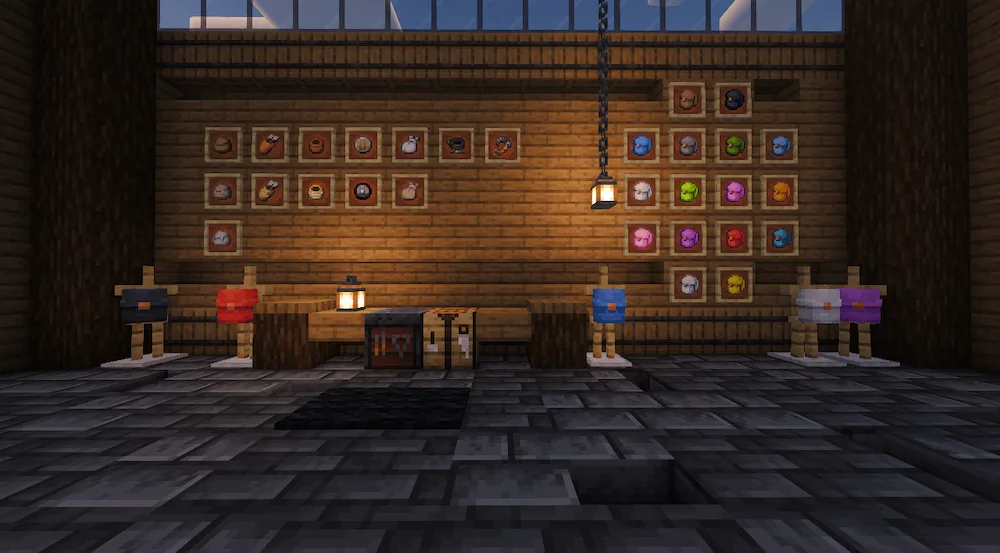
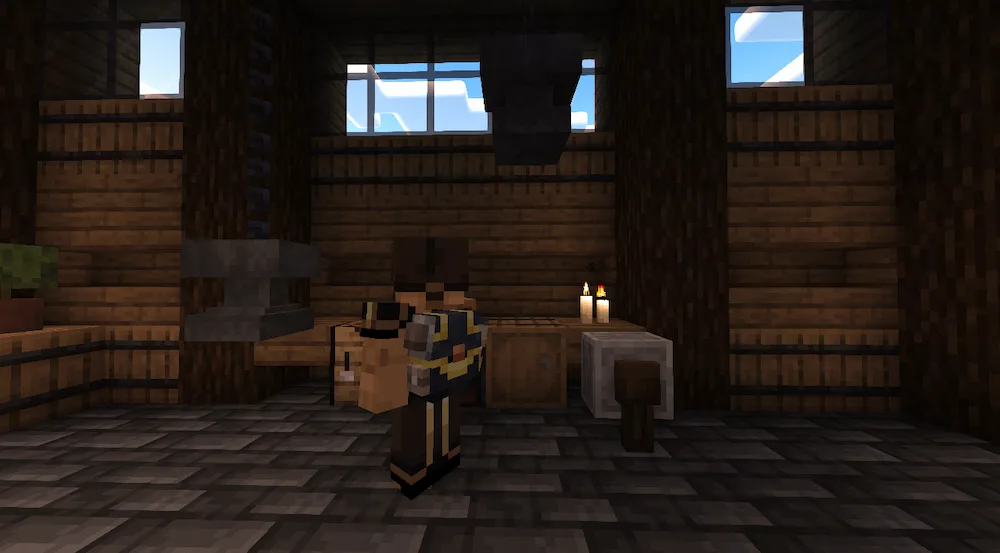
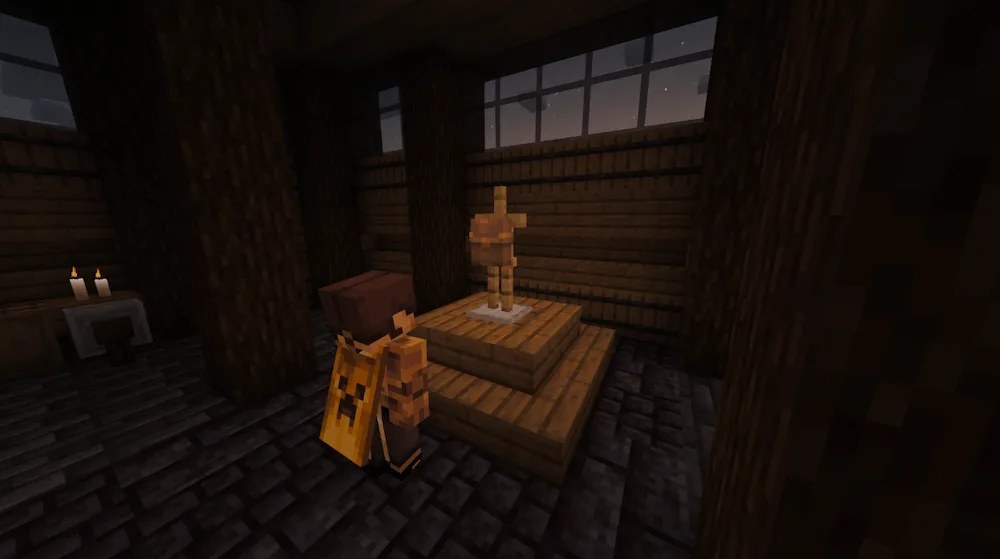
Backpacks with Vanilla and Modded Trims Showcase of all Modules and dyed Backpack items Back view of a Backpack with modules slotted in Backpack on an Armor Stand Backpack GUI
Backpacks with Vanilla and Modded Trims
Showcase of all Modules and dyed Backpack items
Back view of a Backpack with modules slotted in
Backpack on an Armor Stand
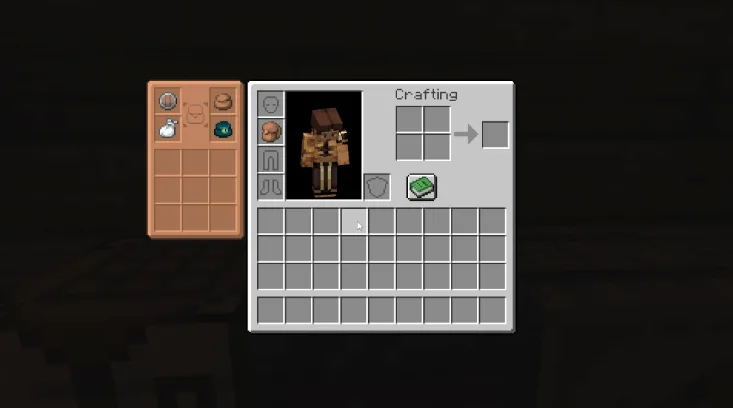
Backpack GUI

If you hate dealing with a messy inventory, Modular Backpacks is about to be your new favorite addition. Instead of just giving you a basic chest on your back, this mod focuses on a single gear piece that you can fully customize. You start with nine storage slots and four module spots, allowing you to swap in different upgrades that fit your playstyle. You can add a farming pot to grow crops on the go, a quiver that boosts your arrows, or even a buckler to replace missing chestplate armor. The best part is that slotted modules actually show up visually on your pack, and you can dye or trim it to match your overall outfit.

It also brings four unique enchantments that change how your pack works. For example, the Linking enchantment keeps your bag safe when you die, while Rationing feeds you automatically out of combat. You can even slot in vanilla gear like Elytras, spyglasses, or jukeboxes to save space. It feels super balanced, looks like something that belongs in regular Minecraft, and integrates smoothly with major mods like Create and Farmer’s Delight.


Fabric

  1. 1. Download, execute the Fabric installer, choose Client, select your Minecraft version, and click Install.
  2. 2. Download the Fabric API matching that Minecraft version.
  3. 3. Download Modular Backpacks or any additional Fabric-compatible mods you want.
  4. 4. Place the Fabric API and all mods into .minecraft/mods folder.
  5. 5. Open the Minecraft Launcher, select the new Fabric profile, and press Play. Enjoy!

Forge

  1. 1. Download, execute the Forge installer, choose Client, and click Install.
  2. 3. Download Modular Backpacks or any additional Forge-compatible mods you want.
  3. 4. Place all mods into .minecraft/mods folder.
  4. 5. Open the Minecraft Launcher, select the new Forge profile, and press Play. Enjoy!

NeoForge

  1. 1. Download, execute the NeoForge installer, choose Client, and click Install.
  2. 3. Download Modular Backpacks or any additional NeoForge-compatible mods you want.
  3. 4. Place all mods into .minecraft/mods folder.
  4. 5. Open the Minecraft Launcher, select the new NeoForge profile, and press Play. Enjoy!

Download Modular Backpacks Mod

Type Game version File version Loaders Download
R Release
1.21.1 v0.2.12
NeoForge
File
R Release
1.20.1 v0.1.10
Forge
File

Modular Backpacks Minecraft Mod

2 files • 1.21.1, 1.20.1

Download