Tags
Tags
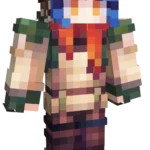
Fantasy Explorer Girl features a colorful adventurer with bright blue hair, orange eyes, and a detailed outfit made for exploration. She wears goggles on her head along with layered clothing in earthy green, brown, and orange tones, giving her a strong fantasy traveler look. The detailed accessories and vibrant colors make this skin perfect for players who enjoy adventure, exploration, and fantasy inspired characters in Minecraft.
To change your character's skin in Minecraft Java Edition, follow these steps:
- Open your web browser and go to the official Minecraft website: https://www.minecraft.net/.
- Log in with your Minecraft account if you haven't already.
- At the top of the website, you will see the "Skins" option. Click on it.
- Here, you can choose from several options:
- New Skin: Upload a custom skin from your computer.
- Change to Steve: Change your skin to the default Steve appearance.
- Change to Alex: Change your skin to the default Alex appearance.
- Browse Skins: Explore and select a skin from Minecraft's official gallery.
- If you choose "New Skin," select the image file of your new skin from your computer. The skin should be in PNG format and follow the appropriate dimensions.
- After selecting or uploading the skin, click the "Upload" or "Change My Skin" button to apply the new skin to your character.
- Open the Minecraft game and check that the new skin has been applied correctly.