Tags
Tags
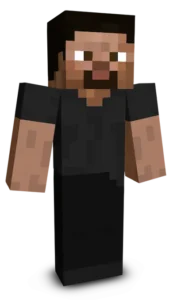
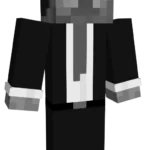
Mafia Steve gives the classic Minecraft character a classy and mysterious gangster look. Dressed in a sharp black suit with a white tie and matching fedora, Steve looks ready to take control of the city. The dark colors and formal outfit create an old school mafia style, perfect for roleplay, city maps, or players who want a more serious and stylish version of Steve.
To change your character's skin in Minecraft Java Edition, follow these steps:
- Open your web browser and go to the official Minecraft website: https://www.minecraft.net/.
- Log in with your Minecraft account if you haven't already.
- At the top of the website, you will see the "Skins" option. Click on it.
- Here, you can choose from several options:
- New Skin: Upload a custom skin from your computer.
- Change to Steve: Change your skin to the default Steve appearance.
- Change to Alex: Change your skin to the default Alex appearance.
- Browse Skins: Explore and select a skin from Minecraft's official gallery.
- If you choose "New Skin," select the image file of your new skin from your computer. The skin should be in PNG format and follow the appropriate dimensions.
- After selecting or uploading the skin, click the "Upload" or "Change My Skin" button to apply the new skin to your character.
- Open the Minecraft game and check that the new skin has been applied correctly.